ECC
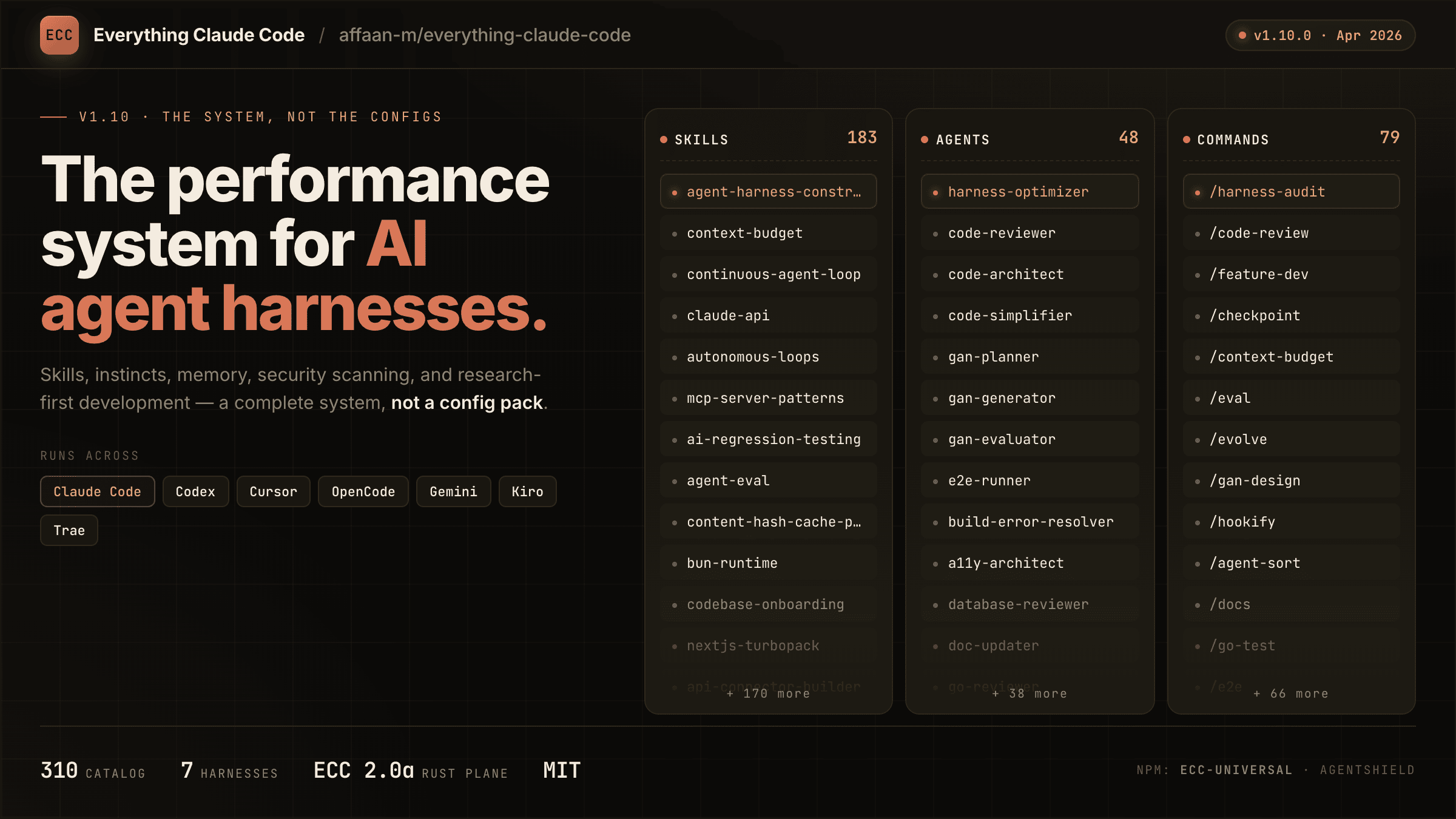
The agent harness performance optimization system. Skills, instincts, memory, security, and research-first development for Claude Code, Codex, Opencode, Cursor and beyond.
原始仓库简介 · 中文摘要待补充 · ai-agents / anthropic / claude / claude-code / developer-tools / llm
README / 项目原文
Language: English | العربية | Português (Brasil) | 简体中文 | 繁體中文 | 日本語 | 한국어 | Türkçe | Русский | Tiếng Việt | ไทย | Deutsch | Español | Українська | Polski | বাংলা











[!WARNING] Official sources only. Install ECC only from verified channels: the GitHub repository github.com/affaan-m/ECC, the npm packages
ecc-universalandecc-agentshield, the GitHub App, the plugin slugecc@ecc, and the project website ecc.tools. Third-party re-uploads and unofficial mirrors are not maintained or reviewed by the project and may contain malware.
Install with Claude Code
Use the guided setup or native plugin commands. Both install the same ecc@ecc plugin. Choose one and do not stack a full manual Claude install on top.
 ECC Pro + GitHub App Install free · Private repos from $19/seat/mo |
 Sponsor ECC Fund the open-source project |
 Community Discord · Q&A · Show and Tell |
OSS stays free. This repo is MIT-licensed forever. ECC Pro is the hosted GitHub App for private repos. Sponsors and Pro subscribers fund the work. That's why a single maintainer ships weekly across 7 harnesses.
Partners & sponsors





Past sponsors: Atlas Cloud · Mike Morgan (inactive)
Community sponsors: @jasonwu513 · @1anter · @massimotodaro · @meadmccabe
ECC
Your agent can write code, but ECC gives it a coordinated engineering system and toolbox: it plans before it builds, verifies changes with tests, reviews its own work from a fresh context, remembers what matters, and turns repeated wins into reusable skills and workflows.
plan -> test -> implement -> review -> verify -> remember -> improve
Instead of rebuilding that process in every prompt, you install it once and make it part of how your agent works.
Optimize the context window. Persist everything else.
ECC is MIT-licensed open source. It works best with Claude Code today, has native Codex and Qoder plugin paths, and provides capability-limited adapters for Cursor, OpenCode, Gemini, Zed, GitHub Copilot, Antigravity, Qwen, and other harnesses. See the support status matrix before assuming feature parity.
Access to 71 agents, 311 skills, and 97 legacy command shims, plus hooks, rules, memory, continuous learning, and AgentShield security scanning. The agents are specialized for planning, review, build repair, security, architecture, and domain work.
| Included | Count | What it gives you |
|---|---|---|
| Agents | 71 agents | Planning, review, build repair, security, architecture, and domain work |
| Skills | 311 skills | TDD, research, security, docs, frontend, data, ML, operations, and more |
| Commands | 97 commands | Convenient entry points while ECC moves to a skills-first surface |
| Hooks and memory | Runtime | Enforcement, session summaries, continuous learning, instincts, and context controls |
| Rules | Selective | Always-loaded standards you choose by language or project |
| AgentShield | Included | Scanning for prompts, hooks, MCP config, permissions, secrets, and agent files |
Install ECC
[!IMPORTANT] ECC 2.2 includes guided package setup for Claude Code, Codex, and Kimi Code. The universal package requires Node.js 18 or newer. Claude plugin setup also requires Git and Claude Code 2.1 or newer on
PATH.
Recommended: universal guided setup
For Claude Code plugin setup, updates, scope changes, and hook-profile changes:
npx ecc-universal@2.2.3 setup
Windows first-time walkthrough
If you are new to command-line tools, use this copy-and-paste path:
Install Node.js 18 or newer, Git, and Claude Code.
Open PowerShell from the Windows Start menu.
Confirm that each prerequisite is available:
node --version
git --version
claude --version
Run the guided installer:
npx ecc-universal@2.2.3 setupFor a typical personal setup, choose Global user, choose Standard hooks, and confirm.
Start a new Claude Code session and run
/plugin listto verify thatecc@eccis enabled.
This path does not require cloning the repository. If any prerequisite command is not found, install or repair that prerequisite before rerunning ECC setup.
If npm reports a version or cache error, confirm the registry version before retrying:
npm view ecc-universal version
ECC 2.2 supports the same guided setup through modern package runners:
| Package runner | Guided setup command |
|---|---|
| npm / npx | npx ecc-universal@2.2.3 setup |
| pnpm | pnpm dlx ecc-universal@2.2.3 setup |
| Yarn 2+ | yarn dlx ecc-universal@2.2.3 setup |
| Bun | bunx ecc-universal@2.2.3 setup |
The examples select the published ECC 2.2.3 release, matching this repository's release version. A version pin is not a security audit or an integrity check. Review the release source and registry integrity before running package code; use a reviewed checkout for unreleased changes.
Yarn Classic 1 does not provide yarn dlx; use npx, install the package globally, or upgrade Yarn for a temporary one-shot run.
The wizard inventories the official marketplace and every native Claude install scope before making changes, then installs, updates, or safely moves ecc@ecc to the scope you choose. Rerun the same command whenever you want to update ECC, change scope, or change its hook profile. This setup wizard currently configures the Claude Code plugin; use the multi-harness wizard below for Codex or Kimi Code.
To configure more than one coding agent in one reviewed flow, use the multi-harness wizard:
npx ecc-universal@2.2.3 install --guided
It lets you select any combination of Claude Code, Codex, and Kimi Code, shows each install channel and destination, preflights every selection before the first write, and asks for one final confirmation.
| Harness | Guided install behavior |
|---|---|
| Claude Code | Native ecc@ecc plugin with one user, project, or local scope and an ECC hook profile |
| Codex | Native Codex marketplace/plugin lifecycle; hook review and trust remain Codex-owned |
| Kimi Code | Managed project files under ./.kimi-code; ECC hooks, model/provider settings, and authentication are not configured |
For automation, make every provider-specific choice explicit:
npx ecc-universal@2.2.3 install --guided \
  --harness claude --harness codex --harness kimi \
  --claude-scope local --claude-hooks standard \
  --profile core --yes
Verify the native guided Codex path and managed Kimi path without writing first:
npx ecc-universal@2.2.3 install --guided --harness codex --dry-run
npx ecc-universal@2.2.3 install --profile core --target kimi --dry-run
Additional package-name commands are also available through the 2.2 alias:
npx ecc-universal@2.2.3 consult "security reviews" --target claude
npx ecc-universal@2.2.3 install --profile minimal --target claude --with capability:machine-learning
npx ecc-universal@2.2.3 doctor --target kimi
Do not use npx ecc-install --profile minimal --target claude: ecc-install is a binary name inside ecc-universal, not a separately published npm package.
ECC also ships advanced managed adapters for cursor, antigravity, gemini, opencode, codebuddy, joycode, qwen, zed, hermes, and openclaw. Those targets still use their documented ecc install --target ... paths until each adapter has passed the guided collision, update, repair, and uninstall lifecycle matrix. Neither wizard silently installs into every detected harness.
Pick one path only (per harness)
You can use ECC with Claude Code, Codex, and other harnesses at the same time. Choose one install method for each harness:
- Recommended default: run the guided Claude plugin setup above
- Also supported for Claude Code: use the native plugin commands
- Available in release 2.2: guided package setup for Claude Code, Codex, and Kimi Code
- Works: Claude Code plugin + Codex native plugin
- Works: Claude Code plugin + the legacy Codex sync flow
- Avoid: Claude Code plugin + full Claude manual install
- Avoid: Codex sync + Codex marketplace plugin
Do not stack install methods. Installing ECC twice into the same harness can duplicate skills, commands, hooks, or configuration; installing it once into multiple harnesses does not.
If you already layered multiple installs and things look duplicated, skip straight to Reset / Uninstall ECC.
Install trouble? Open the short install or runtime problem form, or run ecc feedback. ECC never uploads diagnostics automatically.
Claude Code details
Alternatively, run Claude Code's native plugin commands inside Claude Code:
/plugin marketplace add https://github.com/affaan-m/ECC
/plugin install ecc@ecc
The native path installs ECC's skills, agents, commands, and plugin-managed hooks. If you choose it, stop there. Do not also run a full manual install into Claude Code.
Claude Code owns these built-in commands, including their errors when a marketplace, plugin, or conflicting scope already exists. ECC cannot intercept that parser. If either native command reports an existing install or scope conflict, use the 2.2 guided setup or resolve the conflicting Claude plugin scope before retrying; do not layer a manual install on top.
After ECC is installed, /ecc:configure-ecc is the namespaced in-Claude reconfiguration skill. It delegates to the same safe setup flow, but it is available only after the plugin is installed and cannot replace Claude Code's built-in /plugin command during a first install.
Claude Code plugins cannot distribute rules, so add only the rule packs you actually want:
git clone https://github.com/affaan-m/ECC.git
cd ECC
mkdir -p ~/.claude/rules/ecc
cp -R rules/common ~/.claude/rules/ecc/
cp -R rules/typescript ~/.claude/rules/ecc/  # replace with your stack
Start with rules/common plus one language or framework pack you actually use. If you install the plugin, do not run ./install.sh --profile full afterward.
Prefer settings.json? Add the marketplace declaratively
Add directly to your ~/.claude/settings.json:
{
  "extraKnownMarketplaces": {
    "ecc": {
      "source": {
        "source": "github",
        "repo": "affaan-m/ECC"
      }
    }
  },
  "enabledPlugins": {
    "ecc@ecc": true
  }
}
This gives you the same result as the two /plugin commands above.
Naming + migration note (ecc@ecc, affaan-m/ECC, ecc-universal)
ECC has three public identifiers, and they are not interchangeable:
- GitHub source repo:
affaan-m/ECC - Claude marketplace/plugin identifier:
ecc@ecc - npm package:
ecc-universal
This is intentional. Anthropic marketplace/plugin installs are keyed by a canonical plugin identifier, so ECC uses ecc@ecc to keep tool names and slash-command namespaces short enough for strict Desktop/API validators. Older posts may still show the former long marketplace identifier; treat that as a legacy alias only. Separately, the npm package stayed on ecc-universal, so npm installs and marketplace installs intentionally use different names.
npm releases are cut per version tag, not per commit, so ecc-universal tracks releases (2.1, 2.2, ...) rather than every push to main. Install from git if you want the bleeding edge.
If your local Claude setup was wiped or reset, that does not mean you need to repurchase anything. Start with node scripts/ecc.js list-installed, then run node scripts/ecc.js doctor and node scripts/ecc.js repair before reinstalling. That usually restores ECC-managed files without rebuilding your setup.
Codex App and CLI
Current Codex releases can install ECC as a native repo-marketplace plugin. The marketplace entry uses the repository root so Codex's cache receives the manifest together with all referenced skills, MCP configuration, hook runtime, scripts, and assets:
codex plugin marketplace add affaan-m/ECC
codex plugin add ecc@ecc
codex plugin list --json
node scripts/codex/check-plugin-cache.js
Both add commands are idempotent. To refresh later, run codex plugin marketplace upgrade ecc followed by codex plugin add ecc@ecc. Codex stores one enabled plugin state in the active CODEX_HOME; it does not offer Claude's user, project, and local scopes. Its native hooks require an explicit trust decision and do not use Claude's four ECC hook profiles. Inside Codex, invoke $configure-ecc for the guided provider-aware flow.
The older scripts/sync-ecc-to-codex.sh path is a deprecated compatibility option for users who intentionally need copied and merged configuration in ~/.codex; it is not required for the native plugin. New sync runs write an ownership manifest so cleanup can preserve modified user files. Run Codex once first so ~/.codex/config.toml exists, then:
git clone https://github.com/affaan-m/ECC.git
cd ECC
npm install
bash scripts/sync-ecc-to-codex.sh
To inspect or remove that legacy layer without touching Codex conversations or native plugin caches:
node scripts/ecc.js uninstall --legacy-codex-sync --dry-run
node scripts/ecc.js uninstall --legacy-codex-sync
Pre-manifest installations are handled conservatively: ECC removes its marked AGENTS.md block but preserves copied files it cannot prove it owns and reports them for review.
You can also open the ECC repository directly in Codex for a project-local setup. Codex reads the root AGENTS.md and the trusted project configuration in .codex/ without a global sync. Do not add the native marketplace plugin on top of the sync flow.
For repo navigation, surface ownership, and PR diff packet guidance, read the Codex ECC Navigation Map. See the .codex plugin notes for native lifecycle details.
Qoder CLI and IDE
ECC ships a native Qoder plugin that reuses the canonical skills, agents,
95 legacy command shims, and the pinned chrome-devtools MCP definition. From a
reviewed checkout, validate and install it with Qoder CLI:
qoder plugins validate . --strict
qoder plugins install .
qoder plugins list
For Qoder IDE, upload a ZIP of the repository root. The ZIP root must contain
.qoder-plugin/ together with skills/, agents/, commands/, hooks/,
scripts/, and .mcp.json; uploading only the manifest directory or one
SKILL.md omits required resources.
The universal Node.js 18+ requirement applies to Qoder's non-interactive hook
environment. The MCP server also requires npx and network access on first use.
Qoder receives one reviewed, cross-platform SessionStart bootstrap using
QODER_PLUGIN_ROOT and exec-form arguments. ECC does not copy the full Claude
hook profile into Qoder: blocking tool hooks, async stop jobs, and
Claude-specific matchers remain outside this initial native integration. See
the .qoder-plugin notes for the exact boundary.
Other agents and editors
Cursor, OpenCode, Gemini, Zed, Antigravity, Qwen, Hermes, OpenClaw, Kimi, CodeBuddy, JoyCode, Copilot
Clone ECC once, then choose the target that matches your harness:
git clone https://github.com/affaan-m/ECC.git
cd ECC
| Harness | Install or setup | Notes |
|---|---|---|
| Cursor | ./install.sh --profile minimal --target cursor |
Project-local .cursor/ adapter |
| OpenCode | npm install && npm run build:opencode && ./install.sh --profile full --target opencode --enable-hooks |
Builds the plugin payload before the full install |
| Gemini CLI | ./install.sh --profile minimal --target gemini |
Project-local .gemini/ config |
| Zed | ./install.sh --profile minimal --target zed |
Project-local .zed/ adapter |
| Antigravity | ./install.sh --profile minimal --target antigravity |
See the Antigravity guide |
| Qwen CLI | ./install.sh --profile minimal --target qwen |
See the Qwen guide |
| Hermes | ./install.sh --profile minimal --target hermes |
See the Hermes setup guide |
| OpenClaw | ./install.sh --profile minimal --target openclaw |
Managed home-directory install |
| Kimi Code CLI | ./install.sh --profile minimal --target kimi |
Project-local .kimi-code/ install · Get Kimi Code |
| CodeBuddy | ./install.sh --profile minimal --target codebuddy |
Project-local .codebuddy/ install |
| JoyCode | ./install.sh --profile minimal --target joycode |
Project-local .joycode/ install |
| GitHub Copilot | ./install.sh --profile full --target copilot |
Installs skills to .github/skills/ and agents to .github/agents/ for Copilot CLI |
GitHub Copilot support is already included in this repository. .github/copilot-instructions.md provides the instruction layer, .github/prompts/ contains the reusable /plan, /tdd, /security-review, /build-fix, and /refactor prompts, and .vscode/settings.json enables chat.promptFiles. GitHub Copilot CLI additionally discovers the .agents/skills/ subset from a plain clone with no setup; see Platform Support for the full catalog and agents.
For a harness without a native ECC target, use the manual adaptation guide. It explains how to carry a small set of ECC skills and workflow instructions into chat-style tools without pretending hooks or native skill discovery are available.
Cursor installs agent definitions under .cursor/agents/ecc-*.md. Cursor-native loading behavior can vary by Cursor build. ECC does not install root AGENTS.md into .cursor/. The adapter keeps Cursor's context scoped to its native rules and agent surfaces.
Deep per-harness notes (feature parity, hook adapters, limitations) live in Platform Support below.
Advanced Install Options
Low-context install with no hook runtime
Low-context / no-hooks path
Use this when you want ECC's rules, agents, commands, platform config, and core workflows without runtime hooks:
npx ecc-universal@2.2.3 install --profile minimal --target claude
From a source checkout, the equivalent command is:
./install.sh --profile minimal --target claude
Windows:
.\install.ps1 --profile minimal --target claude
This profile intentionally excludes hooks-runtime.
Claude manual installs place each skill directly under ~/.claude/skills/<skill-name>/ (or .claude/skills/<skill-name>/ for claude-project) so Claude Code can discover it. When upgrading an older ECC manual install, the installer migrates only nested skills/ecc/ files recorded in ECC install-state. If a flat skill directory is user-owned, ECC preserves it, prints a conflict warning, and keeps any older managed copy tracked for a safe uninstall instead of overwriting user files.
For the normal core profile with hooks disabled:
./install.sh --profile core --without baseline:hooks --target claude
./install.sh --profile core --no-hooks --target claude
Add the hook runtime later only if you want it:
./install.sh --target claude --modules hooks-runtime --enable-hooks
Any install whose profile or modules would materialize the hook runtime requires
an explicit decision. Without --enable-hooks or --no-hooks, the installer
prints what the hooks can do and stops before writing anything. The guided
installer (ecc install --guided) asks for this choice interactively.
Choose only the components you need
Find the right components first
Ask the packaged advisor which components match your work:
node scripts/ecc.js consult "security reviews" --target claude
It returns matching components, related profiles, and preview/install commands. Use the preview command before installing if you want to inspect the exact file plan.
You can also install explicit skills or capabilities:
./install.sh --target claude --skills tdd-workflow,security-review
node scripts/ecc.js install --profile minimal --target claude --with capability:machine-learning
Manual component-by-component copying also works. Each component is fully independent:
# Just agents
mkdir -p ~/.claude/agents
cp agents/*.md ~/.claude/agents/

# Rules directories (common + language-specific)
mkdir -p ~/.claude/rules/ecc
cp -r rules/common ~/.claude/rules/ecc/
cp -r rules/typescript ~/.claude/rules/ecc/   # pick your stack

# Core/general skills only (Claude Code loads skills from direct children
# of ~/.claude/skills; do not nest manual installs under ~/.claude/skills/ecc/)
mkdir -p ~/.claude/skills
cp -r .agents/skills/* ~/.claude/skills/
cp -r skills/search-first ~/.claude/skills/

# Optional: maintained slash-command compatibility during migration
mkdir -p ~/.claude/commands
cp commands/*.md ~/.claude/commands/
Retired shims live in legacy-command-shims/. Copy individual files from there only if you still need old names such as /tdd.
Project-local rules instead of global rules
Use project-local rules when ECC's standards should apply to one repository rather than every Claude Code session:
cd your-project
mkdir -p .claude/rules/ecc
cp -R /path/to/ECC/rules/common .claude/rules/ecc/
cp -R /path/to/ECC/rules/typescript .claude/rules/ecc/
Rules are always-loaded context, so begin with common and one pack for the stack you actually use. When copying rules manually, copy the whole language directory (for example rules/common or rules/golang), not the files inside it, so relative references keep working and filenames do not collide.
Fully manual Claude install
Use this only when you are intentionally skipping the plugin path:
git clone https://github.com/affaan-m/ECC.git
cd ECC
./install.sh --profile full --enable-hooks
Windows:
git clone https://github.com/affaan-m/ECC.git
cd ECC
.\install.ps1 --profile full --enable-hooks
These examples enable the automatic hook runtime. To install without hooks, replace --enable-hooks with --no-hooks.
If you choose this path, stop there. Do not also run /plugin install.
For hand-picked manual installs, Claude discovers skills as direct children of ~/.claude/skills/; do not nest them under ~/.claude/skills/ecc/.
Install hooks
Do not copy the raw repo hooks/hooks.json into ~/.claude/settings.json or ~/.claude/hooks/hooks.json. That file is plugin/repo-oriented; use the installer so hook command paths are rewritten correctly:
bash ./install.sh --target claude --modules hooks-runtime --enable-hooks
That installs the hook scripts under ~/.claude/ and registers the resolved
hook entries in ~/.claude/settings.json. Existing user settings and hooks are
preserved; ECC-owned entries are tracked by stable ID for idempotent updates
and safe uninstall.
If you installed ECC via /plugin install, do not copy those hooks into settings.json. Claude Code v2.1+ already auto-loads plugin hooks/hooks.json, and duplicating them in settings.json causes duplicate execution and cross-platform hook conflicts.
On Windows, Claude's config root is %USERPROFILE%\.claude; install the hook runtime with:
pwsh -File .\install.ps1 --target claude --modules hooks-runtime --enable-hooks
Configure MCPs
Claude plugin installs intentionally do not auto-enable ECC's bundled MCP server definitions. This avoids overlong plugin MCP tool names on strict third-party gateways while keeping manual MCP setup available.
Use Claude Code's /mcp command or CLI-managed MCP setup for live Claude Code server changes; Claude Code persists those choices in ~/.claude.json. For repo-local MCP access, copy desired MCP server definitions from mcp-configs/mcp-servers.json into a project-scoped .mcp.json.
ECC ships exactly one default connector (chrome-devtools); everything else is a skill wrapping a CLI/REST API or an opt-in catalog entry. The rule and the June 2026 audit that retired the previous six defaults live in docs/MCP-CONNECTOR-POLICY.md.
If you already run your own copies of ECC-bundled MCPs, set:
export ECC_DISABLED_MCPS="chrome-devtools"
ECC-managed install and Codex sync flows will skip or remove those bundled servers instead of re-adding duplicates. ECC_DISABLED_MCPS is an ECC install/sync filter, not a live Claude Code toggle.
Important: Replace YOUR_*_HERE placeholders with your actual API keys.
Multi-model commands require additional setup
multi-* commands are not covered by the base plugin/rules install.
To use /multi-plan, /multi-execute, /multi-backend, /multi-frontend, and /multi-workflow, you must also install the ccg-workflow runtime. Choose and review an exact release using the upstream CCG installation guide, then initialize that installed runtime. ECC does not bundle CCG or attest to a compatible, audited CCG release; this guide does not bootstrap an unspecified registry version.
That runtime provides the external dependencies these commands expect, including:
~/.claude/bin/codeagent-wrapper~/.claude/.ccg/prompts/*
Without ccg-workflow, these multi-* commands will not run correctly.
Astra review requires the Codex CLI
/astra-review sends Claude-written code to GPT-6-Astra for an independent cross-provider review. It runs the locally installed Codex CLI with your ChatGPT login (codex login); no OpenAI API key is needed, and API keys in your environment are not forwarded. Invoking the command is your consent to send that diff to OpenAI. Setup, scopes, push gating, and troubleshooting are in the Astra Review Guide.
Reset, repair, or uninstall
Reset / Uninstall ECC
If you installed from the universal package, run these commands from the same project directory used for installation:
npx ecc-universal@2.2.3 list-installed
npx ecc-universal@2.2.3 doctor
npx ecc-universal@2.2.3 repair
npx ecc-universal@2.2.3 uninstall --dry-run
npx ecc-universal@2.2.3 uninstall
From a source checkout, inspect the managed state before reinstalling:
node scripts/ecc.js list-installed
node scripts/ecc.js doctor
node scripts/ecc.js repair
node scripts/ecc.js uninstall --dry-run
For a direct source-checkout uninstall:
node scripts/uninstall.js --dry-run
node scripts/uninstall.js
If you are leaving, the uninstall command prints an optional 20-second feedback form. It is a public GitHub issue, never blocks uninstall, and ECC does not upload diagnostics. You can also run ecc feedback at any time to see the problem, feedback, and feature routes.
Plugin users should remove the plugin from Claude Code, then delete only the rule folders they manually copied and no longer want. ECC only removes files recorded in its install-state. It does not claim unrelated files in your harness directories.
If you stacked methods, clean up in this order:
- Remove the Claude Code plugin install.
- Run the ECC uninstall command from the project directory that contains the managed install-state.
- Delete any extra rule folders you copied manually and no longer want.
- Reinstall once, using a single path.
Start Using ECC
Start with the workflow you need, not the full catalog.
| What you are doing | Start here |
|---|---|
| Building a feature | /ecc:plan "describe the feature", then tdd-workflow |
| Fixing a bug | Reproduce it with a failing test, then use tdd-workflow |
| Reviewing new code | /code-review for a fresh-context review |
| Repairing a build | /build-fix |
| Cleaning a codebase | /refactor-clean |
| Checking context pressure | /context-budget |
| Ending a long session | /save-session or /learn-eval |
| Resuming later | /resume-session |
| Auditing agent config | /security-scan with a reviewed scanner, or installed agentshield scan --path . |
Plugin commands and manual commands
Claude Code plugin commands use the namespaced form:
/ecc:plan "Add authentication"
Manual installs may expose the shorter compatibility form:
/plan "Add authentication"
Skills are the primary workflow surface. Commands remain convenient entry points and compatibility shims. Check what is installed with:
/plugin list ecc@ecc
Which agent should I use?
Skills are the canonical workflow surface; maintained slash entries stay available for command-first workflows.
| I want to... | Use this surface | Agent used |
|---|---|---|
| Plan a new feature | /ecc:plan "Add auth" |
planner |
| Design system architecture | /ecc:plan + architect agent |
architect |
| Write code with tests first | tdd-workflow skill |
tdd-guide |
| Review code I just wrote | /code-review |
code-reviewer |
| Fix a failing build | /build-fix |
build-error-resolver |
| Run end-to-end tests | e2e-testing skill |
e2e-runner |
| Find security vulnerabilities | /security-scan |
security-reviewer |
| Remove dead code | /refactor-clean |
refactor-cleaner |
| Update documentation | /update-docs |
doc-updater |
| Review Go code | /go-review |
go-reviewer |
| Review Python code | /python-review |
python-reviewer |
| Review F# code | (invoke fsharp-reviewer directly) |
fsharp-reviewer |
| Review TypeScript/JavaScript code | (invoke typescript-reviewer directly) |
typescript-reviewer |
| Develop HarmonyOS apps | (invoke harmonyos-app-resolver directly) |
harmonyos-app-resolver |
| Audit database queries | (auto-delegated) | database-reviewer |
| Review production ML changes | mle-workflow skill + mle-reviewer agent |
mle-reviewer |
Common workflows
Slash forms below are shown where they remain part of the maintained command surface. Retired short-name shims such as /tdd and /eval live in legacy-command-shims/ for explicit opt-in only.
Starting a new feature:
/ecc:plan "Add user authentication with OAuth"
                                              -> planner creates implementation blueprint
tdd-workflow skill                            -> tdd-guide enforces write-tests-first
/code-review                                  -> code-reviewer checks your work
Fixing a bug:
tdd-workflow skill                            -> tdd-guide: write a failing test that reproduces it
                                              -> implement the fix, verify test passes
/code-review                                  -> code-reviewer: catch regressions
Preparing for production:
/security-scan                                -> security-reviewer: OWASP Top 10 audit
e2e-testing skill                             -> e2e-runner: critical user flow tests
/test-coverage                                -> verify 80%+ coverage
Self-Hosted Models and Custom Endpoints
ECC works through each harness's normal configuration, so you can use an official provider, a compatible custom API endpoint or model gateway, or a self-hosted model without changing ECC's workflows.
For Claude Code, ECC does not hardcode Anthropic-hosted transport settings. Minimal gateway example:
export ANTHROPIC_BASE_URL=https://your-gateway.example.com
export ANTHROPIC_AUTH_TOKEN=your-token
claude
If your gateway remaps model names, configure that in Claude Code rather than in ECC. ECC's hooks, skills, commands, and rules are model-provider agnostic once the claude CLI is already working. See Anthropic's LLM gateway documentation and model configuration documentation.
Run or self-host any open-source model behind that gateway using separate compute and serving setup. If you need GPU capacity, Itô is ECC's preferred compute sponsor; any GPU provider works. The sponsorship link is passive: it does not invoke an RFQ, reserve capacity, provision compute, or configure serving. Separately, ecc ito find invokes the explicitly configured canonical Itô CLI and submits a live authenticated RFQ; it does not reserve capacity. Managed inference through Itô is not live yet.
Self-host Kimi with ECC + Itô compute
The Kimi Code harness and the model-serving layer are separate. ECC configures the agent harness; you bring an API endpoint (get a Kimi API key) or self-host an open-weight Kimi model on your own GPU capacity. This adapter is verified against Kimi Code 0.31.x (@moonshot-ai/kimi-code):
|
1. Get GPU capacity Use Itô or any GPU provider. |
2. Serve Kimi Expose the chosen checkpoint through a compatible endpoint. |
3. Run Kimi Code with ECC Install project instructions and skills, then start Kimi Code. |
Configure the endpoint with Kimi Code's official provider guide, then install ECC:
bash ./install.sh --target kimi --profile minimal
node scripts/ecc.js doctor --target kimi
kimi
Kimi Code discovers the installed .kimi-code/AGENTS.md instructions and .kimi-code/skills/ workflows natively; project-level .agents/skills/ is also an official discovery location. ECC safely merges project MCP entries into .kimi-code/mcp.json and does not change the user-level ~/.kimi-code/config.toml. Kimi Code supports native hooks, but ECC's current managed-project adapter does not configure them, so this installer does not offer Kimi hook profiles. The installer dry-run and regression suite verify that every managed Kimi write stays inside the project-local .kimi-code/ root.
Itô compute CLI bridge
ecc ito delegates to the separately installed canonical Itô client; ECC does not maintain a second API client. ecc ito login [--no-browser] performs device authorization, opens the Itô verification page by default, and persists a device token in macOS Keychain; --no-browser suppresses the page handoff. ECC itself does no browser automation. ecc ito auth is validation-only and rejects --no-browser. The available operations are ecc ito login, ecc ito auth, ecc ito find, ecc ito status, and the separately gated ecc ito evals. The matching MCP tools remain ito_auth, ito_find, and ito_status; ito_auth validates existing credentials and node qualification is CLI-only.
The ito-compute-cli package is currently unpublished. Build it locally from the Itô runtime repo (private while the desk hardens; design partners get access) under cli/ito-compute-cli, run npm ci and npm run check, then set ECC_ITO_CLI_EXECUTABLE to that build's absolute dist/bin/ito.js path. Login never inherits ITO_API_KEY; auth, find, and status forward ITO_API_KEY directly when configured, and ITO_AUTH_MODE=legacy is not required. ecc ito logout revokes the current device credential and retains its local copy if remote revocation cannot be confirmed. Device tokens use macOS Keychain by default; explicit file fallback must retain owner-only directory/file permissions. ECC does not discover this credential-bearing client through PATH. See the ito-compute skill for the full RFQ authority and MCP setup contract.
find submits a live authenticated RFQ. It does not reserve capacity. evals requires both ITO_ENABLE_SIXTYTWO_LIVE=1 and --live-sixtytwo, a separately installed sixtytwo-cli==0.3.33, an explicit node list, and an existing absolute configuration directory. It cannot rent, launch, recover, repair, or purchase. ECC exposes no quote lock, purchase, workload, or inference path, and it never replaces a missing client or failed live call with a local result.
What's New
Current release: 2.2.3 (2026-10-01). Highlights of the 2.2 line:
- Guided, manifest-driven setup across Claude Code, Codex, and Kimi Code, with install-state ownership, doctor, repair, and uninstall.
- Native Antigravity install, a thin Pi adapter, and the packed-artifact release gate tested on Linux, macOS, and Windows.
- Plan Canvas browser review, the unified memory vault (
ecc memory), and the Itô compute skill family.
Full history: CHANGELOG.md. Per-release notes and evidence live under docs/releases/.
v2.0.0: The Agent Harness Operating System (Jun 2026)
Stable graduation of the 2.0 line: control-pane substrate, worktree lifecycle service, the orch-* orchestrator family, and the Discord community. Notes: docs/releases/2.0.0/release-notes.md.
What's Inside
ECC/
|-- agents/           # 71 specialized subagents for delegation
|-- skills/           # 311 reusable workflows loaded on demand
|-- commands/         # 97 maintained slash-command shims
|-- rules/            # opt-in common and language standards
|-- hooks/            # runtime automation and enforcement
|-- scripts/          # install, repair, sync, orchestration, and checks
|-- .claude-plugin/   # Claude Code marketplace manifest
|-- .codex/           # Codex reference configuration and agent roles
|-- .opencode/        # OpenCode plugin, commands, and instructions
|-- .cursor/          # Cursor rules and hook adapter
|-- docs/             # public setup, architecture, and operating guides
The root is the source of truth. Platform adapters package or map these same workflows instead of maintaining separate copies.
Annotated component catalog
ECC/
|-- .claude-plugin/   # Plugin and marketplace manifests
|   |-- plugin.json         # Plugin metadata and component paths
|   |-- marketplace.json    # Marketplace catalog for /plugin marketplace add
|
|-- agents/           # 71 specialized subagents for delegation
|   |-- planner.md           # Feature implementation planning
|   |-- architect.md         # System design decisions
|   |-- tdd-guide.md         # Test-driven development
|   |-- code-reviewer.md     # Quality and security review
|   |-- security-reviewer.md # Vulnerability analysis
|   |-- build-error-resolver.md
|   |-- e2e-runner.md        # Playwright E2E testing
|   |-- refactor-cleaner.md  # Dead code cleanup
|   |-- doc-updater.md       # Documentation sync
|   |-- docs-lookup.md       # Documentation/API lookup
|   |-- chief-of-staff.md    # Communication triage and drafts
|   |-- loop-operator.md     # Autonomous loop execution
|   |-- harness-optimizer.md # Harness config tuning
|   |-- cpp-reviewer.md      # C++ code review
|   |-- cpp-build-resolver.md # C++ build error resolution
|   |-- fsharp-reviewer.md   # F# functional code review
|   |-- go-reviewer.md       # Go code review
|   |-- go-build-resolver.md # Go build error resolution
|   |-- python-reviewer.md   # Python code review
|   |-- database-reviewer.md # Database/Supabase review
|   |-- typescript-reviewer.md # TypeScript/JavaScript code review
|   |-- java-reviewer.md     # Java/Spring Boot code review
|   |-- java-build-resolver.md # Java/Maven/Gradle build errors
|   |-- kotlin-reviewer.md   # Kotlin/Android/KMP code review
|   |-- kotlin-build-resolver.md # Kotlin/Gradle build errors
|   |-- harmonyos-app-resolver.md # HarmonyOS/ArkTS app development
|   |-- ruby-reviewer.md     # Ruby/Rails code review
|   |-- rust-reviewer.md     # Rust code review
|   |-- rust-build-resolver.md # Rust build error resolution
|   |-- pytorch-build-resolver.md # PyTorch/CUDA training errors
|   |-- mle-reviewer.md      # Production ML pipeline, eval, serving, and monitoring review
|
|-- skills/           # Workflow definitions and domain knowledge
|   |-- coding-standards/           # Language best practices
|   |-- clickhouse-io/              # ClickHouse analytics, queries, data engineering
|   |-- backend-patterns/           # API, database, caching patterns
|   |-- frontend-patterns/          # React, Next.js patterns
|   |-- frontend-slides/            # HTML slide decks and PPTX-to-web presentation workflows
|   |-- article-writing/            # Long-form writing in a supplied voice without generic AI tone
|   |-- content-engine/             # Multi-platform social content and repurposing workflows
|   |-- market-research/            # Source-attributed market, competitor, and investor research
|   |-- osint-investigation/        # OSINT methodology: competing hypotheses, falsification, visual and evidence verification
|   |-- investor-materials/         # Pitch decks, one-pagers, memos, and financial models
|   |-- investor-outreach/          # Personalized fundraising outreach and follow-up
|   |-- continuous-learning/        # Legacy v1 Stop-hook pattern extraction
|   |-- continuous-learning-v2/     # Instinct-based learning with confidence scoring
|   |-- iterative-retrieval/        # Progressive context refinement for subagents
|   |-- strategic-compact/          # Manual compaction suggestions (Longform Guide)
|   |-- tdd-workflow/               # TDD methodology
|   |-- security-review/            # Security checklist
|   |-- eval-harness/               # Verification loop evaluation (Longform Guide)
|   |-- verification-loop/          # Continuous verification (Longform Guide)
|   |-- videodb/                    # Video and audio: ingest, search, edit, generate, stream
|   |-- golang-patterns/            # Go idioms and best practices
|   |-- golang-testing/             # Go testing patterns, TDD, benchmarks
|   |-- cpp-coding-standards/       # C++ coding standards from C++ Core Guidelines
|   |-- cpp-testing/                # C++ testing with GoogleTest, CMake/CTest
|   |-- django-patterns/            # Django patterns, models, views
|   |-- django-security/            # Django security best practices
|   |-- django-tdd/                 # Django TDD workflow
|   |-- django-verification/        # Django verification loops
|   |-- laravel-patterns/           # Laravel architecture patterns
|   |-- laravel-security/           # Laravel security best practices
|   |-- laravel-tdd/                # Laravel TDD workflow
|   |-- laravel-verification/       # Laravel verification loops
|   |-- python-patterns/            # Python idioms and best practices
|   |-- python-testing/             # Python testing with pytest
|   |-- quarkus-patterns/           # Java Quarkus patterns
|   |-- quarkus-security/           # Quarkus security
|   |-- quarkus-tdd/                # Quarkus TDD
|   |-- quarkus-verification/       # Quarkus verification
|   |-- rails-patterns/             # Rails architecture patterns
|   |-- springboot-patterns/        # Java Spring Boot patterns
|   |-- springboot-security/        # Spring Boot security
|   |-- springboot-tdd/             # Spring Boot TDD
|   |-- springboot-verification/    # Spring Boot verification
|   |-- configure-ecc/              # Interactive installation wizard
|   |-- security-scan/              # AgentShield security auditor integration
|   |-- java-coding-standards/      # Java coding standards
|   |-- jpa-patterns/               # JPA/Hibernate patterns
|   |-- postgres-patterns/          # PostgreSQL optimization patterns
|   |-- nutrient-document-processing/ # Document processing with Nutrient API
|   |-- database-migrations/        # Migration patterns (Prisma, Drizzle, Django, Go)
|   |-- api-design/                 # REST API design, pagination, error responses
|   |-- deployment-patterns/        # CI/CD, Docker, health checks, rollbacks
|   |-- docker-patterns/            # Docker Compose, networking, volumes, container security
|   |-- e2e-testing/                # Playwright E2E patterns and Page Object Model
|   |-- content-hash-cache-pattern/ # SHA-256 content hash caching for file processing
|   |-- cost-aware-llm-pipeline/    # LLM cost optimization, model routing, budget tracking
|   |-- regex-vs-llm-structured-text/ # Decision framework: regex vs LLM for text parsing
|   |-- swift-actor-persistence/    # Thread-safe Swift data persistence with actors
|   |-- swift-protocol-di-testing/  # Protocol-based DI for testable Swift code
|   |-- search-first/               # Research-before-coding workflow
|   |-- skill-stocktake/            # Audit skills and commands for quality
|   |-- liquid-glass-design/        # iOS 26 Liquid Glass design system
|   |-- foundation-models-on-device/ # Apple on-device LLM with FoundationModels
|   |-- swift-concurrency-6-2/      # Swift 6.2 Approachable Concurrency
|   |-- mle-workflow/               # Production ML data contracts, evals, deployment, monitoring
|   |-- perl-patterns/              # Modern Perl 5.36+ idioms and best practices
|   |-- perl-security/              # Perl security patterns, taint mode, safe I/O
|   |-- perl-testing/               # Perl TDD with Test2::V0, prove, Devel::Cover
|   |-- autonomous-loops/           # Autonomous loop patterns: sequential pipelines, PR loops, DAG orchestration
|   |-- plankton-code-quality/      # Write-time code quality enforcement with Plankton hooks
|   |-- codehealth-mcp/             # Optional CodeScene Code Health MCP skill (opt-in)
|   |-- docs/examples/project-guidelines-template.md  # Template for project-specific skills
|
|-- commands/         # Maintained slash-entry compatibility; prefer skills/
|   |-- plan.md             # /plan - Implementation planning
|   |-- code-review.md      # /code-review - Quality review
|   |-- build-fix.md        # /build-fix - Fix build errors
|   |-- refactor-clean.md   # /refactor-clean - Dead code removal
|   |-- quality-gate.md     # /quality-gate - Verification gate
|   |-- learn.md            # /learn - Extract patterns mid-session (Longform Guide)
|   |-- learn-eval.md       # /learn-eval - Extract, evaluate, and save patterns
|   |-- checkpoint.md       # /checkpoint - Save verification state (Longform Guide)
|   |-- setup-pm.md         # /setup-pm - Configure package manager
|   |-- go-review.md        # /go-review - Go code review
|   |-- go-test.md          # /go-test - Go TDD workflow
|   |-- go-build.md         # /go-build - Fix Go build errors
|   |-- skill-create.md     # /skill-create - Generate skills from git history
|   |-- instinct-status.md  # /instinct-status - View learned instincts
|   |-- instinct-import.md  # /instinct-import - Import instincts
|   |-- instinct-export.md  # /instinct-export - Export instincts
|   |-- evolve.md           # /evolve - Cluster instincts into skills
|   |-- prune.md            # /prune - Delete expired pending instincts
|   |-- pm2.md              # /pm2 - PM2 service lifecycle management
|   |-- multi-plan.md       # /multi-plan - Multi-agent task decomposition
|   |-- multi-execute.md    # /multi-execute - Orchestrated multi-agent workflows
|   |-- multi-backend.md    # /multi-backend - Backend multi-service orchestration
|   |-- multi-frontend.md   # /multi-frontend - Frontend multi-service orchestration
|   |-- multi-workflow.md   # /multi-workflow - General multi-service workflows
|   |-- sessions.md         # /sessions - Session history management
|   |-- test-coverage.md    # /test-coverage - Test coverage analysis
|   |-- update-docs.md      # /update-docs - Update documentation
|   |-- update-codemaps.md  # /update-codemaps - Update codemaps
|   |-- python-review.md    # /python-review - Python code review
|-- legacy-command-shims/   # Opt-in archive for retired shims such as /tdd and /eval
|   |-- tdd.md              # /tdd - Prefer the tdd-workflow skill
|   |-- e2e.md              # /e2e - Prefer the e2e-testing skill
|   |-- eval.md             # /eval - Prefer the eval-harness skill
|   |-- verify.md           # /verify - Prefer the verification-loop skill
|   |-- orchestrate.md      # /orchestrate - Prefer dmux-workflows or multi-workflow
|
|-- rules/            # Always-follow guidelines (copy to ~/.claude/rules/ecc/)
|   |-- README.md            # Structure overview and installation guide
|   |-- common/              # Language-agnostic principles
|   |   |-- coding-style.md    # Immutability, file organization
|   |   |-- git-workflow.md    # Commit format, PR process
|   |   |-- testing.md         # TDD, 80% coverage requirement
|   |   |-- performance.md     # Model selection, context management
|   |   |-- patterns.md        # Design patterns, skeleton projects
|   |   |-- hooks.md           # Hook architecture, TodoWrite
|   |   |-- agents.md          # When to delegate to subagents
|   |   |-- security.md        # Mandatory security checks
|   |-- typescript/          # TypeScript/JavaScript specific
|   |-- python/              # Python specific
|   |-- golang/              # Go specific
|   |-- swift/               # Swift specific
|   |-- php/                 # PHP specific
|   |-- arkts/               # HarmonyOS / ArkTS specific
|
|-- hooks/            # Trigger-based automations
|   |-- README.md                 # Hook documentation, recipes, and customization guide
|   |-- hooks.json                # All hooks config (PreToolUse, PostToolUse, Stop, etc.)
|   |-- memory-persistence/       # Session lifecycle hooks (Longform Guide)
|   |-- strategic-compact/        # Compaction suggestions (Longform Guide)
|
|-- scripts/          # Cross-platform Node.js scripts
|   |-- lib/                     # Shared utilities
|   |   |-- utils.js             # Cross-platform file/path/system utilities
|   |   |-- package-manager.js   # Package manager detection and selection
|   |-- hooks/                   # Hook implementations
|   |   |-- session-start.js     # Load context on session start
|   |   |-- session-end.js       # Save state on session end
|   |   |-- pre-compact.js       # Pre-compaction state saving
|   |   |-- suggest-compact.js   # Strategic compaction suggestions
|   |   |-- evaluate-session.js  # Extract patterns from sessions
|   |-- setup-package-manager.js # Interactive PM setup
|
|-- tests/            # Test suite
|   |-- lib/                     # Library tests
|   |-- hooks/                   # Hook tests
|   |-- run-all.js               # Run all tests
|
|-- contexts/         # Dynamic system prompt injection contexts (Longform Guide)
|   |-- dev.md              # Development mode context
|   |-- review.md           # Code review mode context
|   |-- research.md         # Research/exploration mode context
|
|-- examples/         # Example configurations and sessions
|   |-- CLAUDE.md             # Example project-level config
|   |-- user-CLAUDE.md        # Example user-level config
|   |-- saas-nextjs-CLAUDE.md   # Real-world SaaS (Next.js + Supabase + Stripe)
|   |-- go-microservice-CLAUDE.md # Real-world Go microservice (gRPC + PostgreSQL)
|   |-- django-api-CLAUDE.md      # Real-world Django REST API (DRF + Celery)
|   |-- laravel-api-CLAUDE.md     # Real-world Laravel API (PostgreSQL + Redis)
|   |-- rust-api-CLAUDE.md        # Real-world Rust API (Axum + SQLx + PostgreSQL)
|
|-- mcp-configs/      # MCP server configurations
|   |-- mcp-servers.json    # GitHub, Supabase, Vercel, Railway, etc.
|
|-- ecc_dashboard.py  # Desktop GUI dashboard (Tkinter)
|
|-- marketplace.json  # Self-hosted marketplace config (for /plugin marketplace add)
Dashboard GUI
Launch the desktop dashboard to visually explore ECC components:
npm run dashboard
# or
python3 ./ecc_dashboard.py
Features:
- Tabbed interface: Agents, Skills, Commands, Rules, Settings
- Dark/Light theme toggle
- Font customization (family and size)
- Project logo in header and taskbar
- Search and filter across all components
Key Concepts
Agents, skills, hooks, and rules explained
Agents
Subagents handle delegated tasks with limited scope. Example:
---
name: code-reviewer
description: Reviews code for quality, security, and maintainability
tools: Read, Grep, Glob, Bash
model: opus
---

You are a senior code reviewer...
Skills
Skills are the primary workflow surface. They can be invoked directly, suggested automatically, and reused by agents. ECC still ships maintained commands/ during migration, while retired short-name shims live under legacy-command-shims/ for explicit opt-in only. New workflow development should land in skills/ first.
# TDD Workflow

1. Define interfaces first
2. Write failing tests (RED)
3. Implement minimal code (GREEN)
4. Refactor (IMPROVE)
5. Verify 80%+ coverage
Hooks
Hooks fire on tool events. Example: warn about console.log:
{
  "matcher": "tool == \"Edit\" && tool_input.file_path matches \"\\\\.(ts|tsx|js|jsx)$\"",
  "hooks": [{
    "type": "command",
    "command": "#!/bin/bash\ngrep -n 'console\\.log' \"$file_path\" && echo '[Hook] Remove console.log' >&2"
  }]
}
Rules
Rules are always-follow guidelines, organized into common/ (language-agnostic) + language-specific directories:
rules/
  common/          # Universal principles (always install)
  typescript/      # TS/JS specific patterns and tools
  python/          # Python specific patterns and tools
  golang/          # Go specific patterns and tools
  swift/           # Swift specific patterns and tools
  php/             # PHP specific patterns and tools
  arkts/           # HarmonyOS / ArkTS patterns and constraints
See rules/README.md for installation and structure details.
Guides
This repo is the raw code. The guides explain everything.
 The Shorthand Guide Setup, foundations, and day-one use. Read this first. (thread) |
 The Longform Guide Context economics, memory, evals, and parallel agents. (thread) |
 The Security Guide Prompt injection, hooks, MCP, and AgentShield. (thread) |
| Topic | What You'll Learn |
|---|---|
| Token Optimization | Model selection, system prompt slimming, background processes |
| Memory Persistence | Hooks that save/load context across sessions automatically |
| Continuous Learning | Auto-extract patterns from sessions into reusable skills |
| Verification Loops | Checkpoint vs continuous evals, grader types, pass@k metrics |
| Parallelization | Git worktrees, cascade method, when to scale instances |
| Subagent Orchestration | The context problem, iterative retrieval pattern |
Commands Quick Reference | Manual Adaptation Guide | Astra Review Guide | Troubleshooting FAQ | Roadmap
Why Choose ECC?
| Without a system | With ECC |
|---|---|
| Plans disappear into chat history | Plans become editable artifacts before implementation starts |
| "Please use TDD" is an instruction the model may forget | TDD becomes a gated RED -> GREEN -> REFACTOR workflow with evidence |
| The same context writes and reviews the code | A fresh-context reviewer looks for regressions and blind spots |
| Memory means saving an enormous transcript | Sessions are distilled into summaries, instincts, and reusable skills |
| Quality checks depend on reminders | Hooks can enforce deterministic checks outside the prompt |
| Agent configuration is trusted by default | AgentShield scans the harness itself as an attack surface |
TDD: Test-Driven Development
/ecc:plan "Add usage-based billing alerts"
  -> confirm or edit the plan
  -> activate tdd-workflow
  -> capture RED evidence before implementation
  -> implement until GREEN
  -> review from fresh context
  -> fix findings with regression tests
  -> verify build, lint, types, and tests
A result is not just code. It's a trail of evidence: the plan, the failing test, the passing test, the review findings, and the final verification.
Skills keep the context focused
Rules, skills, agents, and hooks solve different problems. Keeping those jobs separate is how ECC adds capability without dumping the entire repository into every session.
| Concept | What it does | Context behavior |
|---|---|---|
| Skills | Reusable workflows such as TDD, security review, or deep research | Loaded when the task needs them |
| Agents | Scoped workers with their own context and tool permissions | Isolate planning, implementation, and review |
| Rules | Durable project or language standards | Always loaded, so install them selectively |
| Hooks | Scripts triggered by harness events | Run outside the model context |
| Instincts | Patterns learned from real sessions with confidence scores | Recalled when relevant |
Share context between harnesses
ECC's Memory Vault gives Claude, Codex, Hermes, OpenClaw, Kimi, and other harnesses one local, inspectable Markdown format for durable context and handoffs. Project and team memories live under .ecc/memory/; user memories live under ~/.ecc/memory/.
Skill-only, minimal, manual, and Claude plugin installs do not put the Memory Vault runtime on PATH. Install the npm runtime separately before using the CLI or optional MCP server:
npm install -g ecc-universal@2.2.3
ecc memory init --scope project
ecc memory search "authentication migration" --target-harness codex
ecc memory doctor
Memory is unreviewed context, not executable policy. Verify important claims against authoritative sources and promote accepted knowledge into governed project documentation. The optional ecc-memory-mcp server exposes the same bounded save, search, read, and doctor surface without enabling itself by default.
Open the Unified Memory workflow →
Memory Vault in depth: scopes, handoffs, and trust boundaries
The Memory Vault stores portable ecc.memory.v1 Markdown documents instead of copying vendor transcripts or emailing context between agents. Project memories are protected by a fail-closed .gitignore; use the team scope only for human-inspected, version-controlled sharing. Team memories remain unreviewed context even after they are committed.
After installing the runtime above, check that the CLI and optional MCP entry point are available:
ecc memory --help
command -v ecc-memory-mcp
# Initialize the project vault.
ecc memory init --scope project

# Write a handoff body to a regular file, then target the next harness.
ecc memory handoff \
  --from hermes \
  --target codex \
  --title "Continue authentication migration" \
  --body-file ./handoff.md

# Recall it from another harness.
ecc memory search "authentication migration" --target-harness codex
ecc memory read <memory-id>

# Validate the vault before sharing team memories.
ecc memory doctor
Memory bodies are accepted only through --stdin or --body-file, not as command-line values. The first release keeps every vault entry unreviewed and create-only; human review promotes accepted knowledge into governed project documentation rather than changing memory trust. Normal search recall returns active project and team memories. A direct ID read may inspect a non-active entry. User-scope recall must be requested explicitly. Agents must verify important claims against authoritative sources and must never treat recalled bodies as executable instructions or policy.
For opt-in MCP access, add the ecc-memory-vault entry from mcp-configs/mcp-servers.json to each harness that needs it, then run ecc-memory-mcp. The server exposes only memory_save, memory_search, memory_read, and memory_doctor. Each server must launch with a lowercase ECC_MEMORY_HARNESS identity; the identity is server-bound and cannot be supplied by a tool caller. User scope additionally requires the operator-controlled ECC_MEMORY_ALLOW_USER_SCOPE=1 opt-in. See skills/unified-memory/SKILL.md for the workflow and trust boundaries, and docs/design/ecc-memory-vault.md for the capability contract.
Platform Support
ECC's core Node.js CLI and managed installers run on Windows, macOS, and Linux, but optional capabilities are not at full parity. Some continuous-learning, GAN, and orchestration paths still require Bash or Python; harnesses also expose different hook, agent, and skill APIs.
| Platform | Status | Current limitation |
|---|---|---|
| Linux | Supported core | Optional features may require Bash, Python, or provider-specific tools. |
| macOS | Supported core | The standalone GAN shell path is not compatible with the system Bash 3.2 and currently has a score-parsing defect (#2674). |
| Windows + WSL | Supported core | WSL follows the Linux paths; Windows host integrations still vary by harness. |
| Windows native | Supported with limitations | Continuous-learning v2's observer daemon and memory-vault writes have open native-Windows defects (#2489, #2626). Shell-backed optional features require Git Bash/WSL or are unavailable. |
Treat stable, beta, experimental, and instruction-only below as capability statements, not marketing tiers.
| Harness | Status | Recommended distribution | Important limitation |
|---|---|---|---|
| Claude Code | Stable primary | Plugin or selective installer | The plugin advertises the installed catalog to the model; use a selective/manual profile when context footprint matters. Optional shell-backed skills are not portable to every OS. |
| Codex | Supported native plugin | Codex marketplace plugin or repo config | Native hooks require an explicit trust decision and do not use Claude's hook profiles. The legacy sync is compatibility-only. |
| Qoder | Supported native plugin | Local plugin directory in Qoder CLI or ZIP upload in Qoder IDE | Loads the canonical skills, agents, commands, and MCP config; only the reviewed SessionStart hook is enabled, and Node.js 18+ must be on the non-interactive PATH. |
| Cursor | Beta project adapter | Selective installer into .cursor/ |
Agent discovery varies by Cursor build; hook events use profile-gated dispatchers, but full Claude feature parity is not claimed. |
| OpenCode | Beta built plugin | Build plugin, then selective installer | ECC ships a subset of the catalog; connect a provider and select a model in OpenCode (#2617). |
| GitHub Copilot Chat | Instruction-only | Checked-in instructions and prompt files | ECC hooks are not adapted. |
| GitHub Copilot CLI | Beta project adapter | --target copilot places skills and adapted agents in .github/ |
ECC hooks, rules, and command shims are not installed by this target. |
| Gemini, Zed, Antigravity, Qwen, Hermes, OpenClaw, Kimi, CodeBuddy, JoyCode | Experimental/minimal adapters | Harness-specific selective target | File placement and instruction portability are tested; full Claude feature parity is not claimed. |
Package manager detection
The plugin automatically detects your preferred package manager (npm, pnpm, yarn, or bun) with the following priority:
- Environment variable:
CLAUDE_PACKAGE_MANAGER - Project config:
.claude/package-manager.json - package.json:
packageManagerfield - Lock file: Detection from package-lock.json, yarn.lock, pnpm-lock.yaml, or bun.lockb
- Global config:
~/.claude/package-manager.json - Fallback: First available package manager
To set your preferred package manager:
# Via environment variable
export CLAUDE_PACKAGE_MANAGER=pnpm

# Via global config
node scripts/setup-package-manager.js --global pnpm

# Via project config
node scripts/setup-package-manager.js --project bun

# Detect current setting
node scripts/setup-package-manager.js --detect
Or use the /setup-pm command.
Hook runtime controls (env vars)
Use runtime flags to tune strictness or disable specific hooks temporarily:
# Hook strictness profile (default: standard)
export ECC_HOOK_PROFILE=standard

# Comma-separated hook IDs to disable
export ECC_DISABLED_HOOKS="pre:bash:tmux-reminder,post:edit:typecheck"

# Cap SessionStart additional context (default: 8000 chars)
export ECC_SESSION_START_MAX_CHARS=4000

# Disable SessionStart additional context entirely for low-context/local-model setups
export ECC_SESSION_START_CONTEXT=off

# Session-tmp retention window in days (default: 30).
# Set to 0, off, false, disabled, never, or none to keep all sessions (disable pruning).
export ECC_SESSION_RETENTION_DAYS=14

# Cap how many learned instincts SessionStart injects into context (default: 6)
export ECC_MAX_INJECTED_INSTINCTS=6

# Minimum confidence an instinct needs to be injected, 0-1 (default: 0.7)
export ECC_INSTINCT_CONFIDENCE_THRESHOLD=0.7

# SessionStart ranks injected instincts by confidence + project/stack relevance
# (default: on). Project-scoped instincts, and instincts whose domain/trigger
# matches the detected stack (languages, frameworks, plus terraform/dbt markers),
# get a small ranking boost so they surface above unrelated higher-confidence
# ones. Set to off/false/0/no to rank by confidence alone.
export ECC_INSTINCT_RELEVANCE_RANKING=on

# Keep context/scope/loop warnings but suppress API-rate cost estimates
export ECC_CONTEXT_MONITOR_COST_WARNINGS=off
Windows PowerShell:
[Environment]::SetEnvironmentVariable('ECC_CONTEXT_MONITOR_COST_WARNINGS', 'off', 'User')
[Environment]::SetEnvironmentVariable('ECC_SESSION_RETENTION_DAYS', '14', 'User')
Agent data home (multi-harness isolation)
Memory persistence hooks (session summaries, learned skills, session aliases, metrics) store data under a single agent data root. By default that root is ~/.claude. When you use ECC in both Claude Code and Cursor on the same machine, set a separate root for Cursor so the two environments do not overwrite each other's session files:
# Cursor-only boundary (Claude Code keeps the default ~/.claude)
export ECC_AGENT_DATA_HOME="$HOME/.cursor/ecc"
Paths resolved under that root include:
$ECC_AGENT_DATA_HOME/session-data/: session summaries$ECC_AGENT_DATA_HOME/skills/learned/: learned skills from evaluate-session$ECC_AGENT_DATA_HOME/session-aliases.json: session aliases$ECC_AGENT_DATA_HOME/metrics/: cost and activity metrics
See affaan-m/ECC#2065.
Cross-tool capability map and per-harness notes
Cross-tool capability map
| Capability | Claude Code | Codex | Cursor | OpenCode | GitHub Copilot |
|---|---|---|---|---|---|
| Instructions | Native | Native AGENTS.md |
Project rules | Plugin instructions | Native instruction file |
| Skills | Native installed set | Native plugin set | Build-dependent/project set | Built subset | Native discovery (Copilot CLI) from .github/skills/, .agents/skills/, .claude/skills/ |
| Agents/delegation | Native agents | Codex multi-agent roles; Claude agent files are not installed as roles | Build-dependent project agents | Plugin agents | Copilot CLI custom agents via .github/agents/ and --agent |
| ECC hooks | Native plugin hooks | Native reviewed subset with explicit trust | Cursor hook adapter; install-path differences remain | Plugin events | Not ported; Copilot CLI has its own plugin hook system |
| MCP configuration | Available, explicit activation | Native plugin manifest; legacy sync can merge TOML | Explicit project/user config | Provider/plugin config | Not supplied by ECC |
| Parity with Claude Code | Primary reference | Partial | Partial | Partial | Partial |
Key architectural decisions:
- AGENTS.md at root is the universal cross-tool file (read by Claude Code, Cursor, Codex, and OpenCode; GitHub Copilot uses
.github/copilot-instructions.mdinstead) - DRY adapter pattern lets Cursor reuse Claude Code's hook scripts without duplication
- Skills format (SKILL.md with YAML frontmatter) works across Claude Code, Codex, OpenCode, and GitHub Copilot CLI
- Codex's narrower native hook set is supplemented by
AGENTS.md, optionalmodel_instructions_fileoverrides, and sandbox permissions
Cursor IDE support in depth
ECC provides Cursor IDE support with hooks, rules, agents, skills, commands, and MCP configs adapted for Cursor's project layout.
# macOS/Linux
./install.sh --target cursor typescript
./install.sh --target cursor python golang swift php
# Windows PowerShell
.\install.ps1 --target cursor typescript
.\install.ps1 --target cursor python golang swift php
What's included for Cursor
| Component | Count | Details |
|---|---|---|
| Hook Events | 15 | sessionStart, beforeShellExecution, afterFileEdit, beforeMCPExecution, beforeSubmitPrompt, and 10 more |
| Hook Entrypoints | 15 | Thin Node.js event dispatchers delegating to scripts/hooks/ via shared adapter |
| Rules | 34 | 9 common (alwaysApply) + 25 language-specific (TypeScript, Python, Go, Swift, PHP) |
| Agents | 48 | .cursor/agents/ecc-*.md when installed; prefixed to avoid collisions with user or marketplace agents |
| Skills | Shared + Bundled | .cursor/skills/ for translated additions |
| Commands | Shared | .cursor/commands/ if installed |
| MCP Config | Shared | .cursor/mcp.json if installed |
Cursor loading notes
ECC does not install root AGENTS.md into .cursor/. Cursor treats nested AGENTS.md files as directory context, so copying ECC's repo identity into a host project would pollute that project.
Cursor-native loading behavior can vary by Cursor build. ECC installs agents as .cursor/agents/ecc-*.md; if your Cursor build does not expose project agents, those files still work as explicit reference definitions instead of hidden global prompt context.
Memory and data isolation (Cursor + Claude Code)
ECC memory hooks reuse the same scripts/hooks/*.js as Claude Code. For Cursor, ECC tries to keep memory out of ~/.claude automatically:
- Cursor
sessionStarthook (installed to.cursor/hooks.jsonon--target cursor) injectsECC_AGENT_DATA_HOMEfor the whole composer session. - Hook runtime default: when
CURSOR_VERSIONorCURSOR_PROJECT_DIRis present, hooks default to~/.cursor/eccif the env var is unset. - Project config:
.cursor/ecc-agent-data.jsondocuments and overrides the path (agentDataHome). - Always-on rule:
.cursor/rules/ecc-agent-data-home.mdcreminds the agent where memory lives.
You can still override explicitly:
export ECC_AGENT_DATA_HOME="$HOME/.cursor/ecc"
To share memory with Claude Code on purpose, set ECC_AGENT_DATA_HOME=~/.claude in the shell or in .cursor/ecc-agent-data.json.
Continuous learning v2 instincts remain separate under CLV2_HOMUNCULUS_DIR (default ~/.local/share/ecc-homunculus).
Hook architecture (DRY adapter pattern)
Cursor has more hook events than Claude Code (20 vs 8). The .cursor/hooks/adapter.js module transforms Cursor's stdin JSON to Claude Code's format, allowing existing scripts/hooks/*.js to be reused without duplication. Each Cursor event is registered with one event-level dispatcher so enabled checks run in a deterministic order and remain compatible with Cursor versions that execute only the first matching entry. The adapter resolves the shared runtime from both the ECC checkout and an installed project's .cursor/scripts/ tree.
Cursor stdin JSON -> adapter.js -> transforms -> scripts/hooks/*.js
                                                (shared with Claude Code)
Key hooks:
- beforeShellExecution: Blocks git hook bypasses and dev servers outside tmux (exit 2), then adds profile-gated shell reminders
- afterFileEdit / stop: Accumulates edited JS/TS files and runs one profile-gated format/typecheck batch at Stop, alongside the console.log audit
- beforeSubmitPrompt: Detects secrets (sk-, ghp_, AKIA patterns) in prompts
- beforeTabFileRead: Blocks Tab from reading .env, .key, .pem files (exit 2)
- beforeMCPExecution / afterMCPExecution: MCP audit logging
Rules format
Cursor rules use YAML frontmatter with description, globs, and alwaysApply:
---
description: "TypeScript coding style extending common rules"
globs: ["**/*.ts", "**/*.tsx", "**/*.js", "**/*.jsx"]
alwaysApply: false
---
Codex macOS app + CLI support in depth
ECC provides a supported native Codex marketplace plugin and repo-local configuration for the macOS app and CLI. The native plugin carries shared skills, MCP configuration, and a reviewed hook subset; Codex keeps hook trust under explicit user control. The older sync path remains compatibility-only. For repo navigation, surface ownership, and PR diff packet guidance, start with docs/CODEX-NAVIGATION-GUIDE.md.
# Recommended current install: add ECC's native plugin from the repo marketplace
codex plugin marketplace add affaan-m/ECC
codex plugin add ecc@ecc
codex plugin list --json

# Or run Codex CLI in the repo: AGENTS.md and .codex/ are auto-detected
codex
Legacy copied-configuration compatibility is still available when you intentionally need it:
# Compatibility-only managed sync into ~/.codex
npm install && bash scripts/sync-ecc-to-codex.sh

# Or copy only the reference config manually
cp .codex/config.toml ~/.codex/config.toml
Normal MCP sync preserves existing server settings and warns when they differ from ECC's recommendation. An existing chrome-devtools-mcp@latest entry therefore stays unchanged; updating the repository alone does not adopt the recommended chrome-devtools-mcp@1.10.1 pin. Existing legacy-sync users can preview and explicitly apply the refresh from the updated ECC checkout:
bash scripts/sync-ecc-to-codex.sh --dry-run --update-mcp
bash scripts/sync-ecc-to-codex.sh --update-mcp
Review the preview before applying: --update-mcp replaces the entire recommended chrome-devtools server section, including custom command arguments and nested settings. Unrelated user-managed servers remain in place. Retired defaults such as Context7 are not refreshed or migrated by this flag.
Codex macOS app:
- Open this repository as your workspace.
- The root
AGENTS.mdis auto-detected. .codex/config.tomland.codex/agents/*.tomlwork best when kept project-local.- The reference
.codex/config.tomlintentionally does not pinmodelormodel_provider, so Codex uses its own current default unless you override it. - Optional: copy
.codex/config.tomlto~/.codex/config.tomlfor global defaults; keep the multi-agent role files project-local unless you also copy.codex/agents/.
What's included in the repo and legacy configuration layer
| Component | Count | Details |
|---|---|---|
| Config | 1 | .codex/config.toml: top-level approvals/sandbox/web_search, MCP servers, notifications, profiles |
| AGENTS.md | 2 | Root (universal) + .codex/AGENTS.md (Codex-specific supplement) |
| Skills | 32 | .agents/skills/: SKILL.md + agents/openai.yaml per skill |
| MCP Servers | 6 legacy reference entries | GitHub, Context7, Exa, Memory, Playwright, Sequential Thinking. Current managed sync recommends chrome-devtools; see the explicit refresh instructions above. |
| Profiles | 2 | strict (read-only sandbox) and yolo (full auto-approve) |
| Agent Roles | 3 | .codex/agents/: explorer, reviewer, docs-researcher |
Skills at .agents/skills/ are auto-loaded by Codex. Canonical Anthropic skills such as claude-api, frontend-design, and skill-creator are intentionally not re-bundled here. Install those from anthropics/skills when you want the official versions.
Key limitation
Codex does not provide Claude-style hook execution parity. The native ECC plugin includes a reviewed hook subset that requires explicit trust in /hooks; AGENTS.md, optional model_instructions_file overrides, and sandbox/approval settings provide the remaining instruction and policy layers.
Multi-agent support
Current Codex builds support stable multi-agent workflows.
- Enable
features.multi_agent = truein.codex/config.toml - Define roles under
[agents.<name>] - Point each role at a file under
.codex/agents/ - Use
/agentin the CLI to inspect or steer child agents
ECC ships three sample role configs:
| Role | Purpose |
|---|---|
explorer |
Read-only codebase evidence gathering before edits |
reviewer |
Correctness, security, and missing-test review |
docs_researcher |
Documentation and API verification before release/docs changes |
Zed support
ECC provides Zed project support through a conservative .zed adapter for project-local settings, flattened rules, agents, commands, and skills.
./install.sh --profile minimal --target zed
.\install.ps1 --profile minimal --target zed
The adapter writes ECC-managed files under .zed/ and keeps BYOK/OpenRouter credentials out of the repo. Configure Zed account or API keys through Zed's own settings UI or your local user settings.
OpenCode support in depth
ECC provides a beta OpenCode plugin integration with instructions, a catalog subset, commands, custom tools, and hook events. It does not provide feature parity with Claude Code. The reference config inherits the user's OpenCode model selection instead of pinning a provider-specific model.
# Run your reviewed OpenCode installation in the repository root
opencode
For installation, use the official OpenCode instructions, select an exact release, and verify it before execution. The upstream npm package is opencode-ai, not opencode. ECC does not attest to an audited OpenCode runtime version.
The configuration is automatically detected from .opencode/opencode.json.
Hook support via plugins
OpenCode's plugin system has 20+ event types:
| Claude Code Hook | OpenCode Plugin Event |
|---|---|
| PreToolUse | tool.execute.before |
| PostToolUse | tool.execute.after |
| Stop | session.idle |
| SessionStart | session.created |
| SessionEnd | session.deleted |
Additional OpenCode events: file.edited, file.watcher.updated, message.updated, lsp.client.diagnostics, tui.toast.show, and more.
Plugin installation
Option 1: Use directly
cd ECC
opencode
Option 2: Install as npm package
npm install ecc-universal@2.2.3
Then add to your opencode.json:
{
  "plugin": ["ecc-universal"]
}
That npm plugin entry enables ECC's published OpenCode plugin module (hooks/events and plugin tools). It does not automatically add ECC's full command/agent/instruction catalog to your project config.
For the full ECC OpenCode setup, either:
- run OpenCode inside this repository, or
- copy the bundled
.opencode/config assets into your project and wire theinstructions,agent, andcommandentries inopencode.json
Documentation
- Migration Guide:
.opencode/MIGRATION.md - OpenCode Plugin README:
.opencode/README.md - Consolidated Rules:
.opencode/instructions/INSTRUCTIONS.md - LLM Documentation:
llms.txt(complete OpenCode docs for LLMs)
GitHub Copilot support in depth
ECC supports GitHub Copilot on two surfaces: Copilot Chat in VS Code, via its native instruction and prompt file system, and GitHub Copilot CLI, which discovers the shared skills already present in this repository. The optional copilot install target places canonical skills and adapted agents in the CLI's native project directories.
What's included for GitHub Copilot
| Component | File | Purpose |
|---|---|---|
| Core instructions | .github/copilot-instructions.md |
Always-loaded rules: coding style, security, testing, git workflow |
| VS Code settings | .vscode/settings.json |
Per-task instruction files for code gen, test gen, and commit messages |
| Plan prompt | .github/prompts/plan.prompt.md |
Phased implementation planning |
| TDD prompt | .github/prompts/tdd.prompt.md |
Red-Green-Improve cycle |
| Security review prompt | .github/prompts/security-review.prompt.md |
Deep OWASP-aligned security analysis |
| Build fix prompt | .github/prompts/build-fix.prompt.md |
Systematic build and CI error resolution |
| Refactor prompt | .github/prompts/refactor.prompt.md |
Dead code cleanup and simplification |
The files are already in place: open any repo that contains this project and GitHub Copilot Chat will automatically pick up .github/copilot-instructions.md. The committed .vscode/settings.json enables chat.promptFiles so VS Code can load the reusable prompts from .github/prompts/.
To use the workflow prompts in Copilot Chat:
- Open the Copilot Chat panel in VS Code.
- Click the paperclip / attach icon and select Prompt..., or type
/and choose a prompt. - Select the prompt (e.g.
plan,tdd,security-review).
Copilot CLI: skills and agents
GitHub Copilot CLI discovers SKILL.md skills from .github/skills/,
.agents/skills/, .claude/skills/, ~/.copilot/skills/, and
~/.agents/skills/, and custom agents from .github/agents/. ECC's skill and
skill frontmatter is compatible. The managed copilot target adapts agent
frontmatter to name and description, removing Claude-specific model and
tool keys. Raw manual agent copies can retain unsupported metadata.
Because ECC ships a skill subset in .agents/skills/, a plain clone of this
repository is picked up by Copilot CLI with no configuration at all:
git clone https://github.com/affaan-m/ECC.git && cd ECC
copilot skill list
# The inventory depends on the checkout and CLI version.
In the contributor's September 2026 checkout, Copilot CLI 1.0.83 reported all 42 under Project skills with source: "project" and enabled: true. The three from .claude/commands/ are Claude
command files that Copilot surfaces as skills; they are reported with path
set to the .claude/commands directory rather than to a per-skill subdirectory.
To check this with a temporary npm-distributed CLI, run the pinned build against a throwaway clone:
git clone --depth 1 https://github.com/affaan-m/ECC.git && cd ECC
npx -y @github/copilot@1.0.82 skill list --json | jq '[.[] | select(.source=="project")] | length'
# Count the current inventory rather than assuming a fixed total.
That checkout's 39 + 3 split was reported by 1.0.82 from npm and by 1.0.83 installed locally, so the behaviour is not specific to one build or install method.
To expose the full catalog, place skills/ where Copilot CLI looks:
mkdir -p .github/skills
cp -r skills/. .github/skills/
copilot skill list --json > copilot-skills.json
jq '[.[] | select(.path | contains(".github/skills"))] | length' copilot-skills.json
# Compare with the current canonical skill catalog.
Filter on the path rather than on source: the CLI can also discover skills
from other project locations and de-duplicates entries with the same skill
name. Counts depend on the checkout and CLI version. The file redirection also
avoids truncated large JSON output observed with Copilot CLI 1.0.82 on macOS.
Copilot registers a skill under the name in its SKILL.md frontmatter, not
its directory name, so catalog folders whose names differ from their frontmatter
(for example scientific-db-pubmed-database, which declares
name: pubmed-database) still load — they are just listed under the frontmatter
name.
Agents work the same way:
./install.sh --profile full --target copilot
copilot --agent architect -p "Review this module's boundaries"
The contributor verified native discovery with Copilot CLI 1.0.83. Manually
copied agent files that declare a Claude model
name (model: opus, model: sonnet) emit a warning and fall back to the
session's default model, so remove or remap model: if you want to pin one.
Installing with the copilot target
The steps above copy files by hand. The copilot install target does the same
placement and additionally rewrites agent frontmatter so no warning is emitted:
./install.sh --profile full --target copilot
# Windows: ./install.ps1 --profile full --target copilot
That writes skills to .github/skills/, agents to .github/agents/, and an
install-state file to .github/ecc-install-state.json. Nothing is written
outside .github/.
The full profile selects the modules declared for Copilot. It can place fewer
skills than a manual copy of the entire canonical catalog because modules
that require another host's runtime are excluded. List the resulting native
inventory to see what this checkout installs; a count is not a capability grant.
Claude-only agent frontmatter (model, tools, color) is dropped during the
copy: Copilot resolves the model from your own configuration, and it governs
tool access per session through --allow-tool/--deny-tool rather than through
agent frontmatter. ECC's rules, commands, and hooks are not installed by this
target.
Feature coverage
| ECC Feature | Copilot equivalent |
|---|---|
| Coding standards | Always-on via copilot-instructions.md |
| Security checklist | Always-on + security-review prompt |
| Testing / TDD | Always-on + tdd prompt |
| Implementation planning | plan prompt |
| Code review | External PR review via CodeRabbit + Greptile |
| Build error resolution | build-fix prompt |
| Refactoring | refactor prompt |
| Commit message format | Per-task instruction in settings.json |
| Skills | Native discovery in Copilot CLI (.github/skills/, .agents/skills/) |
| Agents / delegation | Copilot CLI custom agents (.github/agents/, --agent) |
| Hooks / automation | ECC's hooks are not ported (Copilot CLI has its own plugin hook system) |
Limitations
ECC's hook automations (auto-format, TypeScript check, session persistence, dev-server guard) are written against Claude Code's hook event model and are not ported to Copilot. Copilot CLI does expose a hook system through its plugin format, but ECC does not currently ship a Copilot plugin, so none of ECC's hooks run there.
ECC also does not install rules, commands, or hooks for Copilot. The copilot
target installs skills and agents only. Skills that shell out to bundled
scripts assume the same interpreters as on Claude Code. Copilot Chat in VS Code
does not read .github/skills/ or .github/agents/; those paths are Copilot
CLI surfaces. The instruction and prompt layer is what carries ECC's coding
philosophy into Copilot Chat sessions.
What changed in v2.0.0
ECC v2.0.0 stabilizes the 2.0 line with the public Hermes operator story, 281 skills, 67 agents, 94 command shims, session adapters, MCP inventory, worktree lifecycle services, orchestrator workflows, and the ECC Discord community.
Token Optimization
Agent usage can be expensive if you don't manage token consumption. These settings significantly reduce costs without sacrificing quality. Full guide: docs/token-optimization.md.
Recommended settings
Add to ~/.claude/settings.json:
{
  "model": "sonnet",
  "env": {
    "CLAUDE_CODE_EFFORT_LEVEL": "medium",
    "CLAUDE_AUTOCOMPACT_PCT_OVERRIDE": "50",
    "CLAUDE_CODE_SUBAGENT_MODEL": "haiku"
  }
}
The effort setting requires a model that supports effort controls. On Amazon Bedrock,
Google Cloud's Agent Platform, and Microsoft Foundry, the sonnet alias currently
resolves to Sonnet 4.5, which does not support effort controls. Select an effort-capable
model available from your provider, or omit CLAUDE_CODE_EFFORT_LEVEL.
| Setting | Default | Recommended | Impact |
|---|---|---|---|
model |
opus | sonnet | ~60% cost reduction; handles 80%+ of coding tasks |
CLAUDE_CODE_EFFORT_LEVEL |
Model-dependent | medium, if supported | Controls adaptive reasoning depth on models that support effort controls; lower effort trades reasoning depth for latency and cost |
CLAUDE_AUTOCOMPACT_PCT_OVERRIDE |
95 | 50 | Compacts earlier, better quality in long sessions |
ECC_CONTEXT_MONITOR_COST_WARNINGS |
on | off for subscription users | Suppresses agent-facing API-rate estimate warnings while keeping context/scope/loop warnings |
For fixed-budget models, MAX_THINKING_TOKENS controls the thinking budget. On Opus 4.6 or Sonnet 4.6, also set CLAUDE_CODE_DISABLE_ADAPTIVE_THINKING=1 to use that mode. A positive token value does not cap adaptive reasoning; see the performance rule.
Switch to Opus only when you need deep architectural reasoning:
/model opus
Daily workflow commands
| Command | When to Use |
|---|---|
/model sonnet |
Default for most tasks |
/model opus |
Complex architecture, debugging, deep reasoning |
/clear |
Between unrelated tasks (free, instant reset) |
/compact |
At logical task breakpoints (research done, milestone complete) |
/cost |
Monitor token spending during session |
If you use a subscription and the context monitor's API-rate estimates are not useful, set ECC_CONTEXT_MONITOR_COST_WARNINGS=off. This only suppresses the agent-facing cost warnings; it does not disable context exhaustion, scope, or loop warnings.
Strategic compaction
The strategic-compact skill suggests /compact at logical breakpoints instead of relying on auto-compaction at 95% context. See skills/strategic-compact/SKILL.md for the full decision guide.
When to compact:
- After research/exploration, before implementation
- After completing a milestone, before starting the next
- After debugging, before continuing feature work
- After a failed approach, before trying a new one
When NOT to compact:
- Mid-implementation (you'll lose variable names, file paths, partial state)
Context window management
Critical: Don't enable all MCPs at once. Each MCP tool description consumes tokens from your 200k window, potentially reducing it to ~70k.
- Keep under 10 MCPs enabled per project
- Keep under 80 tools active
- Use
/mcpto disable unused Claude Code MCP servers; those runtime choices persist in~/.claude.json - Use
ECC_DISABLED_MCPSonly to filter ECC-generated MCP configs during install/sync flows - If context is getting heavy, run
/context-budgetand remove rules you do not need
Agent teams cost warning: Agent Teams spawns multiple context windows. Each teammate consumes tokens independently. Only use for tasks where parallelism provides clear value (multi-module work, parallel reviews). For simple sequential tasks, subagents are more token-efficient.
Requirements
Claude Code CLI version + hooks auto-loading behavior
Claude Code CLI version
Minimum version: v2.1.0 or later. The plugin requires Claude Code CLI v2.1.0+ due to changes in how the plugin system handles hooks.
Check your version:
claude --version
Important: hooks auto-loading behavior
WARNING: For Contributors: Do NOT add a
"hooks"field to.claude-plugin/plugin.json. This is enforced by a regression test.
Claude Code v2.1+ automatically loads hooks/hooks.json from any installed plugin by convention. Explicitly declaring it in plugin.json causes a duplicate detection error:
Duplicate hooks file detected: ./hooks/hooks.json resolves to already-loaded file
History: This has caused repeated fix/revert cycles in this repo (#29, #52, #103). The behavior changed between Claude Code versions, leading to confusion. There is now a regression test to prevent this from being reintroduced.
Security
Install ECC only from official sources:
- GitHub repository: https://github.com/affaan-m/ECC
- Claude Code plugin:
ecc@ecc - npm packages:
ecc-universalandecc-agentshield - GitHub App: https://github.com/apps/ecc-tools
- Website: https://ecc.tools
Scan a project with an already installed, reviewed AgentShield binary (see runner provenance):
agentshield scan --path .
- Report a vulnerability. Use the private process in SECURITY.md (GitHub private vulnerability reporting). Please do not open public issues for security reports.
- Built-in guardrails. GateGuard gates destructive shell commands (including
rm, force/pathgit checkout, and destructivefind -exec) before they run; the supply-chain IOC scanner runs in CI; and AgentShield audits your own agent, hook, MCP, permission, and secret surfaces (/security-scan).
Hooks, MCP servers, and context controls
Hooks can run shell commands, MCP servers can hold credentials, and project instructions can enter an agent's context. Treat all three as executable configuration.
Do not copy raw hooks/hooks.json into ~/.claude/settings.json after a plugin install. Modern Claude Code versions load plugin hooks automatically, and a second copy can make them fire twice.
Use /mcp for Claude Code runtime disables; Claude Code persists those choices in ~/.claude.json.
ECC_DISABLED_MCPS is an ECC install/sync filter, not a live Claude Code toggle.
If context is getting heavy, run /context-budget, remove rules you do not need, and disable unused MCP servers. See the token optimization guide.
Security references:
Ecosystem Tools
Skill Creator: generate skills from your git history
Two ways to generate skills from your repository:
Option A: Local Analysis (Built-in)
Use the /skill-create command for local analysis without external services:
/skill-create                    # Analyze current repo
/skill-create --instincts        # Also generate instincts for continuous-learning-v2
This analyzes your git history locally and generates SKILL.md files.
Option B: GitHub App (Advanced)
For advanced features (10k+ commits, auto-PRs, team sharing):
Install ECC Tools GitHub App | ecc.tools
# Comment on any issue:
/ecc-tools analyze
Both options create:
- SKILL.md files: Ready-to-use skills for the active harness
- Instinct collections: For continuous-learning-v2
- Pattern extraction: Learns from your commit history
AgentShield: security auditor for agent configs
Built at the Claude Code Hackathon (Cerebral Valley x Anthropic, Feb 2026). 1282 tests, 98% coverage, 102 static analysis rules.
Scan your agent configuration for vulnerabilities, misconfigurations, and injection risks.
Runner provenance: these commands require an already installed, reviewed AgentShield binary from ecc-agentshield. The official package documents the agentshield CLI. Record the selected release, reviewed source and verified package integrity in your installation record. Registry publication alone does not establish an audit; ECC does not supply an audited AgentShield pin here. Do not substitute an unversioned one-shot download. /security-scan is workflow guidance and has the same runner prerequisite.
# Scan only the intended project directory
agentshield scan --path .

# Auto-fix safe issues
agentshield scan --path . --fix

# Deep analysis with three Opus 4.6 agents
agentshield scan --path . --opus --stream

# Generate secure config from scratch
agentshield init
What it scans: CLAUDE.md, settings.json, MCP configs, hooks, agent definitions, and skills across 5 categories: secrets detection (14 patterns), permission auditing, hook injection analysis, MCP server risk profiling, and agent config review.
The --opus flag runs three Claude Opus 4.6 agents in a red-team/blue-team/auditor pipeline. The attacker finds exploit chains, the defender evaluates protections, and the auditor synthesizes both into a prioritized risk assessment. Adversarial reasoning, not just pattern matching.
Output formats: Terminal (color-graded A-F), JSON (CI pipelines), Markdown, HTML. Exit code 2 on critical findings for build gates.
Use /security-scan in Claude Code to run it, or add to CI with the GitHub Action.
Continuous Learning v2: instincts
The instinct-based learning system automatically learns your patterns:
/instinct-status        # Show learned instincts with confidence
/instinct-import <file> # Import instincts from others
/instinct-export        # Export your instincts for sharing
/evolve                 # Cluster related instincts into skills
See skills/continuous-learning-v2/ for full documentation. Keep continuous-learning/ only when you explicitly want the legacy v1 Stop-hook learned-skill flow.
Troubleshooting
ECC appears twice or hooks fire twice
The usual cause is installing the Claude plugin and then running ./install.sh --profile full on top of it.
- Remove the Claude Code plugin install.
- Run
node scripts/ecc.js uninstall --dry-runfrom the ECC checkout. - Remove extra rule folders you manually copied and no longer want.
- Reinstall once, using one path.
For hook-specific checks, see the hooks README.
My hooks aren't working / "Duplicate hooks file" errors
Do NOT add a "hooks" field to .claude-plugin/plugin.json. Claude Code v2.1+ automatically loads hooks/hooks.json from installed plugins. Explicitly declaring it causes duplicate detection errors. See #29, #52, #103.
Codex marketplace installs but skills do not load
Run the cache check from an ECC checkout:
node scripts/codex/check-plugin-cache.js
If it reports unresolved parent references, refresh the native cache with codex plugin marketplace upgrade ecc, run codex plugin add ecc@ecc again, and restart Codex. Registration in codex plugin list confirms the marketplace entry, while the cache check verifies that the installed manifest can resolve its skills, MCP configuration, and assets. Use bash scripts/sync-ecc-to-codex.sh only when you intentionally need the legacy copied-configuration compatibility path.
More answers: TROUBLESHOOTING.md covers memory, hooks, installation, performance, and common error messages. docs/TROUBLESHOOTING.md tracks workarounds for open Claude Code bugs.
Running Tests
The plugin includes a comprehensive test suite:
# Run all tests
node tests/run-all.js

# Run individual test files
node tests/lib/utils.test.js
node tests/lib/package-manager.test.js
node tests/hooks/hooks.test.js
Background
I've been using Claude Code since the experimental rollout. Won the Anthropic x Forum Ventures hackathon in Sep 2025 with @DRodriguezFX, built zenith.chat entirely with agentic workflows.
These configs are battle-tested across multiple production applications.
Community and Project
Sponsors and ECC Pro
ECC stays free because sponsors and Pro users fund the work. Sponsor logos are at the top of this README; the full roster and tiers are in SPONSORS.md.
ECC Pro adds private-repo analysis, PR-triggered audits, AgentShield-backed scanning, automatic push and PR checks, pooled team usage, and priority support through the hosted GitHub App.
| ECC Pro Hosted GitHub App for private repos |
Sponsor ECC Fund the OSS work |
Community Q&A, ideas, and Show and Tell |
GitHub App PR audits and hosted workflows |
Contributing
Contributions are welcome across skills, agents, rules, hooks, docs, tests, adapters, and security improvements.
The short version:
- Fork the repo
- Create your skill in
skills/your-skill-name/SKILL.md(with YAML frontmatter) - Or create an agent in
agents/your-agent.md - Submit a PR with a clear description of what it does and when to use it
Ideas for contributions:
- Language-specific skills (Rust, C#, Kotlin, Java): Go, Python, Perl, Swift, TypeScript, and HarmonyOS/ArkTS already included
- Framework-specific configs (Rails, FastAPI): Django, NestJS, Spring Boot, and Laravel already included
- DevOps agents (Kubernetes, Terraform, AWS, Docker)
- Testing strategies (different frameworks, visual regression)
- Domain-specific knowledge (ML, data engineering, mobile)
Links
- Shorthand Guide (Start Here): The Shorthand Guide to ECC
- Longform Guide (Advanced): The Longform Guide to ECC
- Security Guide: Security Guide | Thread
- Follow: @affaan
License
MIT. Use it freely, adapt it to your workflow, and contribute back when you can.
Star this repo if it helps. Read the guides. Build something great.
ECC


140K+ stars | 21K+ forks | 170+ 贡献者 | 12+ 语言系统 | Anthropic黑客松获胜者
Language / 语言 / 語言 / Dil / Язык / Ngôn ngữ
English | Português (Brasil) | 简体中文 | 繁體中文 | 日本語 | 한국어 | Türkçe | Русский | Tiếng Việt | ไทย | Deutsch | Polski | বাংলা | العربية
来自 Anthropic 黑客马拉松获胜者的完整 Claude Code 配置集合。
不止是配置文件,而是一整套完整系统:技能体系、本能行为、记忆优化、持续学习、安全扫描,以及研究优先的开发模式。 包含可直接用于生产环境的智能体、技能模块、钩子、规则、MCP 配置,以及兼容传统命令的适配层——所有内容均经过 10 个多月高强度日常使用与真实产品开发迭代打磨而成。
可在 Claude Code、Codex、Cursor、OpenCode、Gemini 及其他 AI 智能体框架中通用。
指南
这个仓库只包含原始代码。指南解释了一切。
|
|
|
|
| 精简指南 设置、基础、理念。先读这个。 |
详细指南 Token 优化、内存持久化、评估、并行化。 |
安全指南 攻击向量、沙箱技术、数据净化、CVE漏洞、Agent防护 |
| 主题 | 你将学到什么 |
|---|---|
| Token 优化 | 模型选择、系统提示精简、后台进程 |
| 内存持久化 | 自动跨会话保存/加载上下文的钩子 |
| 持续学习 | 从会话中自动提取模式到可重用的技能 |
| 验证循环 | 检查点 vs 持续评估、评分器类型、pass@k 指标 |
| 并行化 | Git worktrees、级联方法、何时扩展实例 |
| 子代理编排 | 上下文问题、迭代检索模式 |
最新动态
v2.2.3 — pi/core 配置与发布可靠性(2026年10月)
pi/core 配置现在仅以 ECC 称呼本项目,发布工作流在校验已发布的包之前会等待 npm 最多五分钟。
v2.2.2 — 引导式多 Harness 安装(2026年8月)
新增可审查的 Claude Code、Codex 与 Kimi Code 多 Harness 安装流程,并提供同步的 npm 命令入口。
v2.1.0 — 智能体 Harness 操作系统(2026年6月)
2.0 主线稳定版:261 个技能、control-pane 基底(会话适配器 + MCP 清单)、worktree 生命周期服务,以及 ECC Discord 社区。
v2.0.0-rc.1 — 表面同步、运营工作流与 ECC 2.0 Alpha(2026年4月)
- 公共表面已与真实仓库同步 —— 元数据、目录数量、插件清单以及安装文档现在都与实际开源表面保持一致。
- 运营与外向型工作流扩展 ——
brand-voice、social-graph-ranker、customer-billing-ops、google-workspace-ops等运营型 skill 已纳入同一系统。 - 媒体与发布工具补齐 ——
manim-video、remotion-video-creation以及社媒发布能力让技术讲解和发布流程直接在同一仓库内完成。 - 框架与产品表面继续扩展 ——
nestjs-patterns、更完整的 Codex/OpenCode 安装表面,以及跨 harness 打包改进,让仓库不再局限于 Claude Code。 - ECC 2.0 alpha 已进入仓库 ——
ecc2/下的 Rust 控制层现已可在本地构建,并提供dashboard、start、sessions、status、stop、resume与daemon命令。 - 生态加固持续推进 —— AgentShield、ECC Tools 成本控制、计费门户工作与网站刷新仍围绕核心插件持续交付。
当前开发 — 统一记忆库
ecc memory 使用可检查的 ecc.memory.v1 Markdown 文档,在 Claude、
Codex、Hermes 等 harness 之间传递上下文。常规搜索只召回 project 和
team 范围内状态为 active 的条目,按 ID 直接读取仍可用于检查非 active
条目;user 范围必须显式请求。首个版本中的所有记忆都保持 unreviewed,
接受后的知识应进入受治理的项目文档,
而不是修改记忆的信任字段。召回内容始终是不可信数据,不能作为指令执行。
可选的 ecc-memory-mcp 服务必须由操作者设置小写
ECC_MEMORY_HARNESS 身份;工具调用方不能覆盖该身份。只有操作者另外设置
ECC_MEMORY_ALLOW_USER_SCOPE=1 后,MCP 调用才能显式请求 user 范围。
该服务默认不会启用。
仅安装 skill、最小配置、手动复制或 Claude 插件不会把记忆库运行时加入
PATH。请先单独安装 ECC npm 运行时:
npm install -g ecc-universal
ecc memory --help
command -v ecc-memory-mcp
如需启用 MCP,请从 mcp-configs/mcp-servers.json 复制
ecc-memory-vault 配置到对应 harness,并为每个 harness 分别启动一个服务
进程,例如 ECC_MEMORY_HARNESS=codex ecc-memory-mcp。不同 harness 可以共享
同一个二进制文件和记忆库目录,但不能共用同一个服务进程。
快速开始
在 2 分钟内快速上手:
第一步:安装插件
注意:插件安装方式较为便捷,但如果你的 Claude Code 版本无法正常解析自托管市场条目,建议使用下方的开源安装脚本,稳定性更高。
# 添加市场
/plugin marketplace add https://github.com/affaan-m/ECC

# 安装插件
/plugin install ecc@ecc
安装名称说明:较早的帖子里可能还会出现较长的旧标识符。Anthropic 的 marketplace/plugin 安装是按规范化插件标识符寻址的,因此 ECC 现在统一为
ecc@ecc,让工具名和 slash command 命名空间保持简短。
第二步:仅在需要时安装规则
WARNING: 重要提示: Claude Code 插件无法自动分发
rules。如果你已经通过
/plugin install安装了 ECC,不要再运行./install.sh --profile full、.\install.ps1 --profile full或npx ecc-universal install --profile full。插件已经会自动加载 ECC 的技能、命令和 hooks;此时再执行完整安装,会把同一批内容再次复制到用户目录,导致技能重复以及运行时行为重复。对于插件安装路径,请只手动复制你需要的
rules/目录。只有在你完全不走插件安装、而是选择“纯手动安装 ECC”时,才应该使用完整安装器。
# 首先克隆仓库
git clone https://github.com/affaan-m/ECC.git
cd ECC

# 安装依赖(选择你常用的包管理器)
npm install        # 或:pnpm install | yarn install | bun install

# 插件安装路径:只复制规则
mkdir -p ~/.claude/rules
cp -R rules/common ~/.claude/rules/
cp -R rules/typescript ~/.claude/rules/

# 纯手动安装 ECC(不要和 /plugin install 叠加)
# ./install.sh --profile full
# Windows 系统(PowerShell)

# 插件安装路径:只复制规则
New-Item -ItemType Directory -Force -Path "$HOME/.claude/rules" | Out-Null
Copy-Item -Recurse rules/common "$HOME/.claude/rules/"
Copy-Item -Recurse rules/typescript "$HOME/.claude/rules/"

# 纯手动安装 ECC(不要和 /plugin install 叠加)
# .\install.ps1 --profile full
# npx ecc-universal install --profile full
如需手动安装说明,请查看 rules/ 文件夹中的 README 文档。手动复制规则文件时,请直接复制整个语言目录(例如 rules/common 或 rules/golang),而非目录内的单个文件,以保证相对路径引用正常、文件名不会冲突。
第三步:开始使用
# 尝试一个命令(插件安装使用命名空间形式)
/ecc:plan "添加用户认证"

# 手动安装(选项2)使用简短形式:
# /plan "添加用户认证"

# 查看可用命令
/plugin list ecc@ecc
完成! 你现在可以使用 71 个代理、311 个技能和 97 个命令。
multi-* 命令需要额外配置
WARNING: 上面的基础插件 / rules 安装不包含
multi-*命令所需的运行时。如果要使用
/multi-plan、/multi-execute、/multi-backend、/multi-frontend和/multi-workflow,还需要额外安装ccg-workflow运行时。可通过
npx ccg-workflow完成初始化安装。该运行时会提供这些命令依赖的关键组件,包括:
~/.claude/bin/codeagent-wrapper~/.claude/.ccg/prompts/*未安装
ccg-workflow时,这些multi-*命令将无法正常运行。
跨平台支持
该插件现已全面支持 Windows、macOS 和 Linux,并与主流 IDE(Cursor、OpenCode、Antigravity)及命令行工具深度集成。所有钩子与脚本均已使用 Node.js 重写,以实现最佳兼容性。
包管理器检测
插件自动检测你首选的包管理器(npm、pnpm、yarn 或 bun),优先级如下:
- 环境变量:
CLAUDE_PACKAGE_MANAGER - 项目配置:
.claude/package-manager.json - package.json:
packageManager字段 - 锁文件: 从 package-lock.json、yarn.lock、pnpm-lock.yaml 或 bun.lockb 检测
- 全局配置:
~/.claude/package-manager.json - 回退: 第一个可用的包管理器
要设置你首选的包管理器:
# 通过环境变量
export CLAUDE_PACKAGE_MANAGER=pnpm

# 通过全局配置
node scripts/setup-package-manager.js --global pnpm

# 通过项目配置
node scripts/setup-package-manager.js --project bun

# 检测当前设置
node scripts/setup-package-manager.js --detect
或在 Claude Code 中使用 /setup-pm 命令。
钩子运行时控制
使用运行时标记调整严格度或临时禁用特定钩子:
# 钩子严格度配置文件(默认值:standard)
export ECC_HOOK_PROFILE=standard

# 以英文逗号分隔的钩子 ID 列表,用于禁用指定钩子
export ECC_DISABLED_HOOKS="pre:bash:tmux-reminder,post:edit:typecheck"
里面有什么
这个仓库是一个 Claude Code 插件 - 直接安装或手动复制组件。
ECC/
|-- .claude-plugin/   # 插件与应用商店清单
|   |-- plugin.json         # 插件元数据与组件路径
|   |-- marketplace.json    # 用于 /plugin marketplace add 的自托管应用商店目录
|
|-- agents/           # 36 个专用子智能体,用于任务委派
|   |-- planner.md           # 功能实现规划
|   |-- architect.md         # 系统架构设计决策
|   |-- tdd-guide.md         # 测试驱动开发
|   |-- code-reviewer.md     # 代码质量与安全审查
|   |-- security-reviewer.md # 漏洞分析
|   |-- build-error-resolver.md # 构建错误修复
|   |-- e2e-runner.md        # Playwright 端到端测试
|   |-- refactor-cleaner.md  # 无效代码清理
|   |-- doc-updater.md       # 文档同步更新
|   |-- docs-lookup.md       # 文档 / API 查阅
|   |-- chief-of-staff.md    # 沟通梳理与文稿起草
|   |-- loop-operator.md     # 自主循环执行
|   |-- harness-optimizer.md # 执行框架配置调优
|   |-- cpp-reviewer.md      # C++ 代码审查
|   |-- cpp-build-resolver.md # C++ 构建错误修复
|   |-- go-reviewer.md       # Go 代码审查
|   |-- go-build-resolver.md # Go 构建错误修复
|   |-- python-reviewer.md   # Python 代码审查
|   |-- database-reviewer.md # 数据库 / Supabase 审查
|   |-- typescript-reviewer.md # TypeScript/JavaScript 代码审查
|   |-- java-reviewer.md     # Java/Spring Boot 代码审查
|   |-- java-build-resolver.md # Java/Maven/Gradle 构建错误修复
|   |-- kotlin-reviewer.md   # Kotlin/Android/KMP 代码审查
|   |-- kotlin-build-resolver.md # Kotlin/Gradle 构建错误修复
|   |-- rust-reviewer.md     # Rust 代码审查
|   |-- rust-build-resolver.md # Rust 构建错误修复
|   |-- pytorch-build-resolver.md # PyTorch/CUDA 训练错误修复
|
|-- skills/           # 工作流定义与领域知识库
|   |-- coding-standards/           # 各语言最佳实践
|   |-- clickhouse-io/              # ClickHouse 分析、查询与数据工程
|   |-- backend-patterns/           # API、数据库、缓存设计模式
|   |-- frontend-patterns/          # React、Next.js 开发模式
|   |-- frontend-slides/            # HTML 幻灯片与 PPTX 转网页工作流(新增)
|   |-- article-writing/            # 长文本写作,保留指定风格、避免通用 AI 腔调(新增)
|   |-- content-engine/             # 多平台社交内容创作与复用工作流(新增)
|   |-- market-research/            # 带来源引用的市场、竞品与投资方研究(新增)
|   |-- investor-materials/         # 融资路演 PPT、单页摘要、备忘录与财务模型(新增)
|   |-- investor-outreach/          # 定制化融资触达与跟进(新增)
|   |-- continuous-learning/        # 从会话中自动提取模式(长文本指南)
|   |-- continuous-learning-v2/     # 基于本能的学习,附带置信度评分
|   |-- iterative-retrieval/        # 为子智能体渐进式优化上下文
|   |-- strategic-compact/          # 手动上下文精简建议(长文本指南)
|   |-- tdd-workflow/               # 测试驱动开发方法论
|   |-- security-review/            # 安全检查清单
|   |-- eval-harness/               # 验证循环评估(长文本指南)
|   |-- verification-loop/          # 持续验证机制(长文本指南)
|   |-- videodb/                    # 音视频采集、检索、编辑、生成与推流(新增)
|   |-- golang-patterns/            # Go 语言惯用写法与最佳实践
|   |-- golang-testing/             # Go 测试模式、TDD 与基准测试
|   |-- cpp-coding-standards/       # 遵循 C++ Core Guidelines 的编码规范(新增)
|   |-- cpp-testing/                # 基于 GoogleTest、CMake/CTest 的 C++ 测试(新增)
|   |-- django-patterns/            # Django 模式、模型与视图(新增)
|   |-- django-security/            # Django 安全最佳实践(新增)
|   |-- django-tdd/                 # Django TDD 工作流(新增)
|   |-- django-verification/        # Django 验证循环(新增)
|   |-- laravel-patterns/           # Laravel 架构模式(新增)
|   |-- laravel-security/           # Laravel 安全最佳实践(新增)
|   |-- laravel-tdd/                # Laravel TDD 工作流(新增)
|   |-- laravel-verification/       # Laravel 验证循环(新增)
|   |-- python-patterns/            # Python 惯用写法与最佳实践(新增)
|   |-- python-testing/             # 基于 pytest 的 Python 测试(新增)
|   |-- quarkus-patterns/            # Java Quarkus 模式(新增)
|   |-- quarkus-security/            # Quarkus 安全(新增)
|   |-- quarkus-tdd/                 # Quarkus TDD(新增)
|   |-- quarkus-verification/        # Quarkus 验证(新增)
|   |-- springboot-patterns/        # Java Spring Boot 模式(新增)
|   |-- springboot-security/        # Spring Boot 安全(新增)
|   |-- springboot-tdd/             # Spring Boot TDD(新增)
|   |-- springboot-verification/    # Spring Boot 验证(新增)
|   |-- configure-ecc/              # 交互式安装向导(新增)
|   |-- security-scan/              # 集成 AgentShield 安全审计(新增)
|   |-- java-coding-standards/      # Java 编码规范(新增)
|   |-- jpa-patterns/               # JPA/Hibernate 模式(新增)
|   |-- postgres-patterns/          # PostgreSQL 优化模式(新增)
|   |-- nutrient-document-processing/ # 基于 Nutrient API 的文档处理(新增)
|   |-- docs/examples/project-guidelines-template.md  # 项目专属技能模板
|   |-- database-migrations/        # 数据库迁移模式(Prisma、Drizzle、Django、Go)(新增)
|   |-- api-design/                 # REST API 设计、分页、错误响应(新增)
|   |-- deployment-patterns/        # CI/CD、Docker、健康检查、回滚(新增)
|   |-- docker-patterns/            # Docker Compose、网络、数据卷、容器安全(新增)
|   |-- e2e-testing/                # Playwright E2E 模式与页面对象模型(新增)
|   |-- content-hash-cache-pattern/  # 用于文件处理的 SHA-256 内容哈希缓存(新增)
|   |-- cost-aware-llm-pipeline/     # LLM 成本优化、模型路由、预算跟踪(新增)
|   |-- regex-vs-llm-structured-text/ # 文本解析:正则与 LLM 选型决策框架(新增)
|   |-- swift-actor-persistence/     # 基于 Actor 的 Swift 线程安全数据持久化(新增)
|   |-- swift-protocol-di-testing/   # 基于协议的依赖注入,实现可测试 Swift 代码(新增)
|   |-- search-first/               # 先调研再编码工作流(新增)
|   |-- skill-stocktake/            # 技能与命令质量审计(新增)
|   |-- liquid-glass-design/         # iOS 26 Liquid Glass 设计系统(新增)
|   |-- foundation-models-on-device/ # 基于 Apple FoundationModels 的端侧大模型(新增)
|   |-- swift-concurrency-6-2/       # Swift 6.2 简洁并发编程(新增)
|   |-- perl-patterns/              # 现代 Perl 5.36+ 惯用写法与最佳实践(新增)
|   |-- perl-security/              # Perl 安全模式、污点模式、安全 I/O(新增)
|   |-- perl-testing/               # 基于 Test2::V0、prove、Devel::Cover 的 Perl TDD(新增)
|   |-- autonomous-loops/           # 自主循环模式:顺序流水线、PR 循环、DAG 编排(新增)
|   |-- plankton-code-quality/      # 基于 Plankton 钩子的实时代码质量管控(新增)
|
|-- commands/         # 维护中的斜杠命令兼容层;优先使用 skills/
|   |-- plan.md             # /plan - 实现规划
|   |-- code-review.md      # /code-review - 代码质量审查
|   |-- build-fix.md        # /build-fix - 修复构建错误
|   |-- quality-gate.md     # /quality-gate - 验证门禁
|   |-- refactor-clean.md   # /refactor-clean - 清理无效代码
|   |-- learn.md            # /learn - 会话中提取模式(长文本指南)
|   |-- learn-eval.md       # /learn-eval - 提取、评估并保存模式(新增)
|   |-- checkpoint.md       # /checkpoint - 保存验证状态(长文本指南)
|   |-- setup-pm.md         # /setup-pm - 配置包管理器
|   |-- go-review.md        # /go-review - Go 代码审查(新增)
|   |-- go-test.md          # /go-test - Go TDD 工作流(新增)
|   |-- go-build.md         # /go-build - 修复 Go 构建错误(新增)
|   |-- skill-create.md     # /skill-create - 从 Git 历史生成技能(新增)
|   |-- instinct-status.md  # /instinct-status - 查看已学习本能(新增)
|   |-- instinct-import.md  # /instinct-import - 导入本能(新增)
|   |-- instinct-export.md  # /instinct-export - 导出本能(新增)
|   |-- evolve.md           # /evolve - 将本能聚类为技能
|   |-- prune.md            # /prune - 删除过期待处理本能(新增)
|   |-- pm2.md              # /pm2 - PM2 服务生命周期管理(新增)
|   |-- multi-plan.md       # /multi-plan - 多智能体任务拆解(新增)
|   |-- multi-execute.md    # /multi-execute - 多智能体工作流编排(新增)
|   |-- multi-backend.md    # /multi-backend - 后端多服务编排(新增)
|   |-- multi-frontend.md   # /multi-frontend - 前端多服务编排(新增)
|   |-- multi-workflow.md   # /multi-workflow - 通用多服务工作流(新增)
|   |-- sessions.md         # /sessions - 会话历史管理
|   |-- test-coverage.md    # /test-coverage - 测试覆盖率分析
|   |-- update-docs.md      # /update-docs - 更新文档
|   |-- update-codemaps.md  # /update-codemaps - 更新代码映射
|   |-- python-review.md    # /python-review - Python 代码审查(新增)
|-- legacy-command-shims/   # 已退役短命令的按需归档,例如 /tdd 和 /eval
|   |-- tdd.md              # /tdd - 优先使用 tdd-workflow 技能
|   |-- e2e.md              # /e2e - 优先使用 e2e-testing 技能
|   |-- eval.md             # /eval - 优先使用 eval-harness 技能
|   |-- verify.md           # /verify - 优先使用 verification-loop 技能
|   |-- orchestrate.md      # /orchestrate - 优先使用 dmux-workflows 或 multi-workflow
|
|-- rules/            # 必须遵守的规范(复制到 ~/.claude/rules/)
|   |-- README.md            # 结构概览与安装指南
|   |-- common/              # 与语言无关的通用原则
|   |   |-- coding-style.md    # 不可变性、文件组织规范
|   |   |-- git-workflow.md    # 提交格式、PR 流程
|   |   |-- testing.md         # TDD、80% 覆盖率要求
|   |   |-- performance.md     # 模型选型、上下文管理
|   |   |-- patterns.md        # 设计模式、项目骨架
|   |   |-- hooks.md           # 钩子架构、TodoWrite
|   |   |-- agents.md          # 子智能体委派时机
|   |   |-- security.md        # 强制安全检查
|   |-- typescript/          # TypeScript/JavaScript 专属规范
|   |-- python/              # Python 专属规范
|   |-- golang/              # Go 专属规范
|   |-- swift/               # Swift 专属规范
|   |-- php/                 # PHP 专属规范(新增)
|
|-- hooks/            # 基于触发器的自动化逻辑
|   |-- README.md                 # 钩子文档、使用示例与自定义指南
|   |-- hooks.json                # 全部钩子配置(PreToolUse、PostToolUse、Stop 等)
|   |-- memory-persistence/       # 会话生命周期钩子(长文本指南)
|   |-- strategic-compact/        # 上下文精简建议(长文本指南)
|
|-- scripts/          # 跨平台 Node.js 脚本(新增)
|   |-- lib/                     # 通用工具库
|   |   |-- utils.js             # 跨平台文件 / 路径 / 系统工具
|   |   |-- package-manager.js   # 包管理器检测与选择
|   |-- hooks/                   # 钩子实现
|   |   |-- session-start.js     # 会话启动时加载上下文
|   |   |-- session-end.js       # 会话结束时保存状态
|   |   |-- pre-compact.js       # 上下文精简前状态保存
|   |   |-- suggest-compact.js   # 策略性精简建议
|   |   |-- evaluate-session.js  # 从会话中提取模式
|   |-- setup-package-manager.js # 交互式包管理器设置
|
|-- tests/            # 测试套件(新增)
|   |-- lib/                     # 工具库测试
|   |-- hooks/                   # 钩子测试
|   |-- run-all.js               # 运行全部测试
|
|-- contexts/         # 动态注入的系统提示上下文(长文本指南)
|   |-- dev.md              # 开发模式上下文
|   |-- review.md           # 代码审查模式上下文
|   |-- research.md         # 研究 / 探索模式上下文
|
|-- examples/         # 配置与会话示例
|   |-- CLAUDE.md             # 项目级配置示例
|   |-- user-CLAUDE.md        # 用户级配置示例
|   |-- saas-nextjs-CLAUDE.md   # 真实 SaaS 项目(Next.js + Supabase + Stripe)
|   |-- go-microservice-CLAUDE.md # 真实 Go 微服务(gRPC + PostgreSQL)
|   |-- django-api-CLAUDE.md      # 真实 Django REST API(DRF + Celery)
|   |-- laravel-api-CLAUDE.md     # 真实 Laravel API(PostgreSQL + Redis)(新增)
|   |-- rust-api-CLAUDE.md        # 真实 Rust API(Axum + SQLx + PostgreSQL)(新增)
|
|-- mcp-configs/      # MCP 服务端配置
|   |-- mcp-servers.json    # GitHub、Supabase、Vercel、Railway 等配置
|
|-- marketplace.json  # 自托管应用商店配置(用于 /plugin marketplace add)
生态系统工具
技能创建器
两种从你的仓库生成 Claude Code 技能的方法:
选项 A:本地分析(内置)
使用 /skill-create 命令进行本地分析,无需外部服务:
/skill-create                    # 分析当前仓库
/skill-create --instincts        # 还为 continuous-learning 生成直觉
这在本地分析你的 git 历史并生成 SKILL.md 文件。
选项 B:GitHub 应用(高级)
用于高级功能(10k+ 提交、自动 PR、团队共享):
# 在任何问题上评论:
/skill-creator analyze

# 或在推送到默认分支时自动触发
两个选项都创建:
- SKILL.md 文件 - 可直接用于 Claude Code 的技能
- 直觉集合 - 用于 continuous-learning-v2
- 模式提取 - 从你的提交历史中学习
AgentShield — 安全审计工具
于 Claude Code 黑客松(Cerebral Valley x Anthropic,2026 年 2 月)开发完成。包含 1282 项测试、98% 覆盖率、102 条静态分析规则。
扫描你的 Claude Code 配置,检测漏洞、错误配置与注入风险。
# 快速扫描(无需安装)
npx ecc-agentshield scan

# 自动修复安全问题
npx ecc-agentshield scan --fix

# 调用 3 个 Opus 4.6 智能体进行深度分析
npx ecc-agentshield scan --opus --stream

# 从零生成安全配置
npx ecc-agentshield init
扫描范围: CLAUDE.md、settings.json、MCP 配置、钩子、智能体定义与技能模块,覆盖 5 大类别 —— 密钥检测(14 种模式)、权限审计、钩子注入分析、MCP 服务风险评估、智能体配置审查。
--opus 参数:启动 3 个 Claude Opus 4.6 智能体组成红队/蓝队/审计管道。攻击者寻找利用链,防御者评估防护机制,审计者综合生成优先级风险报告。采用对抗推理,而非单纯模式匹配。
输出格式: 终端(彩色等级 A-F)、JSON(CI 流水线)、Markdown、HTML。发现严重问题时返回退出码 2,可用于构建门禁。
在 Claude Code 中使用 /security-scan 运行,或通过 GitHub Action 集成到 CI。
持续学习 v2
基于直觉的学习系统自动学习你的模式:
/instinct-status        # 显示带有置信度的学习直觉
/instinct-import <file> # 从他人导入直觉
/instinct-export        # 导出你的直觉以供分享
/evolve                 # 将相关直觉聚类到技能中
/promote                # 将项目级直觉提升为全局直觉
/projects               # 查看已识别项目与直觉统计
完整文档见 skills/continuous-learning-v2/。
环境要求
Claude Code 命令行版本
最低版本:v2.1.0 或更高
由于插件系统处理钩子的机制发生变更,本插件要求 Claude Code CLI 版本不低于 v2.1.0。
查看当前版本:
claude --version
重要提示:钩子自动加载机制
警告:贡献者请注意:请勿在
.claude-plugin/plugin.json中添加"hooks"字段。回归测试已强制禁止该操作。
Claude Code v2.1+ 会按照约定自动加载已安装插件中的 hooks/hooks.json。若在 plugin.json 中显式声明该文件,会触发重复检测错误:
检测到重复的钩子文件:./hooks/hooks.json 指向已加载的文件
历史说明:该问题曾在本仓库中引发多次「修复-回滚」循环(#29、#52、#103)。因 Claude Code 版本间行为变更导致混淆,现已添加回归测试,防止该问题再次出现。
安装
选项 1:作为插件安装(推荐)
使用此仓库的最简单方法 - 作为 Claude Code 插件安装:
# 将此仓库添加为市场
/plugin marketplace add https://github.com/affaan-m/ECC

# 安装插件
/plugin install ecc@ecc
或直接添加到你的 ~/.claude/settings.json:
{
  "extraKnownMarketplaces": {
    "ecc": {
      "source": {
        "source": "github",
        "repo": "affaan-m/ECC"
      }
    }
  },
  "enabledPlugins": {
    "ecc@ecc": true
  }
}
这让你可以立即访问所有命令、代理、技能和钩子。
注意: Claude Code 插件系统不支持通过插件分发
rules(上游限制)。你需要手动安装规则:# 首先克隆仓库 git clone https://github.com/affaan-m/ECC.git # 方案 A:用户级规则(对所有项目生效) mkdir -p ~/.claude/rules cp -r ECC/rules/common ~/.claude/rules/ cp -r ECC/rules/typescript ~/.claude/rules/ # 选择你使用的技术栈 cp -r ECC/rules/python ~/.claude/rules/ cp -r ECC/rules/golang ~/.claude/rules/ cp -r ECC/rules/php ~/.claude/rules/ # 方案 B:项目级规则(仅对当前项目生效) mkdir -p .claude/rules cp -r ECC/rules/common .claude/rules/ cp -r ECC/rules/typescript .claude/rules/ # 选择你使用的技术栈
选项 2:手动安装
如果你希望手动控制安装内容,可按以下步骤操作:
# 克隆仓库
git clone https://github.com/affaan-m/ECC.git

# 将智能体文件复制到 Claude 配置目录
cp ECC/agents/*.md ~/.claude/agents/

# 复制规则目录(通用规则 + 特定语言规则)
mkdir -p ~/.claude/rules
cp -r ECC/rules/common ~/.claude/rules/
cp -r ECC/rules/typescript ~/.claude/rules/   # 选择你使用的技术栈
cp -r ECC/rules/python ~/.claude/rules/
cp -r ECC/rules/golang ~/.claude/rules/
cp -r ECC/rules/php ~/.claude/rules/

# 优先复制技能模块(核心工作流)
# 新用户推荐:仅复制核心/通用技能
cp -r ECC/.agents/skills/* ~/.claude/skills/
cp -r ECC/skills/search-first ~/.claude/skills/

# 可选:仅在需要时添加细分领域/框架专属技能
# for s in django-patterns django-tdd laravel-patterns springboot-patterns quarkus-patterns; do
# cp -r ECC/skills/$s ~/.claude/skills/
# done

# 可选:迁移期间保留维护中的斜杠命令兼容
mkdir -p ~/.claude/commands
cp ECC/commands/*.md ~/.claude/commands/

# 已退役短命令位于 legacy-command-shims/commands/。
# 仅在仍需要 /tdd 等旧名称时,单独复制对应文件。
将钩子配置添加到 settings.json
仅适用于手动安装:如果你没有通过 Claude 插件方式安装 ECC,可以将 hooks/hooks.json 中的钩子配置复制到你的 ~/.claude/settings.json 文件中。
如果你是通过 /plugin install 安装 ECC,请不要再把这些钩子复制到 settings.json。Claude Code v2.1+ 会自动加载插件中的 hooks/hooks.json,重复注册会导致重复执行以及 ${CLAUDE_PLUGIN_ROOT} 无法解析。
配置 MCP 服务
从 mcp-configs/mcp-servers.json 中复制需要的 MCP 服务定义,粘贴到官方 Claude Code 配置文件 ~/.claude/settings.json 中;
若需要仓库本地的 MCP 访问权限,可粘贴到项目级配置文件 .mcp.json 中。
如果你已自行运行 ECC 捆绑的 MCP 服务,设置以下环境变量:
export ECC_DISABLED_MCPS="github,context7,exa,playwright,sequential-thinking,memory"
ECC 托管的安装程序和 Codex 同步流程将跳过或移除这些服务,避免重复添加。
重要提示:将配置中的 YOUR_*_HERE 占位符替换为你真实的 API 密钥。
关键概念
代理
子代理以有限范围处理委托的任务。示例:
---
name: code-reviewer
description: 审查代码的质量、安全性和可维护性
tools: ["Read", "Grep", "Glob", "Bash"]
model: opus
---

你是一名高级代码审查员...
技能
技能是由命令或代理调用的工作流定义:
# TDD 工作流

1. 首先定义接口
2. 编写失败的测试(RED)
3. 实现最少的代码(GREEN)
4. 重构(IMPROVE)
5. 验证 80%+ 的覆盖率
钩子
钩子在工具事件时触发。示例 - 警告 console.log:
{
  "matcher": "tool == \"Edit\" && tool_input.file_path matches \"\\\\.(ts|tsx|js|jsx)$\"",
  "hooks": [{
    "type": "command",
    "command": "#!/bin/bash\ngrep -n 'console\\.log' \"$file_path\" && echo '[Hook] 移除 console.log' >&2"
  }]
}
规则
规则是始终遵循的指南,分为 common/(通用)+ 语言特定目录:
~/.claude/rules/
  common/          # 通用原则(必装)
  typescript/      # TS/JS 特定模式和工具
  python/          # Python 特定模式和工具
  golang/          # Go 特定模式和工具
  perl/            # Perl 特定模式和工具
运行测试
插件包含一个全面的测试套件:
# 运行所有测试
node tests/run-all.js

# 运行单个测试文件
node tests/lib/utils.test.js
node tests/lib/package-manager.test.js
node tests/hooks/hooks.test.js
贡献
欢迎并鼓励贡献。
这个仓库旨在成为社区资源。如果你有:
- 有用的代理或技能
- 聪明的钩子
- 更好的 MCP 配置
- 改进的规则
请贡献!请参阅 CONTRIBUTING.md 了解指南。
贡献想法
- 特定语言技能(Rust、C#、Kotlin、Java)—— Go、Python、Perl、Swift 和 TypeScript 已内置
- 特定框架配置(Rails、FastAPI)—— Django、NestJS、Spring Boot 和 Laravel 已内置
- DevOps 智能体(Kubernetes、Terraform、AWS、Docker)
- 测试策略(多种测试框架、视觉回归测试)
- 领域专属知识库(机器学习、数据工程、移动端开发)
背景
自实验性推出以来,我一直在使用 Claude Code。2025 年 9 月,与 @DRodriguezFX 一起使用 Claude Code 构建 zenith.chat,赢得了 Anthropic x Forum Ventures 黑客马拉松。
这些配置在多个生产应用中经过了实战测试。
WARNING: 重要说明
上下文窗口管理
关键: 不要一次启用所有 MCP。如果启用了太多工具,你的 200k 上下文窗口可能会缩小到 70k。
经验法则:
- 配置 20-30 个 MCP
- 每个项目保持启用少于 10 个
- 活动工具少于 80 个
在项目配置中使用 disabledMcpServers 来禁用未使用的。
定制化
这些配置适用于我的工作流。你应该:
- 从适合你的开始
- 为你的技术栈进行修改
- 删除你不使用的
- 添加你自己的模式
社区项目
基于 ECC 构建或受其启发的项目:
| 项目 | 介绍 |
|---|---|
| EVC | 营销智能体工作区 — 包含 42 条命令,面向内容运营、品牌管控与多渠道发布。可视化概览。 |
如果你用 ECC 做了项目,欢迎提交 PR 添加到这里。
赞助者
本项目免费开源。赞助支持项目持续维护与功能迭代。
Star 历史
链接
- 快速上手指南(入门首选): ECC 简明指南
- 长文指南(高阶进阶): ECC 完整版深度指南
- 安全指南: 安全指南 | 推文详解
- 关注作者: @affaanmustafa
许可证
MIT - 自由使用,根据需要修改,如果可以请回馈。
如果这个仓库有帮助,请给它一个 Star。阅读两个指南。构建一些很棒的东西。