VoiceStudio
本地运行的开源语音工作室,整合声音克隆、声音设计、视频配音、转录和有声书制作功能。
中文简介经编辑校订 · ai / audiobook / cuda / dubbing / elevenlabs-alternative / huggingface
README / 项目原文
VoiceStudio
Open-source voice cloning, voice design, video dubbing, dictation, transcription & audiobook creation in 646 languages.
Website · Download · Get started · Docs · Discord · 简体中文 · 日本語





Your voice. Your workflow.
| Create | Produce | Connect |
|---|---|---|
| Clone a voice or design your own | Dub videos with timed speech | Local API & MCP for agents |
| Dictate with a floating widget | Stories, audiobooks & batch jobs | Reusable recipes & watch folders |
Start with VoiceStudio (default, powered by k2-fsa/OmniVoice), or choose another engine. Features & engine catalog.
Local workflows run on your hardware. Remote services are optional; usage analytics requires consent.
Explore the workspaces · Clone, dub, design & models
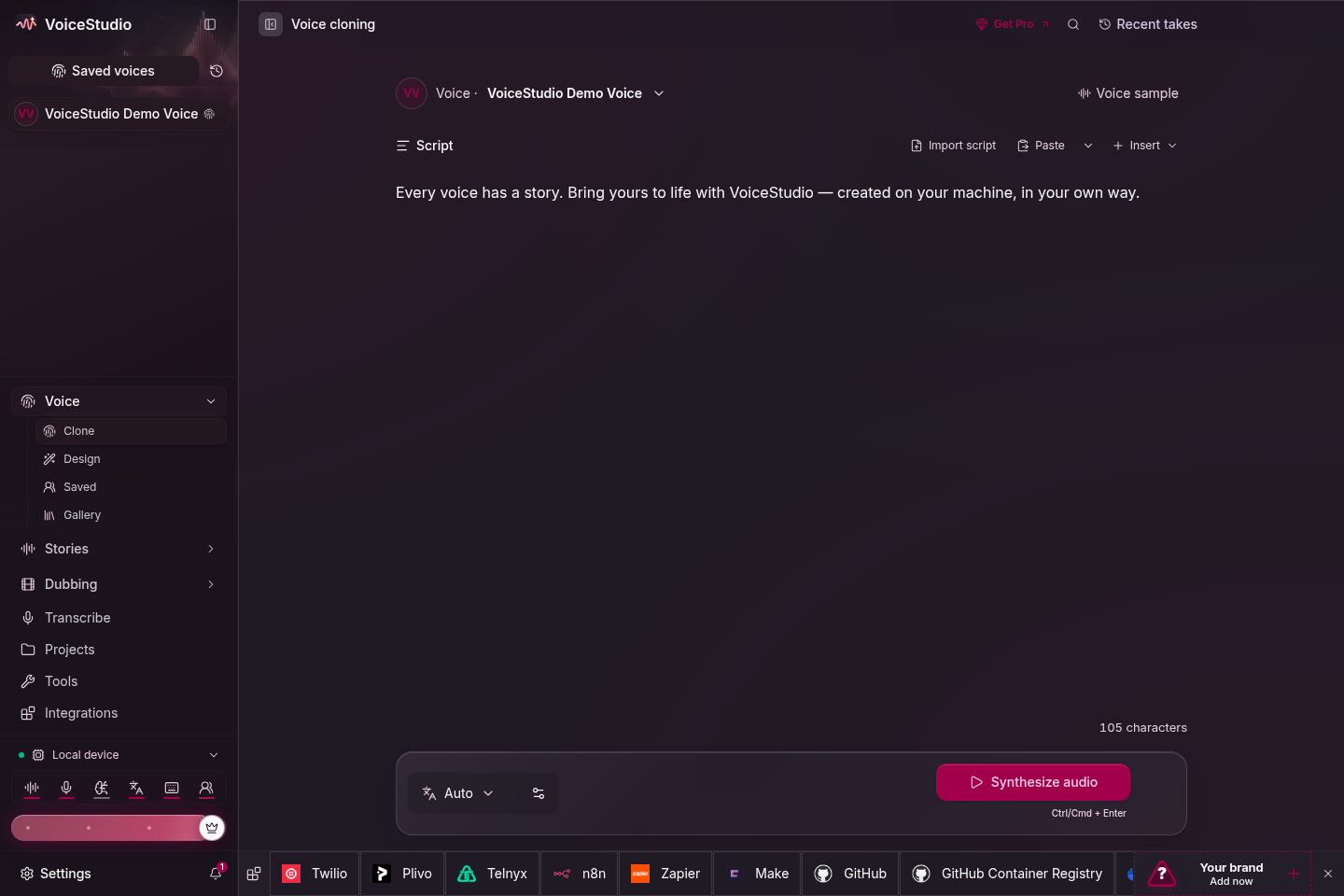 |
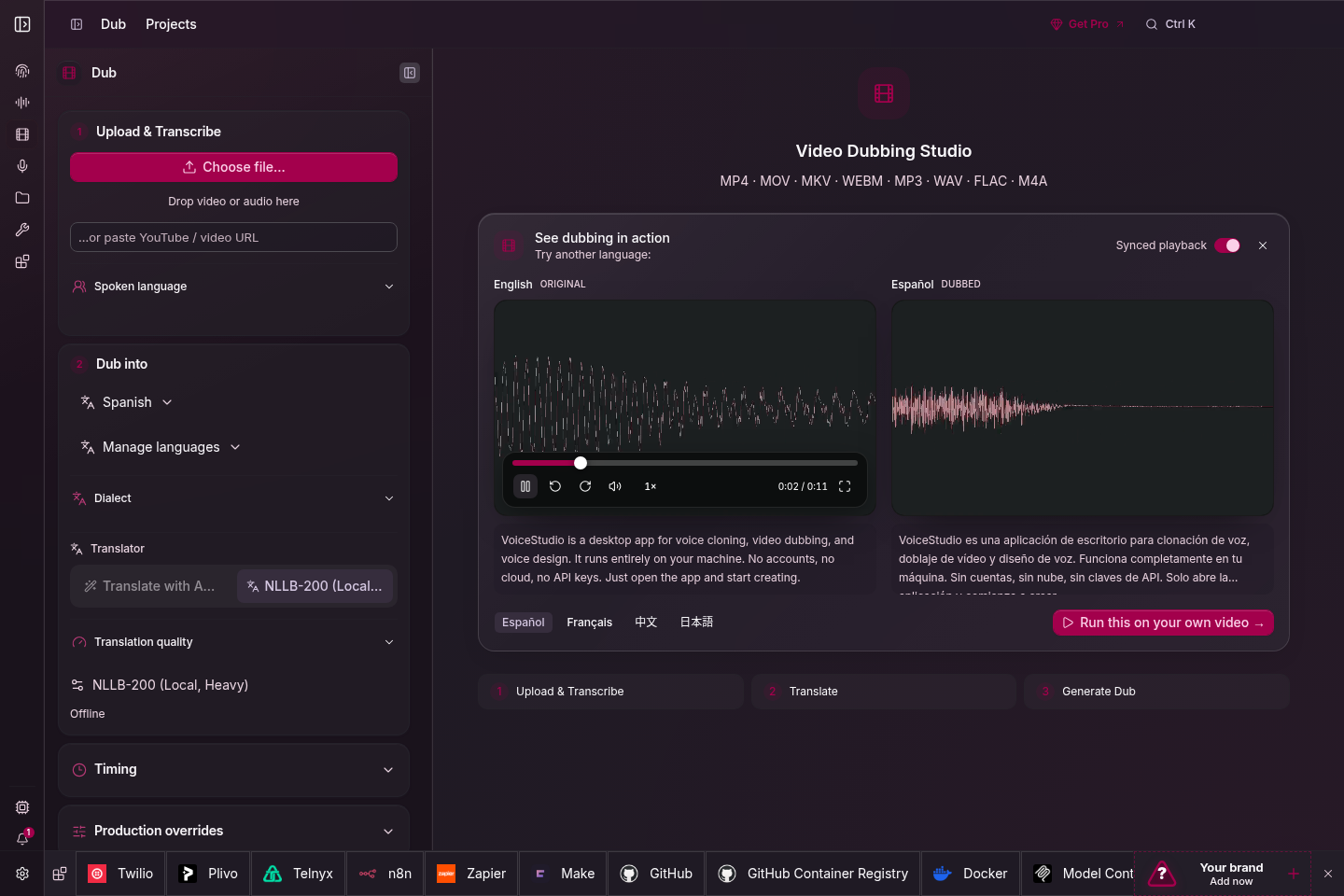 |
| Voice cloning | Video dubbing |
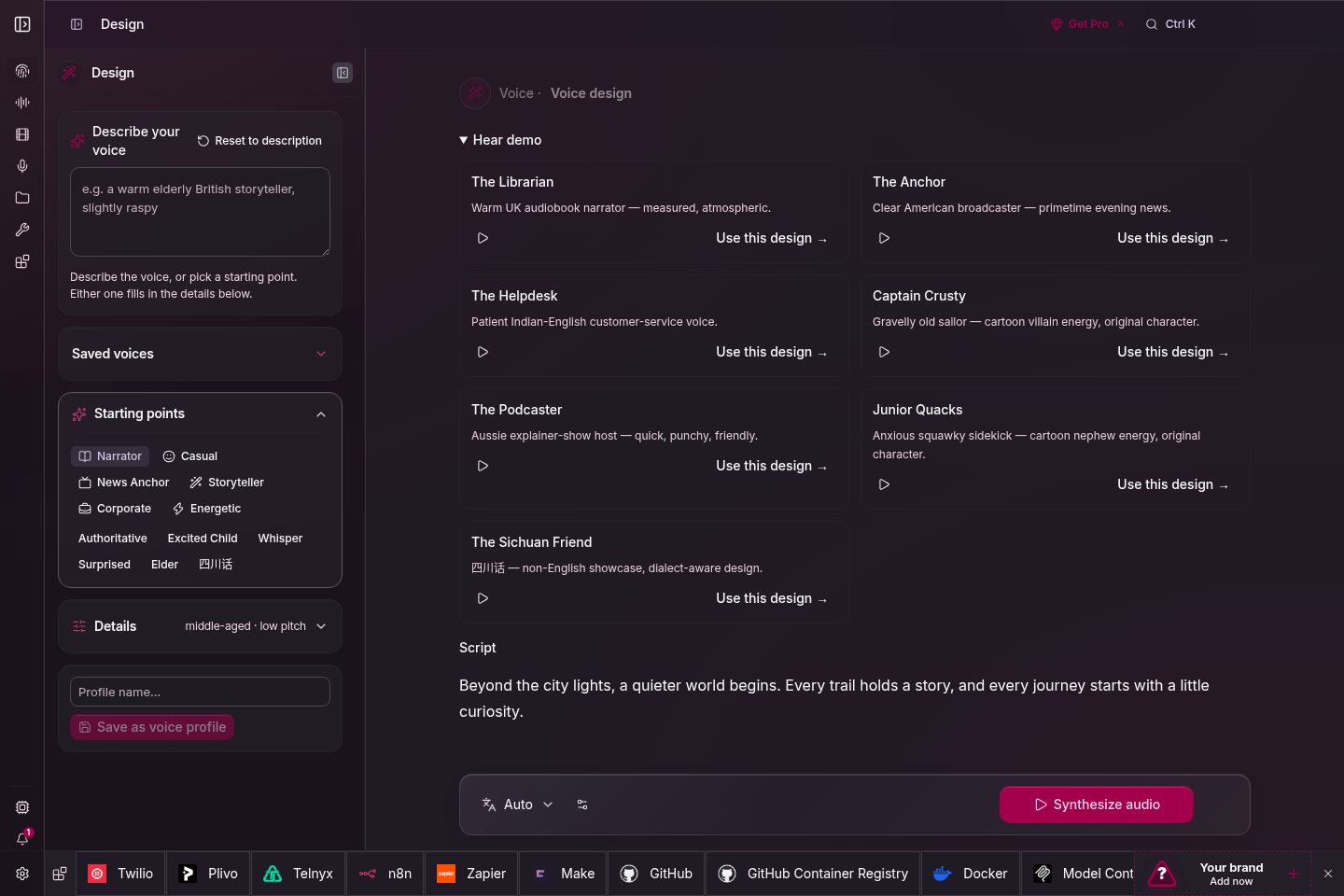 |
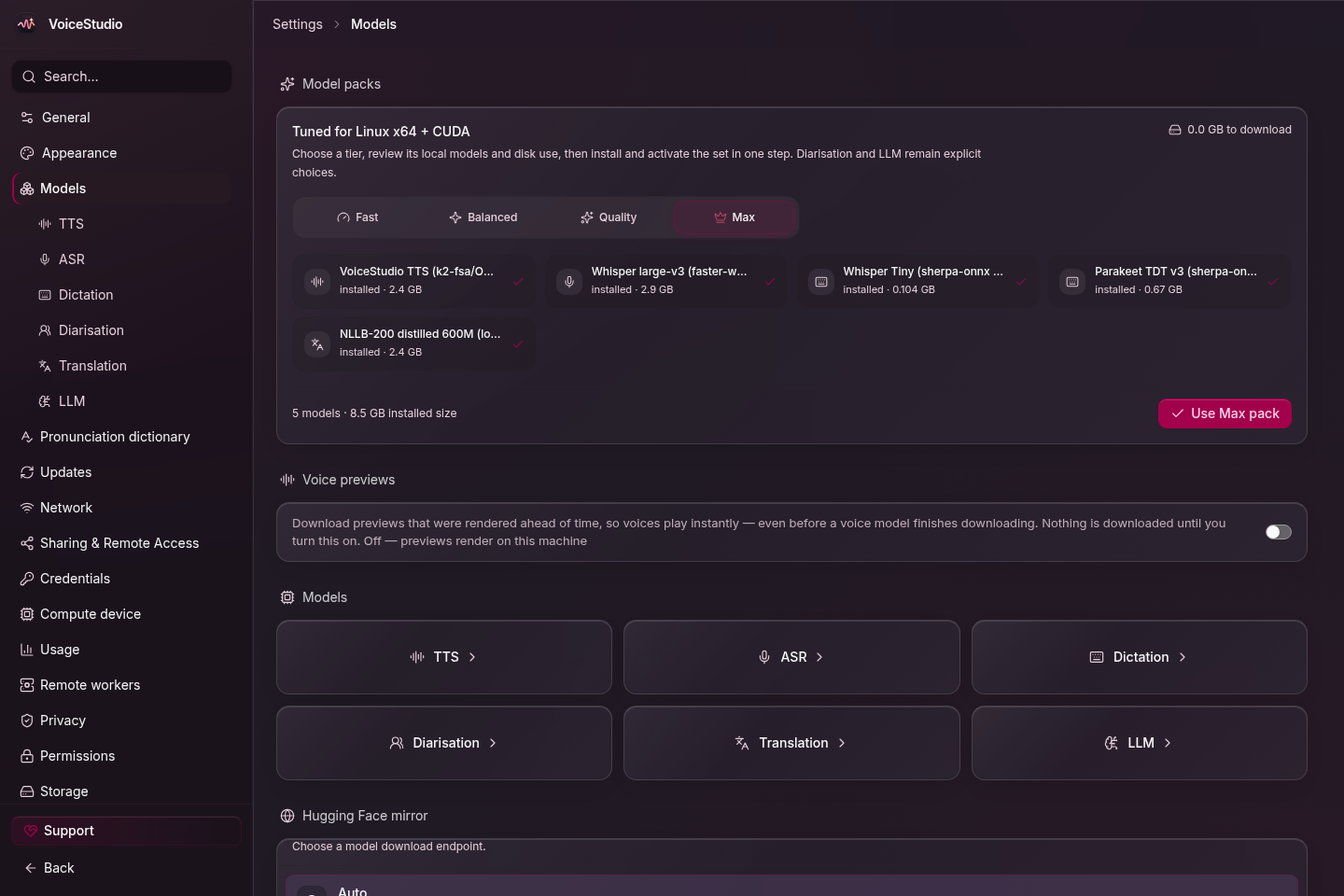 |
| Voice design | Local models |
OmniVoice GGUF source builds can optionally use Vulkan on Windows and Linux; see the native engine guide for build requirements, CPU fallback, and device overrides.
Get started
One-command install (macOS / Linux)
# Latest Electron release
curl -fsSL https://voicestudio.sh/install | sh

# A specific published Electron release (replace X.Y.Z)
curl -fsSL https://voicestudio.sh/install | sh -s -- --version X.Y.Z

# Build current main and install the desktop app
curl -fsSL https://voicestudio.sh/install | sh -s -- --main

# Uninstall the app, keeping your data
curl -fsSL https://voicestudio.sh/install | sh -s -- --uninstall
On Windows, run irm https://voicestudio.sh/install | iex in PowerShell.
If voicestudio.sh/install is unreachable or returns 404, run the same script
straight from the repository, or clone it and run scripts/install.sh:
curl -fsSL https://raw.githubusercontent.com/debpalash/VoiceStudio/main/scripts/install.sh | sh
Release downloads require curl and a SHA-256 tool. --main requires Git,
Node.js 22+, Bun, Rust/Cargo, and platform build tools; see
installer prerequisites and behavior.
The installer preserves your settings, projects, and models. Older versions
must contain Electron packages; it never falls back to archived Tauri builds.
Or download from Releases (macOS .dmg, Windows .exe, Linux .AppImage or .deb) and follow your platform guide:
macOS · Windows · Linux · Docker
| Hardware | Support |
|---|---|
| NVIDIA GPU (Windows / Linux) | CUDA acceleration |
| AMD Radeon / supported Ryzen AI (Windows) | CPU by default; opt-in Windows ROCm setup for AMD's Windows 11 hardware matrix. Setup distinguishes package repair from host failures; install the VC++ runtime manually first. Optional engines have separate limits; Vulkan engines retain their own runtime. |
| Apple Silicon | Metal (MPS) acceleration |
| AMD GPU | Opt-in native CosyVoice GGUF can use Vulkan when the community runtime is built with Vulkan; verified on RX 6700 XT (setup) |
| No dedicated GPU (Intel/AMD integrated graphics, older PCs) | Fully usable on the CPU, slower; setup installs the small CPU build of PyTorch (about 5 GB free disk) |
| Windows on ARM (Snapdragon X etc.) | Experimental, validation pending: native ARM64 app, x64 Python backend under emulation, CPU only |
| Intel Mac | App UI only; connect to a remote backend (why) |
Open Voice cloning, choose a voice or add a clean reference recording, enter your text, and generate. Install the required model when prompted. Hardware needs vary by engine; see performance.
Install with prompt
Paste into your coding agent (Claude Code, Codex, Cursor, …):
Install the VoiceStudio Electron app on this device and verify it works, following
https://github.com/debpalash/VoiceStudio/blob/main/docs/install/agent.md
The agent guide covers hardware detection, reusing existing
data, asking before model downloads, and a test generation. Agents that support skills
can also run npx skills add debpalash/VoiceStudio.
Run the Electron preview from source
git clone https://github.com/debpalash/VoiceStudio.git
cd VoiceStudio
bun install
bun run setup:api  # prepare Python dependencies before starting Electron
bun run dev
See Electron setup for prerequisites and backend configuration.
Use bun run smoke-test to build and launch an isolated packaged Electron app.
Add -- --install for the networked managed-runtime installation check.
Electron is the only desktop app and web UI. Version 0.5.3 was the final Tauri release. Existing Tauri users must install Electron separately. The retired Tauri shell and legacy UI entry points have been removed.
Documentation
| Need | Start here |
|---|---|
| Setup help | Troubleshooting · Model downloads |
| Models & audio quality | Engine guides · whisper.cpp ASR · Benchmarks |
| Integrations | Local API · MCP · Examples |
| Phone apps (preview, run offline) | iOS and Android |
| Development | Contributing (CLA signing guidance for your first PR) · Electron · Changelog |
Agent skills: npx skills add debpalash/VoiceStudio — choose voicestudio for audio workflows or voicestudio-maintainer for repository maintenance.
Team
Core team
 Palash Debnath Creator and Core Team palash.dev · GitHub · X |
 Shimul Debnath Core Team shimul.me · GitHub · X |
Contributors


Thank you to everyone who has sent code, reports, translations and ideas. See all contributors · Contribute
Sponsors
Sponsorship funds maintainer time, development tools, release infrastructure and test hardware; it buys recognition, not features.
GitHub Sponsors · Ko-fi · PayPal · Tiers and recognition · Ask for recognition
License & responsible use
AGPL-3.0 covers the application, including commercial use under its conditions. Model weights, tokenizers, voices and generated-output conditions are separate; a paid app licence does not grant those rights. Clone voices only with permission. Model Manager now shows versioned model-source notices, evidence links and unresolved review gaps from the shared inventory. Its optional reviewed-file preview does not enforce ordinary downloads or certify commercial permission. See license details.
VoiceStudio
开源的声音克隆、声音设计、视频配音、语音听写、转录与有声书创作,支持 646 种语言。
官网 · 下载 · 开始使用 · 文档 · Discord · English · 日本語
你的声音,你的工作流。
| 创作 | 制作 | 连接 |
|---|---|---|
| 克隆一个声音,或设计属于你的声音 | 为视频配上时间轴对齐的配音 | 面向智能体的本地 API 与 MCP |
| 用悬浮组件随时听写 | 故事、有声书与批量任务 | 可选的远程 worker |
从 VoiceStudio 开始(默认引擎,基于 k2-fsa/OmniVoice),也可以选择其他引擎。详见功能与引擎目录。
本地工作流在你的硬件上运行。远程服务为可选功能;使用情况分析须经同意才会启用。
浏览各个工作区 · 克隆、配音、声音设计与模型
|
|
| 声音克隆 | 视频配音 |
|
|
| 声音设计 | 本地模型 |
开始使用
一键安装(macOS / Linux)
# 最新 Electron 版本
curl -fsSL https://voicestudio.sh/install | sh

# 指定已发布的 Electron 版本(替换 X.Y.Z)
curl -fsSL https://voicestudio.sh/install | sh -s -- --version X.Y.Z

# 构建当前 main 并安装桌面应用
curl -fsSL https://voicestudio.sh/install | sh -s -- --main

# 卸载应用,保留你的数据
curl -fsSL https://voicestudio.sh/install | sh -s -- --uninstall
下载发行版需要 curl 与 SHA-256 工具。--main 需要 Git、Node.js 22+、Bun、Rust/Cargo
以及平台构建工具;详见安装脚本的前置条件与行为。
安装程序会保留你的设置、项目和模型。旧版本必须包含 Electron 包;
它绝不会回退到已归档的 Tauri 构建。
从 Releases 下载,然后阅读对应平台的安装指南:
macOS · Windows · Linux · Docker
打开声音克隆,选择已有声音或添加清晰的参考录音,输入文字并生成。按提示安装所需模型。硬件要求因引擎而异,详见性能指南。
用提示词安装
粘贴到你的编码智能体(Claude Code、Codex、Cursor 等):
Install the VoiceStudio Electron app on this device and verify it works, following
https://github.com/debpalash/VoiceStudio/blob/main/docs/install/agent.md
智能体安装指南涵盖硬件检测、复用现有数据、下载模型前先征得同意,以及一次测试生成。支持技能的智能体也可以运行 npx skills add debpalash/VoiceStudio。
从源码运行 Electron 预览版
git clone https://github.com/debpalash/VoiceStudio.git
cd VoiceStudio
bun install
bun run setup:api  # 启动 Electron 前先准备 Python 依赖
bun run dev
环境要求和后端配置见 Electron 开发指南。
使用 bun run smoke-test 可构建并启动一个隔离的打包版 Electron 应用。加上 -- --install 可执行需要联网的托管运行时安装检查。
Electron 是唯一的桌面应用与 Web UI。 0.5.3 版是最后一个 Tauri 版本。现有 Tauri 用户必须单独安装 Electron。已退役的 Tauri 外壳和旧版 UI 入口均已移除。
文档
| 需求 | 链接 |
|---|---|
| 安装帮助 | 故障排查 · 模型下载 |
| 模型与音质 | 引擎指南 · 基准测试 |
| 集成 | 本地 API · MCP · 示例 |
| 参与开发 | 贡献指南 · Electron · 更新日志 |
智能体技能:npx skills add debpalash/VoiceStudio — 音频工作流选 voicestudio,仓库维护选 voicestudio-maintainer。
团队
核心团队
Palash Debnath 创建者 · 核心团队 palash.dev · GitHub · X |
Shimul Debnath 核心团队 shimul.me · GitHub · X |
贡献者
感谢每一位提交代码、反馈问题、翻译和建议的人。查看全部贡献者 · 参与贡献
赞助商
赞助用于维护者的时间、开发工具、发布基础设施和测试硬件;换来的是致谢展示,而非功能。
支持开发:GitHub Sponsors · Ko-fi · PayPal · 赞助详情