cheap-claude-video
Claude Opus 视频效果的稳定平替:用 Claude 创作出片一次,蒸馏成视频配方,其他模型按配方复刻出类似效果。
原始仓库简介 · 中文摘要待补充 · agent-skills / ai-video / ai-video-editor / claude-opus / claude-video-alternative / coding-agent
README / 项目原文
Capsule Cinema
Claude Opus 视频效果的稳定平替:用 Claude 创作出片,把方法蒸馏成配方,其他模型按配方复刻出类似效果。
Capsule Cinema 是安装到 Coding Agent 中的短视频生产系统。它把栏目结构、分镜规则、生成渠道、质量门和返工经验整理成可迁移、可更新的视频配方。下一期只换主题和素材,不必重新搭建整套流程。
English ·






可审分镜 · 自选渠道 · 单镜头返工 · 发布前 QA · 配方打包迁移
跨模型实录 · 为什么需要 · Demo · 复用示例 · Quick Start · 内置配方 · 质量与返工 · 生成渠道 · 社群
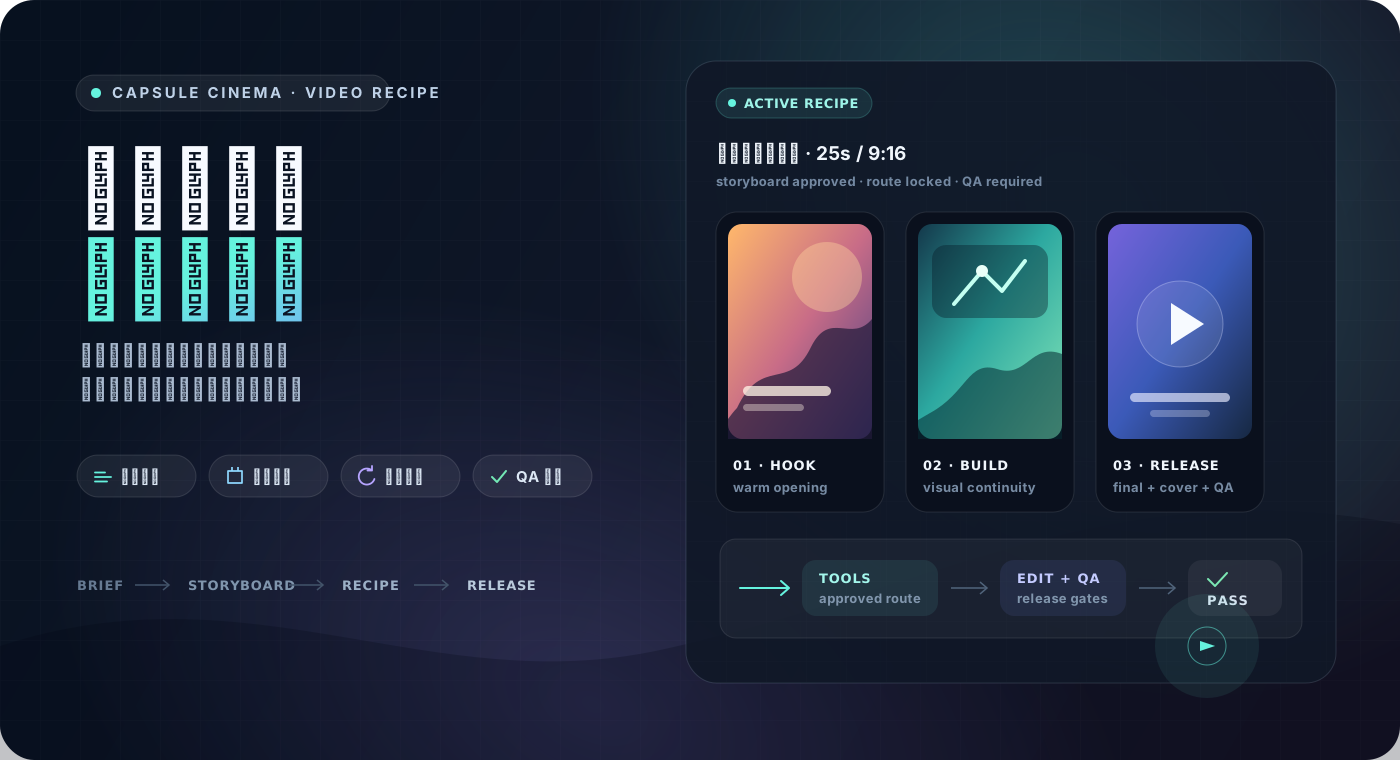
Capsule Cinema 面向持续运营账号、制作栏目或商品视频的创作者和团队。它更适合中文短视频生产场景,仓库内置抖音感剧情、商品种草、国风讲解等起步配方。
它不是网页式一键生成器,也不提供模型算力。项目运行在用户自己的 Agent 和本地工作区中,媒体生成使用用户配置的 API。当前公开渠道包括 Seedream、Seedance、Agnes 图片/短视频、MiniMax、豆包语音和本地 FFmpeg。
跨模型实录
一条真实的生产记录,回答一个问题:用 Claude Opus 5.5 vibe 出一条视频,把制作过程保存成配方,再用其他模型复刻一条,能达到什么效果?
|
原片 · Claude Opus 5.5 vibe 直接做,做到满意为止 |
复刻 · GLM 5.3 Flash 本例测试用的模型,只按配方全新制作 |
三步做完:
- vibe 出片:用 Claude Opus 5.5 直接做出第一条满意的毛绒手办科普视频;
- 蒸馏配方:把这次制作过程结合本仓库的 Agent Skill,整理成视频配方
plush_diorama_science——分镜结构、关键词驱动的镜头与动效、逐句配音与 ASR 验收、本地字幕与合成音效、质量门全部沉淀,配方已随本仓库公开; - 换模型复刻:换一个更便宜的模型——本次测试用的是 GLM 5.3 Flash——只按配方做出一条全新的视频。
配方保存的是方法,不是某一次的灵感。换更便宜或更强的模型、换一个主题,同一条生产流水线照常运转——这就是 Capsule Cinema 想交给你的东西。
为什么需要视频配方
一次性 prompt 可以做出一条视频,但很难稳定地做下一期。视频配方保存一类视频中已经验证过的部分,让新的主题继续沿用同一套生产方法。
| 常见的一次性做法 | Capsule Cinema |
|---|---|
| 每次重新解释栏目结构 | 复用已经确认的分镜机制、节奏和视觉规则 |
| 生成前很难确认方向 | 先审分镜,再试一个代表镜头,然后继续生成 |
| 一个镜头有问题就整条重做 | 只返工指定镜头、配音、字幕、BGM 或拼接结果 |
| 有 MP4 就当作完成 | 检查画幅、黑帧、响度、字幕、安全区和交付物 |
| 工具不可用时临时换一条路线 | 展示替代渠道及影响,改变交付效果时等待确认 |
| 成功经验留在聊天记录里 | 回写到配方,经过校验后再用于下一期 |
| 流程只能留在当前机器 | 打包配方,在另一台机器或团队环境中安装 |
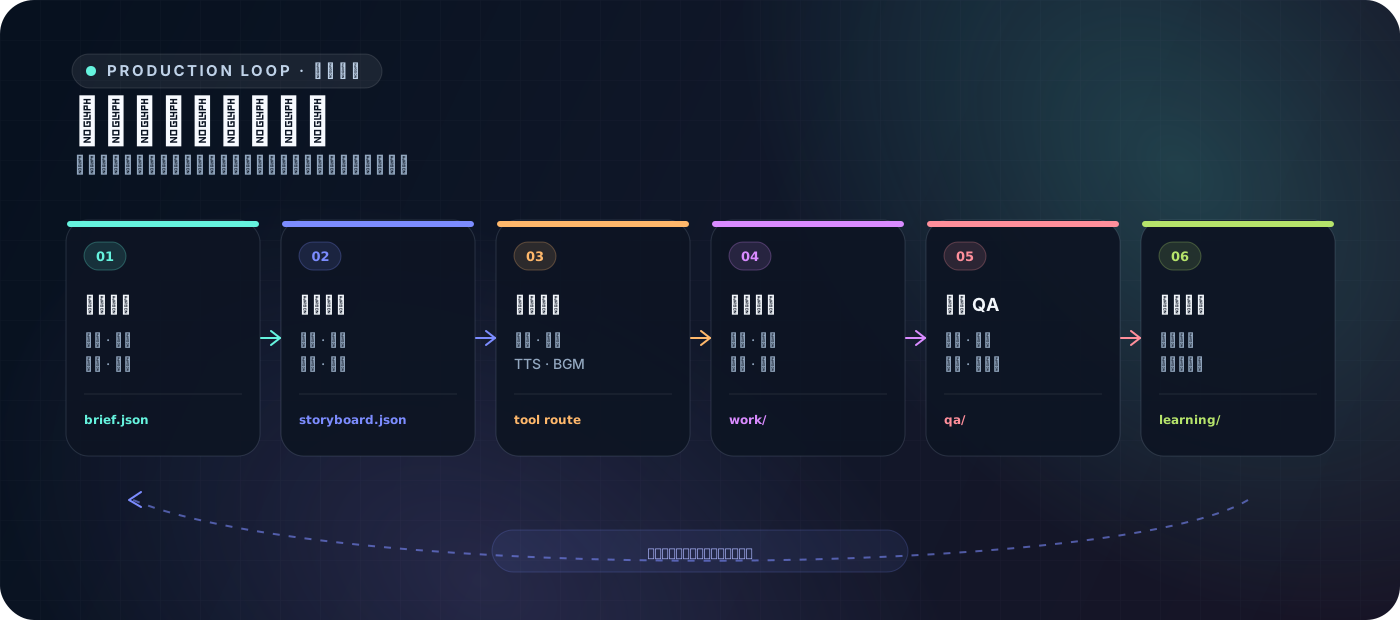
视频配方保存可复用的制作方法,也可以打包安装到另一台机器。一个配方通常包含:
视频配方
= 输入与使用边界
+ 分镜、视觉和音频配方
+ 工具能力要求
+ 质量门与发布检查
+ 经过验证的返工经验
Demo
这些样片来自内置起步配方,对应的配方包随公开仓库提供。你可以保留已经跑通的结构和质量规则,只替换主题、素材、商品或当期文案。
|
人生模拟短剧
配方: life_sim
面向打工人剧情、生活共情、动漫口播和系列化栏目。 配方保存第二人称叙事、钩子结构、情绪推进、角色一致性、镜头节奏和 TTS 规则。 |
|
电商商品展示 配方: ecommerce_product_showcase
商品身份锚定、卖点顺序、场景展示、口播节奏和合规规则。 |
艺术图像动效 配方: art_motion
参考帧、风格约束、运动方式和图像转视频的检查规则。 |
|
国风历史文化讲解 配方: guofeng_history
国风视觉、人物讲解、旁白节奏和历史内容边界。 |
羊毛毡 ASMR 手作 配方: felt_asmr
材质特写、制作步骤、舒缓节奏和 ASMR 音画规则。 |
同一个胶囊,做不同主题
胶囊名称:高抽象成长卡片(high_abstraction_growth_card)
能做什么:把满意的视频做法保存下来,换一个主题继续做,保持相同的栏目风格。
怎么做:告诉 Agent 使用这个胶囊,再说清楚下一期想做什么。
用「高抽象成长卡片」胶囊,
做一期“为什么一直很忙,却还是很难成长”。
下面四条视频都用同一个胶囊完成,但主题和内容各不相同:
|
不确定感 真正让人焦虑的,不是事情没结果 |
自控力 别把重要决定留给最疲惫的自己 |
|
职场成长 一直很忙,为什么还是很难升级 |
关系边界 看一个人如何回应你的拒绝和不同 |
同一个胶囊,可以不断换题做成一个系列。满意的方法留下来,下一期继续用。
Quick Start
你不需要记命令。把安装、制作、返工和保存配方的要求直接告诉 Agent 即可。
1. 让 Agent 安装
把下面这段话发给 Codex、Claude Code、OpenClaw、Cursor、Trae、Hermes Agent,或其他支持 Skills 的 Agent:
帮我安装 Capsule Cinema:
https://raw.githubusercontent.com/JuneYaooo/cheap-claude-video/main/docs/install.md
Agent 会完成安装和环境检查。安装好以后,直接告诉它想做什么即可。完整说明见 安装指南。
2. 建议先跑一次低成本项目展示
第一次上手,建议先用内置配方 repo_signal_grid 给这个仓库做一条介绍视频。它直接使用真实网页截图和本地排版渲染,不需要配置 AI 视频、TTS 或图片生成工具,适合快速确认安装、截图、渲染和质检流程是否正常。
把下面这段话发给 Agent:
请打开并了解这个项目:
https://github.com/JuneYaooo/cheap-claude-video

使用内置视频配方 `repo_signal_grid`,为这个项目制作一条项目介绍视频。
建议同时给 Agent 安装一个浏览器 CLI Skill,方便它打开网页并截图。
结果示例:
3. 先审分镜和代表镜头
帮我用 Capsule Cinema 做一条 25 秒竖屏视频:
一只橘猫深夜经营路边摊,温暖治愈一点。
先给我看分镜,确认后只试做一个代表镜头。
分镜和代表镜头都确认后,再让 Agent 完成整条视频。正式产物位于独立的 output/<run>/:release/ 保存交付文件,work/ 保存中间媒体和编辑计划,qa/ 保存检查结果与修复建议。
生成图片、视频和语音需要相应渠道。只浏览、校验、打包和安装配方不会调用媒体生成 API。不要把密钥粘贴到对话、配方、prompt、脚本或 Git 中。
4. 把满意的方法保存成配方
这条视频我很满意,保存成「治愈系夜间小摊」配方,以后做同类视频继续用。
配方保存可复用的制作方法,不保存当期事实、临时素材或密钥。
也可以从参考视频整理配方草稿。Agent 会先拆解钩子、镜头节奏、文案结构、视觉、运动和声音,再区分样片内容与可复用方法:
参考这个本地视频,整理一份可复用的视频配方草稿。
先告诉我准备保存哪些方法,确认后再写入配方。
5. 继续复用、更新或分享
用「治愈系夜间小摊」配方,做一期柴犬雨夜卖关东煮的故事。
这次产品近景保持 2 秒左右效果更好,看看是否值得记到电商配方里。
把「治愈系夜间小摊」配方打包给我,我要在另一台机器安装。
内置视频配方
仓库提供一组可以直接查看和继续定制的配方:
| 配方 | 适合做什么 | 主要保留内容 |
|---|---|---|
industry_workflow_explainer |
行业岗位如何用 AI 完成一项重复任务 | 真实工作细节、材料到产物的因果链、作者自改、人工判断与下次复用 |
plush_diorama_science |
看不见的过程科普:某样东西是怎么来的、怎么变的 | 毛绒手办布景画风、关键词驱动分镜与动效、逐句配音与 ASR 字幕验收、Blender 本地渲染和质量门 |
life_sim |
第二人称人生模拟、动漫剧情口播 | 钩子、情绪推进、角色规则、快切节奏 |
ecommerce_product_showcase |
商品展示、种草和带货短视频 | 商品身份、卖点结构、平台语气和合规规则 |
art_motion |
插画、海报和参考帧动态短片 | 风格、运动方式、转场和参考图约束 |
felt_asmr |
羊毛毡烘焙、手作和治愈 ASMR | 材质、步骤、特写、声音和节奏 |
guofeng_history |
国风历史人物和文化讲解 | 国风视觉、人物叙事、旁白和内容边界 |
high_abstraction_growth_card |
高抽象成长类认知卡片视频 | 选题结构、现实场景、观点拆解、行动建议和统一卡片风格 |
repo_signal_grid |
GitHub 仓库、工具和 Agent Skill 项目展示 | 真实浏览器截图、6:7 暖白橙网格、五幕事实链和本地低成本渲染 |
dual_role_real_screen_recording |
双角色项目科普,加入 GitHub 与 WorkBuddy 操作证据 | GitHub 真实滚动录屏、WorkBuddy 原生 OBS 窗口录屏、来源哈希与隐私验收 |
mv_scene_cut |
歌曲 MV:一位角色贯穿全片,靠画面切换撑起节奏 | 参考片剪辑语法实测、逐帧锁定时间轴、口型与情景交替、景别两刀一换、亮度按素材归一、逐字字幕与全片转写验收 |
新增四套 Vibe 知识图解模板:概率实验室、人生算法诗、系统蓝图、学习工作台。随附四个独立主题的场景 JSON,可用本地渲染器导出带字幕和原创配乐的 1080p 横屏视频。
质量门与局部返工
Capsule Cinema 把「能播放」和「能交付」分开处理。完成媒体生成后,系统会建立编辑计划并检查本地文件、时间线和发布要求。检查项可以包括:
| 检查对象 | 示例 |
|---|---|
| 视频文件 | 画幅、时长、编码、黑帧、静帧和音轨 |
| 声音 | 响度、削波、静音、TTS 与画面时长匹配 |
| 画面与字幕 | 字幕布局、安全区、可读性、角色和风格一致性 |
| 配方合同 | 必需镜头、交付物、禁止降级和发布检查点 |
| 交付包 | 成片、封面和平台文案 |
发现问题时,可以只重做一个镜头,也可以只换配音、字幕、BGM 或重新拼接:
第 3 个镜头里角色变形了,只改这个镜头,其他镜头和音频保持不动。
修复后会重新质检。还有阻断项时,视频不会进入交付状态。
视频配方保存什么
配方保存适用场景、输入要求、分镜结构、视觉风格、音频策略、工具能力、质量规则和经过验证的经验。它不保存某一期的完整成片,也不复制上一期的事实、文案和临时素材。
配方可以来自三类来源:
| 来源 | 用法 |
|---|---|
| 内置配方 | 从仓库随附的起步案例开始 |
| 个人配方 | 把自己的满意作品沉淀成账号、品牌或项目方法 |
| 可分享配方 | 打包后交给另一台机器、团队成员或社区用户安装 |
密钥、客户资料和单次运行产物不会写入可分享配方。
使用自己的生成渠道
视频配方声明需要什么能力,不绑定某个供应商。运行时根据本机已经配置和验证过的工具,匹配图片、视频、TTS、音乐、数字人、动作迁移、剪辑和 QA 渠道。
| 能力 | 当前公开示例 |
|---|---|
| 图片生成 | 火山方舟 Seedream、Agnes Image 2.1 Flash |
| 视频生成 | 默认火山方舟 Seedance 720p、显式高分辨率 MiniMax H3 2K、Agnes Video v2.0 文生短视频 |
| RunningHub H3 视频 | 首尾帧 2084086089706459137、多图参考 2084192196529582081、文生视频 2084109189609246721 |
| 语音合成 | 豆包语音、MiniMax |
| 动作迁移和口型 | RunningHub |
| 剪辑、字幕和 QA | 本地 FFmpeg 和质量检查工具 |
第一次试跑:推荐 Agnes
如果只是想先跑通 AI 图片和短视频链路,可以从 Agnes 开始:到 Agnes API 平台 注册并在控制台生成自己的 API Key,再把它配置为 AGNES_API_KEY。它适合先做一张代表镜头和一段几秒级文生动作样片,确认提示词、画幅、下载和质检流程都能工作;它不是完整的图生视频或长视频引擎。
免费额度与限速详情(截至 2026-07-27)
Agnes 官方 FAQ 表示核心文本、图片、视频和多模态模型可“无限期免费使用”,没有公布免费层结束日期。这不等于无限调用或无限额度:当前限额说明 中,免费默认档图片有效限速约为 1K 20 RPM、2K 10 RPM、3K/4K 1 RPM,视频约为 1 RPM。官方没有公开免费用户每天具体可生成多少秒视频;文档中的 500 秒/天属于付费 Token Plan。免费档没有生产 SLA,额度、限流、模型规则和输出规格仍可能调整。
仓库不内置或共享 Agnes API Key。服务可能调整实际输出尺寸;Agnes 视频工具只声明已经验证过的短文生视频能力,并默认移除供应商原生音轨。
完整视频默认仍走 seedance2.0 的 720p。明确要求“MiniMax H3”“Hailuo-03”“2K”或“高分辨率”时,运行时改用 minimax-h3;也可以在 run_video.py 中显式传 --video_engine minimax-h3。MiniMax H3 V2 当前只接受 2K,没有低分辨率 H3 参数,因此高分辨率任务失败时不会静默降级到 720p。
工具不可用时,系统会说明可用替代路线。替代方案会改变交付效果时,运行会停下来等待确认,不会静默降低质量。
社群
| 渠道 | 适合 |
|---|---|
| GitHub Issues | 配方想法、运行问题、成片案例、改进建议 |
| LINUX DO | 中文开发者社区交流 |
| 微信群 | 视频制作经验交流,分享自己的视频配方 |

微信扫码,加入 capsule-cinema 交流群
License
本项目使用 Apache License 2.0。商业使用前请阅读 LICENSE 中的完整条款。
Capsule Cinema
Claude Opus-grade videos without the Opus bill: create once with Claude, distill the method into a recipe, and let other models replicate the result.
Capsule Cinema is a short-video production system that runs inside coding agents. It packages format structure, storyboard rules, provider requirements, quality gates, and rework lessons into portable video recipes. For the next episode, change the topic and assets instead of rebuilding the workflow.
中文 ·

Reviewable storyboards · provider choice · scene-level rework · release QA · portable recipes
Cross-model showcase · Why recipes · Demo · Quick Start · Included recipes · Quality and rework · Providers · Community
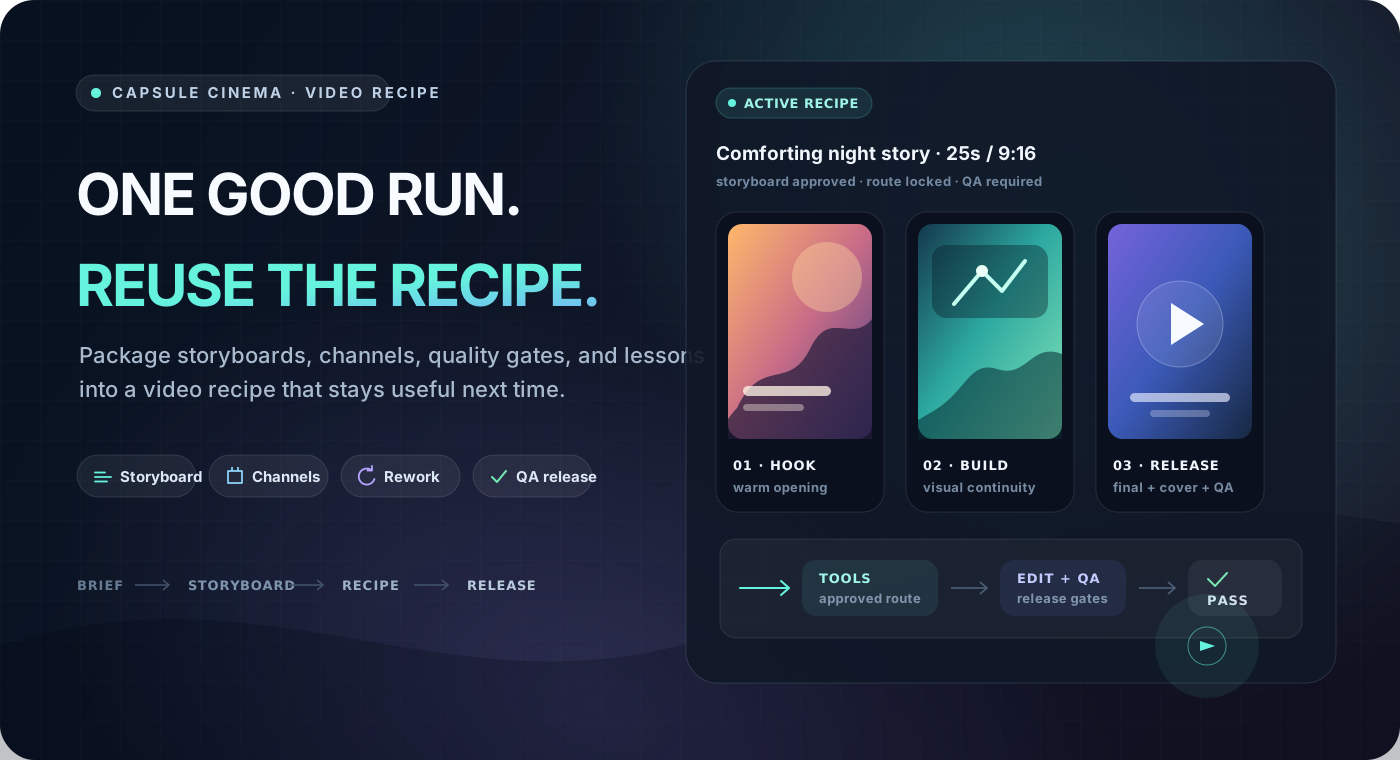
Capsule Cinema is for creators and teams that publish recurring formats or product videos. Its starter recipes focus on Chinese short-video formats such as Douyin-style stories, product recommendations, and history explainers.
This project is not a browser-based one-click generator, and it does not provide model compute. It runs in the user's agent and local workspace. Media generation uses APIs configured by the user. Public providers include Seedream, Seedance, Agnes image/short-video generation, MiniMax, Doubao Speech, and local FFmpeg.
Cross-model showcase
A real production record that answers one question: if you vibe a video with Claude Opus 5.5, save the making process as a recipe, then have another model replicate it — what can it achieve?
|
Original · Claude Opus 5.5 Made by vibe, until it felt right |
Replica · GLM 5.3 Flash The model tested here; produced from the recipe alone |
Three steps:
- Vibe the first video: make a satisfying plush-figurine science explainer directly with Claude Opus 5.5.
- Distill the recipe: combine the making process with this repository's Agent Skill to produce the
plush_diorama_sciencevideo recipe — shot structure, keyword-driven scenes and motion, per-line TTS with ASR checks, local subtitles and synthesized SFX, and quality gates. The recipe ships with this repository. - Replicate on another model: swap in a cheaper model — GLM 5.3 Flash in this test — and produce a brand-new video from the recipe alone.
A recipe stores the method, not one lucky take. Swap in a cheaper or stronger model, change the topic, and the same production line keeps running — that is what Capsule Cinema is built to hand you.
Why video recipes
A one-off prompt can produce a video, but it rarely gives the next episode a dependable starting point. A video recipe stores the parts of a format that have already worked, so a new topic can reuse the same production method.
| Common one-off workflow | Capsule Cinema |
|---|---|
| Explain the format again for every video | Reuse approved shot structure, pacing, and visual rules |
| Commit to generation before the direction is clear | Review the storyboard, then test one representative scene |
| Rebuild the full video when one scene fails | Rework one scene, voice track, subtitle pass, BGM track, or assembly |
| Treat any playable MP4 as finished | Check aspect ratio, black frames, loudness, subtitles, safe areas, and deliverables |
| Pick an improvised fallback when a tool is missing | Show available routes and pause when a change affects the promised result |
| Leave successful decisions in chat history | Write stable lessons back to the recipe after validation |
| Keep the workflow on one machine | Pack the recipe and install it in another machine or team environment |
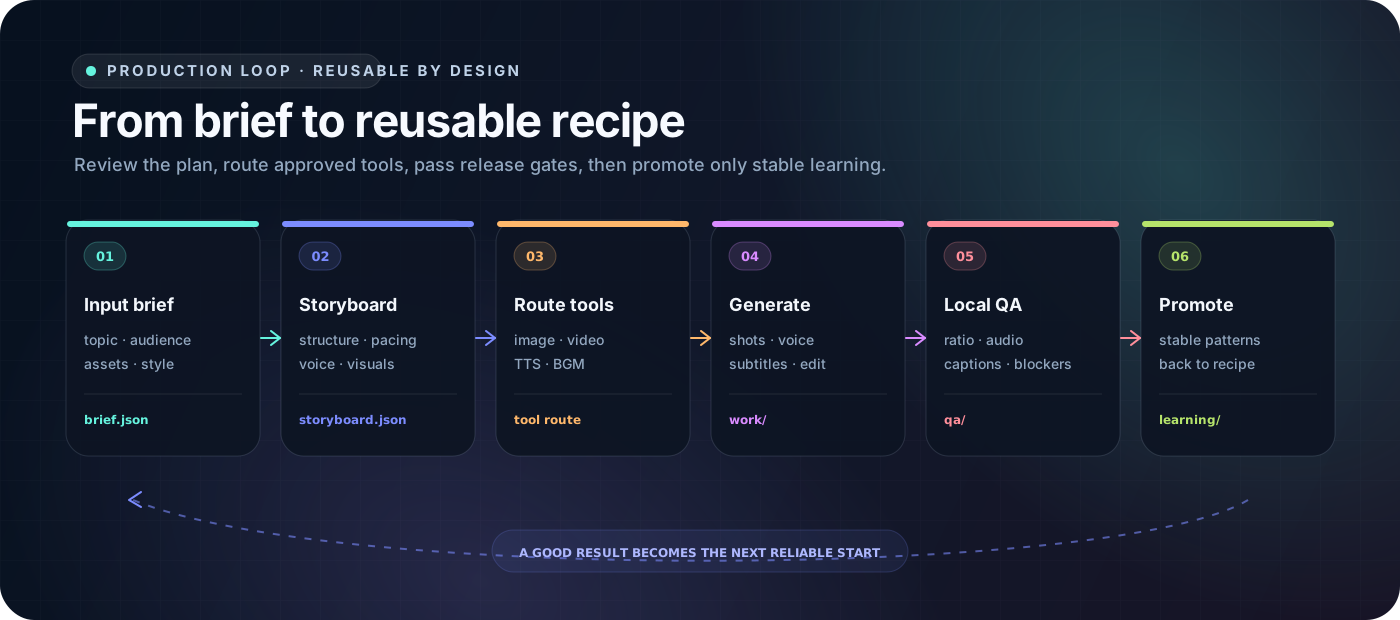
A video recipe stores the reusable production method and can be packed for another machine. A recipe typically contains:
video recipe
= inputs and usage boundaries
+ storyboard, visual, and audio recipes
+ tool capability requirements
+ quality gates and release checks
+ validated rework lessons
Demo
These samples come from starter recipes included in the public repository. Keep the proven structure and quality rules, then replace the topic, assets, product, or episode copy.
|
Life-simulation story
Recipe: life_sim
Built for relatable work-and-life stories, anime narration, and recurring story formats. The recipe stores second-person narration, hook structure, emotional progression, character consistency, shot pacing, and TTS rules. |
|
Commerce product showcase Recipe: ecommerce_product_showcase
Product identity, selling-point order, scene demonstration, narration pacing, and compliance rules. |
Art image motion Recipe: art_motion
Reference frames, style constraints, motion direction, and image-to-video checks. |
|
Chinese history explainer Recipe: guofeng_history
Guofeng visuals, historical narration, voiceover pacing, and content boundaries. |
Wool-felt ASMR craft Recipe: felt_asmr
Material close-ups, making steps, calm pacing, and ASMR sound rules. |
The public samples mainly use Volcengine Ark Seedream and Seedance, with MiniMax or Doubao Speech for narration. RunningHub action-transfer and lip-sync workflows remain available as code examples. Provider access, model permissions, and billing come from the user's own accounts.
Quick Start
You do not need to memorize commands. Tell the agent what to install, make, repair, or save.
1. Ask the agent to install it
Clients that support Agent Skills can install the standard entry directly:
npx skills add JuneYaooo/cheap-claude-video --skill capsule-cinema
The standard skill locates or downloads the Capsule Cinema runtime on first use. To check Python and FFmpeg and prepare dependencies during installation, send this to Codex, Claude Code, OpenClaw, Cursor, Trae, Hermes Agent, or another agent that can read files, run commands, and discover Skills:
Install Capsule Cinema for me:
https://raw.githubusercontent.com/JuneYaooo/cheap-claude-video/main/docs/install.md
Once installation finishes, tell the agent what you want to make. The standard distribution entry is skills/capsule-cinema/SKILL.md; see the installation guide for details.
2. Start with a low-cost repository showcase
For a first run, we recommend using the included repo_signal_grid recipe to make a short introduction for this repository. It uses real browser screenshots and local layout rendering, so you do not need to configure AI video, TTS, or image-generation providers. It is a lightweight way to verify that installation, capture, rendering, and QA all work.
Send this to your agent:
Open and understand this project:
https://github.com/JuneYaooo/cheap-claude-video

Use the included `repo_signal_grid` video recipe to make a project-introduction video.
We also recommend installing a browser CLI Skill so the agent can open pages and take screenshots.
Example result:
3. Review the storyboard and one representative scene
Use Capsule Cinema to make a warm 25-second vertical video
about an orange cat running a late-night street-food stand.
Show me the storyboard first. After I approve it, make only one representative scene.
After the storyboard and representative scene look right, ask the agent to complete the video. Each run gets its own output/<run>/ directory. release/ contains deliverables, work/ contains intermediate media and the edit plan, and qa/ contains checks and repair recommendations.
Image, video, and speech generation require the matching providers. Browsing, validating, packing, and installing recipes do not call media-generation APIs. Never paste credentials into chat, recipes, prompts, scripts, or Git.
4. Save a successful method as a recipe
I like this video. Save it as a "Comforting Night Stand" recipe
so I can keep making similar videos.
The recipe keeps reusable production methods, not episode facts, temporary assets, or credentials.
You can also draft a recipe from a reference video. The agent first breaks down its hook, shot rhythm, copy structure, visuals, motion, and sound, then separates sample-specific content from reusable methods:
Use this local reference video to draft a reusable video recipe.
Tell me what methods you plan to keep before writing them into the recipe.
5. Reuse, update, or share it
Use the "Comforting Night Stand" recipe for a rainy-night story
about a dog selling oden.
The product close-up worked better at about two seconds.
Check whether that lesson belongs in the commerce recipe.
Pack the "Comforting Night Stand" recipe so I can install it on another machine.
Included video recipes
The repository includes the following recipes. You can inspect their contracts and customize them before running:
| Recipe | Best for | What it keeps stable |
|---|---|---|
plush_diorama_science |
Invisible-process science: how something is made or transforms | Plush-figurine diorama style, keyword-driven shots and motion, per-line TTS with ASR subtitle checks, local Blender rendering, and quality gates |
life_sim |
Second-person life simulations and anime story narration | Hooks, emotional progression, character rules, and fast pacing |
ecommerce_product_showcase |
Product demonstrations and commerce shorts | Product identity, selling-point structure, platform tone, and compliance |
art_motion |
Illustration, poster, and reference-frame motion | Style, motion direction, transitions, and reference constraints |
felt_asmr |
Wool-felt crafts and calming ASMR | Material detail, making steps, close-ups, sound, and pacing |
guofeng_history |
Chinese history and culture explainers | Guofeng visuals, character narrative, voiceover, and content boundaries |
repo_signal_grid |
GitHub repositories, tools, and Agent Skill showcases | Real browser captures, a 6:7 warm-white orange grid, five evidence cards, and low-cost local rendering |
dual_role_real_screen_recording |
Dual-role project explainers with GitHub and WorkBuddy proof | Real GitHub scroll recording, native OBS WorkBuddy window recording, provenance hashes, and privacy QA |
mv_scene_cut |
Song MVs: one performer throughout, with the cutting carrying the rhythm | Measured reference-film cut grammar, frame-locked timeline, interleaved lip-sync and story scenes, two-cut shot sizes, per-source luminance normalisation, karaoke subtitles and a full-film transcript check |
Quality gates and targeted rework
Capsule Cinema tracks playable output and release-ready output separately. After media generation, it builds an edit plan and checks local files, timeline structure, and release requirements.
| Area | Example checks |
|---|---|
| Video file | Aspect ratio, duration, codec, black frames, frozen frames, and audio tracks |
| Audio | Loudness, clipping, silence, and TTS duration against the scene |
| Frames and subtitles | Subtitle layout, safe areas, readability, character identity, and style consistency |
| Recipe contract | Required scenes, deliverables, forbidden fallbacks, and release gates |
| Delivery package | Final video, cover, and platform copy |
When a check fails, rework can target one scene, voice track, subtitle pass, BGM track, or assembly:
The character is distorted in scene 3.
Regenerate only that scene and keep the other scenes and audio unchanged.
The repaired video goes through QA again. Blocking issues keep it out of the delivery state.
What a video recipe stores
A recipe stores its use cases, input requirements, storyboard structure, visual style, audio strategy, capability needs, quality rules, and validated lessons. It does not store a complete previous video or copy facts, scripts, and temporary assets into the next episode.
Recipes come from three sources:
| Source | Use |
|---|---|
| Included recipes | Start from examples shipped in the repository |
| Personal recipes | Distill successful work into account, brand, or project methods |
| Shareable recipes | Pack a recipe for another machine, teammate, or community user |
Credentials, client data, and one-off run artifacts stay out of shareable recipes.
Bring your own generation providers
Video recipes declare capability requirements without binding themselves to one vendor. At runtime, Capsule Cinema matches those requirements against image, video, TTS, music, digital-human, action-transfer, editing, and QA tools that are configured and approved on the current machine.
| Capability | Public example |
|---|---|
| Image generation | Volcengine Ark Seedream and Agnes Image 2.1 Flash |
| Video generation | Volcengine Ark Seedance at the default 720p, opt-in MiniMax H3 2K, and Agnes Video v2.0 short text-to-video |
| Speech synthesis | Doubao Speech and MiniMax |
| Action transfer and lip sync | RunningHub |
| Editing, subtitles, and QA | Local FFmpeg and quality checks |
Recommended first run: Agnes
If you only want to prove the image and short-video pipeline first, Agnes is a practical starting point. Register through the Agnes API Platform, create your own API key in the dashboard, and configure it as AGNES_API_KEY. Use it for a representative image and a few-second text-to-video motion sample to verify prompting, aspect ratio, download, and QA. It is not a complete image-to-video or long-video engine.
Free-tier quota and rate-limit details (as of 2026-07-27)
The official Agnes FAQ says its core text, image, video, and multimodal models are free to use “indefinitely” and “without a time limit”; no free-tier end date is currently published. This does not mean unlimited requests or unlimited quota. The current limits reference lists effective free/default limits of roughly 20 RPM for 1K images, 10 RPM for 2K, 1 RPM for 3K/4K, and 1 RPM for video. Agnes does not publicly specify the free user's daily video-seconds quota; the documented 500 seconds per day applies only to paid Token Plan users. The free tier has no production SLA, and quotas, rate limits, model rules, and output specifications may change.
The repository never embeds or shares an Agnes API key. Returned dimensions may differ from the request. The public Agnes video tool declares only the verified short text-to-video route and removes provider-native audio by default.
Complete-video runs remain on seedance2.0 at 720p by default. An explicit “MiniMax H3,” “Hailuo-03,” “2K,” or high-resolution request selects minimax-h3; callers may also pass --video_engine minimax-h3 to run_video.py. MiniMax H3 V2 currently accepts only 2K, so the runtime does not invent a low-resolution H3 option or silently downgrade a failed high-resolution run to 720p.
If a tool is unavailable, the runtime explains the available alternatives. It pauses for confirmation when a replacement changes the promised result instead of silently lowering quality.
Community
| Channel | Best for |
|---|---|
| GitHub Issues | Recipe ideas, run problems, sample videos, and improvement suggestions |
| LINUX DO | Chinese developer community discussions |
| WeChat group | Production experience and sharing your own video recipes |
Scan with WeChat to join the capsule-cinema community group
License
This project is licensed under the Apache License 2.0. Read the full LICENSE before commercial use.