WeKnora
Open-source LLM knowledge platform: turn raw documents into a queryable RAG, an autonomous reasoning agent, and a self-maintaining Wiki.
中文简介经编辑校订 · agent / agentic / ai / chatbot / dsh-plugin / embeddings
README / 项目原文



Overview · Quick Start · What's New · Features · Clients · Docs · Development
Overview
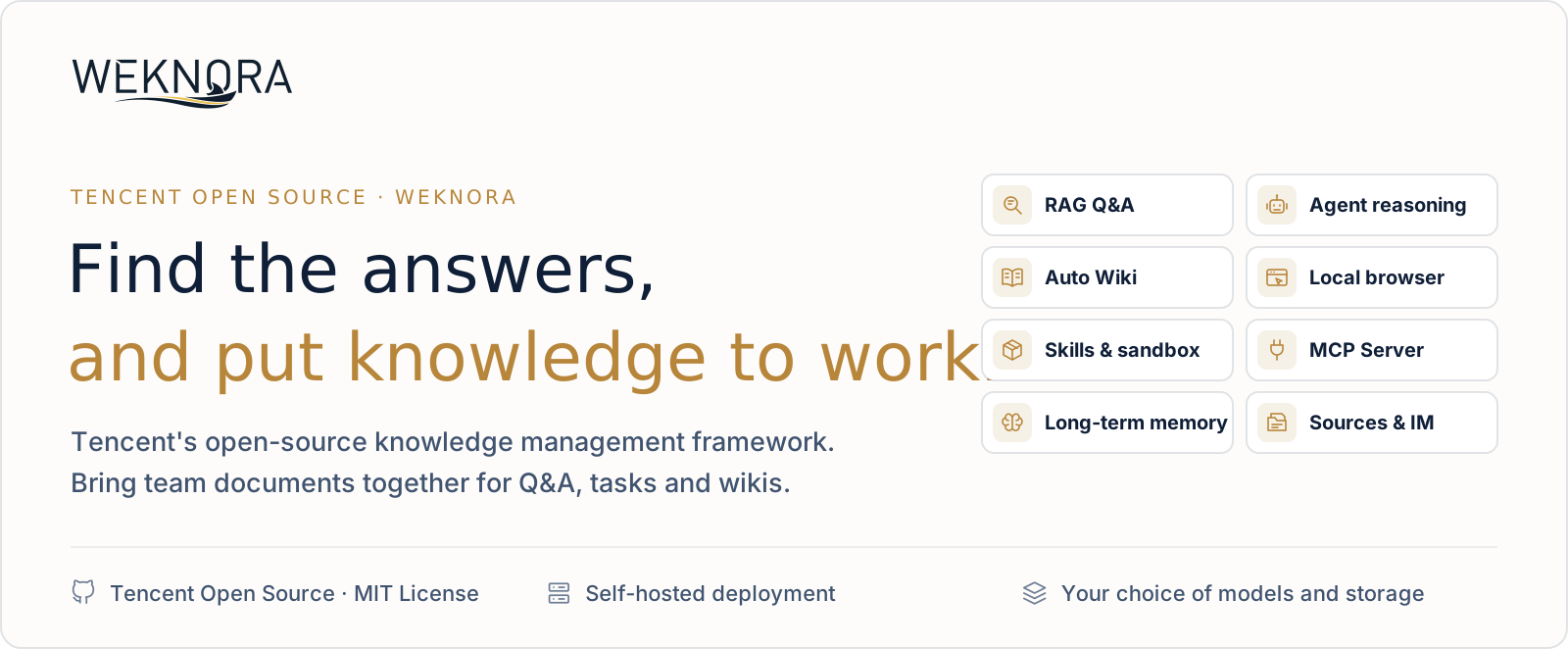
WeKnora is an open-source, LLM-powered knowledge framework for enterprise document understanding, semantic retrieval and reasoning. It brings a team's documents together so they can be searched, reasoned over and kept up to date.
https://github.com/user-attachments/assets/5722b10d-d04d-49ed-a6cc-635a8c77d91f
1:52 · 1080p · No narration, English on-screen text
Use RAG to look things up, the agent for multi-step tasks, and the wiki to organize knowledge. All three work on the same knowledge bases.
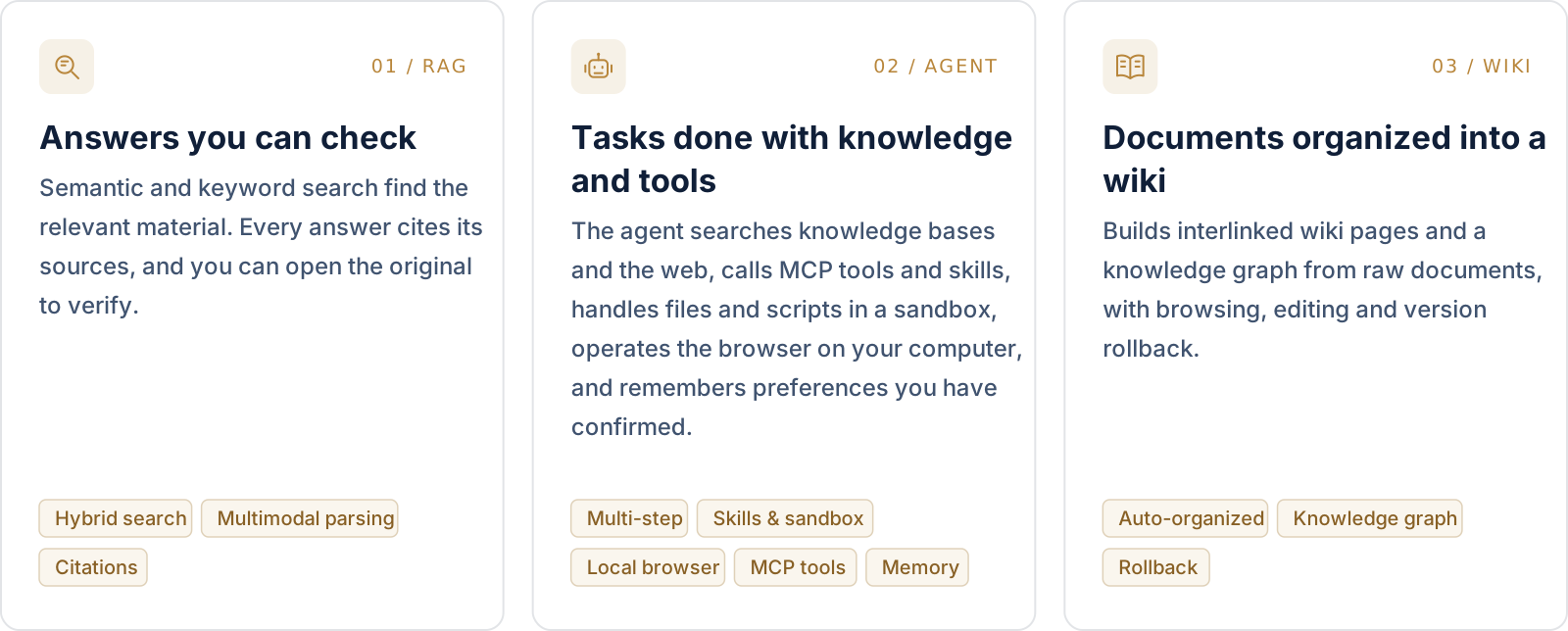
The agent's toolbox. Skills installed from ClawHub / SkillHub / Git / ZIP run in session-persistent Docker / E2B / Cube sandboxes, with an interactive terminal and graphical desktop beside the chat. Through the BrowserSkill extension the agent operates the user's own Chrome or Edge, and external MCP services (OAuth included) can be connected and enabled tool by tool.
Beyond the three modes:
- Memory and curation: cross-session long-term memory keeps the profile, preferences and facts a user has confirmed. Folder uploads keep their directory tree, and retrieval chunks can be edited, diffed and rolled back.
- Data sources and formats: auto-sync from Feishu wiki / Feishu Drive / Confluence / GitLab / Tencent IMA / Notion / Yuque / DingTalk Docs / Seafile / RSS, with more on the way. 10+ document formats including PDF, Word, images, Excel and XMind; Office files are parsed in-process by anydoc.
- Channels and integrations: Q&A in WeCom, Feishu, Slack, Telegram and other IM apps; an embed widget for external websites; a built-in MCP Server for Cursor, Claude and other AI tools; scoped API keys with a principal model for programmatic access.
- Models: 29 built-in vendors with a generated model catalog, including OpenAI, DeepSeek, Qwen (Alibaba Cloud), Zhipu, Hunyuan, Gemini, MiniMax, NVIDIA, LiteLLM and Ollama.
- Permissions and operations: multi-workspace RBAC (four roles, per-resource ownership, per-workspace audit log), several storage instances per workspace, a runtime task-queue dashboard with worker-pool governance, and Langfuse tracing for agent steps, token usage and pipelines.
- Deployment: LLMs, vector databases and storage backends are all swappable. Deploy locally or on a private cloud and keep the data in your own environment.
Quick Start
 ONLINE WeChat Dialog Open Platform Manage knowledge bases online and connect Q&A to Official Accounts, Mini Programs and other WeChat scenarios. Open the platform → |
CLOUD Tencent Cloud Lighthouse Deploy WeKnora from an application template and run it on your own cloud server. Deploy on Tencent Cloud → |
 SELF-HOSTED Your own environment Deploy with Docker or Kubernetes and configure models, storage and networking yourself. Run with Docker Compose ↓ |
Run with Docker Compose
Requires Docker, Docker Compose and Git.
git clone https://github.com/Tencent/WeKnora.git
cd WeKnora
cp .env.example .env    # Edit .env as needed, see comments in the file
docker compose pull     # Pull the latest images
docker compose up -d    # Start core services
Then open http://localhost and follow the onboarding guide. A walkthrough with sample data is in the Quickstart.
[!TIP] To use a local Ollama model, run
ollama serve > /dev/null 2>&1 &first. For the Ollama embedding model name,OLLAMA_BASE_URL, and RAM notes, see Configuration.
| Service | URL |
|---|---|
| Web UI | http://localhost |
| Backend API | http://localhost:8080 |
| Langfuse Tracing | http://localhost:3000 |
Optional services
Add --profile flags to enable additional components; multiple profiles can be combined.
| Profile | Adds |
|---|---|
| (default) | Core services |
full |
All features |
neo4j |
Knowledge Graph (Neo4j) |
minio |
Object Storage (MinIO) |
langfuse |
Tracing (Langfuse) |
docker compose --profile neo4j --profile minio pull
docker compose --profile neo4j --profile minio up -d
docker compose down     # Stop services
Upgrading
If you already have WeKnora running and downloaded a newer release:
# Set WEKNORA_VERSION in .env to the target release (e.g. 0.8.3), or keep latest
docker compose pull     # Pull images matching WEKNORA_VERSION
docker compose up -d    # Recreate containers with new images
[!NOTE]
docker compose up -dalone reuses locally cached images and may leave the UI version out of sync with the release you downloaded. Read the upgrade notes before upgrading. Deployments older than v0.8.2 should also read the v0.8.2 notes.
Other ways to deploy
| Option | When to use it |
|---|---|
| Docker Compose | The standard deployment above: all features, multiple services |
| Kubernetes (Helm) | Production clusters; the chart is in helm/ |
| Lite single binary | Local or low-resource use with no external dependencies (SQLite + in-memory queue); see Lite vs. standard |
| Desktop app | The Lite runtime with a GUI, login-free start and a macOS host sandbox; no installer is published yet, so build it from source |
All options, hardware requirements and deployment topologies: Installation guide.
[!WARNING] WeKnora ships with login authentication, but for production deployments we strongly recommend that you:
- deploy it in an internal / private network rather than on the public internet;
- avoid exposing the service directly to public networks, to prevent information leakage;
- configure proper firewall rules and access controls for the deployment environment;
- regularly update to the latest version for security patches and improvements.
What's New
v0.8.3 · 2026-10-14 · release notes
- Image gallery: browse document images and filter by source, caption, OCR and image attributes.
- Multimodal Embedding: support for multimodal embedding models that encode text and images into a shared vector space, including Tencent WeMM-Embedding and Qwen3-VL-Embedding, with opt-in image-vector retrieval and compatible image-aware reranking.
- Wiki graph: clearer group layouts and theme captions, with group focus, switching and return to the full graph.
- Source citations: navigate from an answer to the cited passage in the original document.
- Chat and tools: on-demand attachment reading without a sandbox, unread replies, @ mention search, Docker terminals, Lite host skills and MCP interoperability updates.
- Administration and integrations: platform user management, invitation-only signup mode, administrator model catalog, WeMM embeddings, TEI/Pinecone/Cohere reranking, Seafile and Traditional Chinese.
- Reliability: broad retrieval, parsing, datasource, Wiki, OAuth and CLI fixes. Review upgrade requirements for registration modes, empty tool lists, database migrations and reindexing.
v0.8.2 · 2026-09-24 · release notes
Agents can operate the browser on your computer, knowledge bases can be published to other AI tools over MCP, and a running conversation can be steered, forked or rewound.
- Local Browser (BrowserSkill): agents drive the user's own Chrome / Edge through the open-source BrowserSkill extension, with a live task preview, pause / resume and hand-off for logins and CAPTCHAs.
- Built-in MCP Server: per-workspace
/mcp/<endpoint_id>endpoints over Streamable HTTP, each with its own token, knowledge-base scope, rate limit and tool groups. The Pythonmcp-server/is deprecated. - Conversation control: append requirements to a running turn, fork from any earlier question, rewind in place with sandbox checkpoints, and pick reasoning effort per session. Generated files are collected in a new artifacts library.
- Sandbox: interactive terminal and graphical desktop; macOS Lite host sandbox with project folders; a sidebar Toolbox for skills, MCP services and the browser connection.
- Models: rebuilt model catalog (27 built-in vendors with generated context-window, max-output, reasoning and vision metadata). Agent retrieval tools are consolidated into
search_knowledge/read_document/list_documents. - Knowledge and platform: Confluence and DingTalk Docs data sources; Bocha and Serply web search; Japanese UI; per-channel IM reply language; whitelist-only outbound mode.
[!IMPORTANT] Breaking: DingTalk channels are Stream-only, and sandbox commands run as
root. See the upgrade notes.
v0.8.0 · release notes
- Skill sandbox runtime: session-persistent Docker / E2B / Cube backends with per-tenant network policy; the Local host-process backend is removed and Docker is opt-in.
- Tenant skill catalog: install from ClawHub / SkillHub / git / zip, with per-sandbox snapshots, live progress, file browse/edit, and personal and workspace env vars.
- Cross-session long-term memory: profile / preference / fact / task / interest, auto-extracted with user confirmation, plus
search_memory. - Parsing and sources: in-process anydoc office parser; GitLab and Tencent IMA data sources; XMind parsing.
- Ecosystem: official DeepSeek Harness plugin
@wxg-prc-cpg/dsh-weknora; LiteLLM; Exa and Metaso web search. - Chat: chat artifacts, question outline and timestamps; context compaction and provider prompt-cache markers.
- Security: OIDC JWKS verification, optional complex passwords, document auto-tagging, and broad sandbox/security hardening.
Earlier releases (v0.2.0 – v0.7.2)
- v0.7.2 — Product documentation site; knowledge base folder tree; chunk editing with revision history; wiki page revisions; directly loadable file URLs (
resource_urls=public); Feishu Drive data source; batch tagging; MCP Server 1.1 (29 tools); AWS S3 default credential chain. - v0.7.1 — Yunzhijia IM; Volcengine rerank; Zhipu AI web search; platform-scoped API keys; per-KB activity audit; FAQ filtering, tagging and export; Langfuse OTLP tracing; one-click Markdown export.
- v0.7.0 — Scoped API keys and principal model; task-queue dashboard and worker-pool governance; multiple storage instances per workspace; temporary chat attachments;
@Skill / @MCPmentions; mid-conversation MCP OAuth; QQBot and Lark IM; Redis TLS;weknoraCLI v0.10. - v0.6.3 — Website embed widget & Integrations Center (secure-mode token exchange + rate limits); chat experience overhaul (citation popovers, RAG pipeline progress, streaming markdown); document multi-tag & batch reparse; Wiki folders & hierarchy navigation; RSS data source; MCP OAuth2; EPUB / MHTML parsing; agent model-readiness checks; model test debugger; session source filter; workspace deletion UI.
- v0.6.2 — Per-upload process configuration with upload-confirm dialog; document reparse with
process_config;weknoraCLI v0.9 (bundled Agent Skills,session stop, auth/profile harmonization); KB marquee multi-select; HNSW index for 1024-dim pgvector embeddings; chat resources store refactor; Langfuse-only tracing (Jaeger removed). - v0.6.1 — Document parsing trace timeline (Langfuse-style span tree with stage-by-stage progress + stop-parse); OpenSearch vector store driver; declarative built-in models via YAML; system admin & consolidated platform settings + audit log; new-user onboarding guide; settings UI redesign;
weknoraCLI v0.7 / v0.8 (agent-first wire contract, NDJSON,--dry-run); OpenDataLoader + PaddleOCR-VL parsers; MCP server multi-transport (stdio / SSE / HTTP); per-model thinking-mode config; Tencent LKEAP rerank + native Gemini embeddings + MiniMax-M3. - v0.6.0 — Workspace RBAC (4-tier role matrix
Owner/Admin/Contributor/Viewer+ per-KB ownership + per-workspace audit log), workspace member management & multi-workspace UX, self-service workspaces;weknoraCLI v0.4 GA withmcp serve; KB retrieval fan-out across vector stores; AES-256-GCM credential encryption + docreader gRPC TLS + Token; Zhipu embedder + Huawei OBS; server-side user preferences; Go 1.26.0. See Tenants & auth. - v0.5.2 — Wiki ingest scales to 40k-document KBs (task queue + DLQ); MCP human-in-the-loop tool approval; Anthropic / Apache Doris / Tencent VectorDB / KS3 / SearXNG backends; adaptive 3-tier chunking with live preview; global ⌘K command palette; Yuque connector + WeChat Mini Program;
weknoraCLI preview. - v0.5.1 — Knowledge-base batch management; workspace-wide IM channels overview; session search + user-scoped pinning; unified Model / Web Search / MCP settings cards; per-agent LLM timeout; desktop workspace switching.
- v0.5.0 — Wiki Mode GA — agents auto-generate structured, interlinked Markdown wiki pages with a knowledge graph; wiki browser + visual graph in the UI.
- v0.4.0 — WeKnora Cloud (hosted LLM + parsing); Chrome Extension; ClawHub Skill; WeChat IM; attachment processing; Azure OpenAI / Alibaba OSS; Notion connector; Baidu + Ollama web search; VectorStore management.
- v0.3.6 — ASR (audio); Feishu data-source auto-sync; OIDC; IM quote-reply context + thread-based sessions; document summarization; Tavily search; parallel tool calling; agent @mention scope restriction.
- v0.3.5 — Telegram / DingTalk / Mattermost IM; IM slash commands + QA queue; suggested questions; VLM auto-describe MCP tool images; Novita AI; channel tracking.
- v0.3.4 — WeCom / Feishu / Slack IM; multimodal image support; NVIDIA model API; Weaviate; AWS S3; AES-256-GCM API-key encryption; built-in MCP service; hybrid-search optimization;
final_answertool. - v0.3.3 — Parent-child chunking; KB pinning; fallback response; passage cleaning for rerank; storage auto-creation; Milvus.
- v0.3.2 — Knowledge Search entry; per-source parser & storage engine config; image rendering in local storage; document preview; Volcengine TOS; Mermaid rendering; batch session management; memory graph preview.
- v0.3.0 — Shared Space; Agent Skills + sandboxed execution; custom agents; Data Analyst agent; thinking mode; Bing / Google web search; API Key auth; Helm chart; Korean i18n; Qdrant.
- v0.2.0 — Agent Mode (ReACT); multi-type knowledge bases (FAQ + document); conversation strategy config; DuckDuckGo web search; MCP tool integration; new UI with agent mode switching; MQ async task management.
Full history: CHANGELOG.md.
Product Tour
Quick Q&A and smart reasoning
Two ways to ask. Quick Q&A answers from the knowledge base with RAG and cites the sources it used. In smart reasoning the agent plans multi-step work, searching, reading documents and calling tools and skills, and shows each step in the conversation. Docs →

Local browser
Operate the browser on your computer. Through Tencent's open-source BrowserSkill extension, the agent opens pages and fills in forms in your own Chrome or Edge, and hands over to you for logins and CAPTCHAs. Docs →

Skills and sandbox
Run skills and produce files. Docker, E2B and Cube backends are supported. Turns in the same session share one workspace, and generated files can be previewed and downloaded. Open the graphical desktop or interactive terminal beside the chat to follow each step and take over when needed. Docs →

Toolbox: MCP services and skills
Tools the agent can use. Connect external MCP services and choose, tool by tool, which are enabled and which calls need approval. Install skills from ClawHub, SkillHub, Git or ZIP, manage them per workspace, and reuse them across sandboxes. Docs →

Automatic wiki
Documents organized into a browsable wiki. With Wiki enabled, WeKnora extracts people, products and concepts from knowledge-base documents into pages with source citations, organized by directory. The knowledge graph shows how pages relate; pages can be edited directly and every change can be rolled back. Docs →

Observability
Tracing and runtime monitoring. Langfuse traces the reasoning, tool calls and token usage of each agent step. The document parsing timeline shows progress stage by stage, and the task-queue dashboard lists queued and failed tasks. Docs →

Architecture

A modular pipeline from document parsing, vectorization and retrieval to LLM inference, in which every component can be replaced or extended. It runs locally or on a private cloud, and the Web UI needs no setup to get started. More: Architecture overview · RAG pipeline · Extension points.
Features
| Area | Highlights |
|---|---|
| Q&A and agent | Quick Q&A answers from knowledge bases with citations; smart reasoning runs a ReAct agent over knowledge bases, web search, MCP tools, skills and the local browser. Steer, fork or rewind a running conversation, and keep long-term memory across sessions |
| Wiki | Agent-generated, interlinked wiki pages with a knowledge graph; in-browser editing, revision diff and rollback |
| Skills and sandbox | Skill catalog installed from ClawHub / SkillHub / Git / ZIP; session-persistent Docker / E2B / Cube sandboxes with network policy; terminal and graphical desktop beside the chat |
| Knowledge bases | FAQ, document and wiki bases; folder tree; chunk editing with revisions; per-upload parsing, chunking and multimodal settings; auto-tagging |
| Retrieval | Keyword + vector hybrid search, rerank, parent-child chunking and GraphRAG (Neo4j); end-to-end evaluation with recall and BLEU / ROUGE |
| Access and security | Workspace RBAC with four roles and an audit log; scoped API keys; OIDC; AES-256-GCM credential encryption; SSRF-safe outbound requests with a whitelist-only mode |
| Operations | Langfuse tracing for agent steps, tokens and pipelines; document parsing timeline; task-queue dashboard with worker pools; automatic migrations on upgrade |
Supported backends
| Component | Options |
|---|---|
| LLMs | 29 built-in vendors, including OpenAI / Azure OpenAI / Anthropic / DeepSeek / Qwen / Zhipu / Hunyuan / Doubao / Gemini / MiniMax / NVIDIA / SiliconFlow / OpenRouter / LiteLLM / Ollama |
| Embeddings | Ollama / BGE / GTE / Zhipu / OpenAI-compatible APIs |
| Vector databases | PostgreSQL (pgvector + ParadeDB) / Elasticsearch / OpenSearch / Milvus / Weaviate / Qdrant / Apache Doris / Tencent VectorDB |
| Object storage | Local / Tencent Cloud COS / MinIO / AWS S3 / Volcengine TOS / Alibaba Cloud OSS / Kingsoft Cloud KS3 / Huawei Cloud OBS |
| Document formats | PDF / Word / PPT / Excel / CSV / TXT / Markdown / HTML / EPUB / MHTML / JSON / XMind / images |
| Data sources | Feishu wiki / Feishu Drive / Lark / Confluence / GitLab / Tencent IMA / Notion / Yuque / DingTalk Docs / Seafile / RSS |
| IM channels | WeCom / Feishu / Lark / QQBot / Slack / Telegram / DingTalk / Mattermost / WeChat / Yunzhijia |
| Web search | DuckDuckGo / Bing / Google / Tavily / Baidu / Ollama / SearXNG / Keenable / Zhipu AI / Exa / Metaso / Bocha / Serply |
| Deployment | Docker Compose / Kubernetes (Helm) / Lite single binary / desktop app; offline and private-cloud installs; UI in Chinese, English, Japanese, Korean and Russian |
Clients and Integrations
| Client | What it does | |
|---|---|---|
 |
CLI weknora |
Agent-first command line for the full API, with a curated MCP tool surface and bundled Agent Skills |
 |
Built-in MCP Server | Publishes knowledge bases to Cursor, Claude and other MCP clients over Streamable HTTP; the Python mcp-server/ is deprecated |
 |
Local Browser (BrowserSkill) | Lets agents operate the user's own Chrome / Edge |
 |
Chrome Extension | Select text, images, or entire pages in the browser and save them as knowledge entries with one click, without copy-paste or file upload |
 |
WeChat Mini Program | Lightweight mobile client: configure API access, select knowledge bases, import URLs, and ask knowledge chat from WeChat |
 |
ClawHub Skill | A WeKnora skill on ClawHub for document import, hybrid search and knowledge management via the REST API |
 |
DeepSeek Harness plugin | Gives dsh coding agents four read-only tools: search, read document, ask and list knowledge bases |
 |
Website Embed Widget | Publishes agents on external sites |
 |
Go SDK | CRUD for knowledge bases, documents and sessions, plus SSE streaming Q&A |
|
WeChat Dialog Open Platform | Hosted Q&A built on WeKnora: upload knowledge and publish a Q&A service in WeChat without writing code |
Command-Line Interface
weknora is the official CLI for driving the API from a terminal or an AI agent. It is agent-first: every command emits a stable JSON envelope by default (with typed error codes mapped to exit codes), and --format text renders for humans. It also serves a curated MCP tool surface (weknora mcp serve) and ships bundled Agent Skills.
weknora profile add prod --host https://kb.example.com --use
weknora auth login
weknora kb list
weknora link --kb my-knowledge-base    # bind the current directory
weknora doc upload notes.md
weknora chat "summarise the design doc"
For headless / CI use, set WEKNORA_API_KEY + WEKNORA_HOST and skip auth login; no credentials are written to disk. See cli/README.md for install + 5-minute quickstart and cli/AGENTS.md for the operational contract AI agents rely on.
Documentation
The full product documentation lives at weknora.weixin.qq.com/docs (in Chinese), organized as Getting Started → Architecture → Features → API → Clients → Development and covering ~360 API endpoints and ~150 environment variables.
| Start here | |
|---|---|
| Introduction | Capabilities overview |
| Installation | Docker Compose, Helm, Lite and desktop |
| Configuration | Environment variables and models |
| Troubleshooting FAQ | Common problems and fixes |
| API reference | REST API overview |
| Release notes | What changed in each release |
Development
If you need to frequently modify code, you don't need to rebuild Docker images every time. Use fast development mode:
make dev-start      # Start infrastructure
make dev-app        # Start backend (new terminal)
make dev-frontend   # Start frontend (new terminal)
- Frontend modifications auto hot-reload (no restart needed)
- Backend modifications quick restart (5-10 seconds, supports Air hot-reload)
- No need to rebuild Docker images
- Supports IDE breakpoint debugging
See the Development guide for details.
The documentation site and product homepage are built from website-docs/. With Node.js 24, run cd website-docs && npm run setup && npm run build && npm run preview to preview both together; the unified static output serves the homepage at / and documentation at /docs/. See the directory's README for Nginx and Docker deployment.
Contributing
Welcome to submit Issues or Pull Requests.
- Process: Fork → Create branch → Commit changes → Open PR
- Standards: Format code with
gofmt, follow Conventional Commits (feat:/fix:/docs:/test:/refactor:)
Validating your change
For a focused PR, validate the changed scope first:
git fetch origin main
git diff --check origin/main...HEAD
golangci-lint run --new-from-rev=origin/main ./...
go test ./path/to/changed/package -count=1
Run gofmt on changed Go files before committing. For frontend changes, run the relevant tests from frontend/ and use npm run type-check when the change affects TypeScript or Vue components.
The full maintainer gate remains:
make fmt
make lint
make test
make fmt formats the entire Go repository, so run it only with a clean worktree and review the resulting diff. Some full-suite tests require local infrastructure or service configuration. If a full check fails for an unrelated baseline or environment reason, include the exact command and failure in the PR while still providing passing targeted tests for your change.
Contributors
Thanks to everyone who has contributed:
License
This project is licensed under the MIT License. You are free to use, modify, and distribute the code with proper attribution.



项目介绍 · 快速开始 · 最新更新 · 功能概览 · 客户端与生态 · 文档 · 开发指南
项目介绍
WeKnora(维娜拉) 是一款开源的、基于大语言模型(LLM)的知识管理框架,面向企业级文档理解、语义检索与智能推理场景。它把团队分散的文档汇集起来,用于检索、推理,并随资料更新持续维护。
https://github.com/user-attachments/assets/5722b10d-d04d-49ed-a6cc-635a8c77d91f
1 分 52 秒 · 1080p · 无旁白,英文画面文字
查询资料用 RAG,处理多步任务用 Agent,整理知识用 Wiki。三种能力共享同一知识库。
Agent 的工具箱。 技能可从 ClawHub / SkillHub / Git / ZIP 安装,在会话级持久的 Docker / E2B / Cube 沙箱中运行,对话旁可打开交互式终端与图形桌面。借助 BrowserSkill 扩展,Agent 可以操作用户自己的 Chrome / Edge;外部 MCP 服务(支持 OAuth)可以接入,并按工具逐个启用。
除此之外:
- 记忆与知识整理:跨会话长期记忆保存用户确认过的个人信息、偏好与事实;文件夹上传保留原始目录结构;检索分块可以编辑、比对与回滚。
- 数据源与格式:飞书知识库 / 飞书云盘 / Confluence / GitLab / 腾讯 IMA / Notion / 语雀 / 钉钉文档 / Seafile / RSS 自动同步,更多数据源持续接入中;覆盖 PDF、Word、图片、Excel、XMind 等十余种格式,Office 文档由 anydoc 在 Go 进程内解析。
- 渠道与集成:企业微信、飞书、Slack、Telegram 等 IM 频道内直接问答;网站嵌入 Widget 把智能体发布到外部站点;内置 MCP Server 供 Cursor、Claude 等 AI 工具连接;权限范围 API Key 与 Principal 模型用于程序化集成。
- 模型:内置 29 家模型厂商与自动生成的模型目录,兼容 OpenAI、DeepSeek、Qwen(阿里云)、智谱、混元、Gemini、MiniMax、NVIDIA、LiteLLM、Ollama 等。
- 权限与运维:多空间 RBAC(四级角色、资源归属、空间审计日志)、每空间多实例存储后端、运行时任务队列面板与 Worker 池治理,并通过 Langfuse 追踪 Agent 步骤、Token 用量与任务流水线。
- 部署:大模型、向量数据库、存储后端均可替换,支持本地与私有云部署,数据留在你自己的环境中。
快速开始
|
在线使用 微信对话开放平台 在线管理知识库,将问答服务接入公众号、小程序等微信场景。 进入平台 → |
云端部署 腾讯云轻量应用服务器 通过应用模板部署 WeKnora,在自己的云服务器上运行。 前往腾讯云部署 → |
自行部署 部署到自己的环境 使用 Docker 或 Kubernetes 部署,自行配置模型、存储和网络。 使用 Docker Compose 部署 ↓ |
使用 Docker Compose 部署
需要 Docker、Docker Compose 与 Git。
git clone https://github.com/Tencent/WeKnora.git
cd WeKnora
cp .env.example .env    # 按需编辑 .env,详见文件内注释
docker compose pull     # 拉取最新镜像
docker compose up -d    # 启动核心服务
启动成功后访问 http://localhost,按新手引导完成配置即可使用。带样例数据的完整上手流程见快速上手。
[!TIP] 如需使用本地 Ollama 模型,请先运行
ollama serve > /dev/null 2>&1 &。Ollama 向量模型名、OLLAMA_BASE_URL与内存说明见配置文档。
| 服务 | 地址 |
|---|---|
| Web UI | http://localhost |
| 后端 API | http://localhost:8080 |
| 链路追踪 (Langfuse) | http://localhost:3000 |
可选服务
按需添加 --profile 启动额外组件,多个 profile 可叠加使用:
| Profile | 说明 |
|---|---|
| (默认) | 核心服务 |
full |
全部功能 |
neo4j |
知识图谱 (Neo4j) |
minio |
对象存储 (MinIO) |
langfuse |
链路追踪 (Langfuse) |
docker compose --profile neo4j --profile minio pull
docker compose --profile neo4j --profile minio up -d
docker compose down     # 停止服务
版本升级
若已有部署并下载了更新的 release:
# 在 .env 中将 WEKNORA_VERSION 设为目标版本(如 0.8.3),或保持 latest
docker compose pull     # 拉取与 WEKNORA_VERSION 匹配的镜像
docker compose up -d    # 用新镜像重建容器
[!NOTE] 仅执行
docker compose up -d会复用本地缓存镜像,可能导致 Web UI 显示版本与下载的 release 不一致。升级前请先阅读升级须知。
其他部署方式
| 方式 | 适用场景 |
|---|---|
| Docker Compose | 上面的标准部署,功能完整,多服务 |
| Kubernetes (Helm) | 生产集群;Chart 位于 helm/ |
| Lite 单二进制 | 本机或低资源环境,零外部依赖(SQLite + 内存队列);与标准版的差异见 Lite 与标准版区别 |
| 桌面应用 | 带图形界面的 Lite 运行时,免登录启动,macOS 上提供本机沙箱;尚未提供安装包,需自行构建 |
全部部署形态、硬件要求与常见拓扑见安装部署。
[!WARNING] WeKnora 已提供登录鉴权,但在生产环境部署时,我们强烈建议:
- 将 WeKnora 服务部署在内网 / 私有网络环境中,而非公网环境;
- 避免将服务直接暴露在公网上,以防止重要信息泄露风险;
- 为部署环境配置适当的防火墙规则和访问控制;
- 定期更新到最新版本以获取安全补丁和改进。
最新更新
v0.8.3 · 2026-10-14 · 版本说明
- 画廊:集中浏览文档图片,按来源、描述、OCR 与图片属性筛选,查看原图和出处。
- 多模态 Embedding:支持将文字与图片编码到同一向量空间的多模态向量模型,例如腾讯 WeMM-Embedding、Qwen3-VL-Embedding 等;可按需开启图片向量检索,并搭配支持图片输入的重排模型。
- Wiki 图谱:重新组织分组布局与主题说明,支持聚焦分组、切换分组和返回全图。
- 原文引用:从回答直接定位原始文档中的引用片段。
- 对话与工具:无需沙箱即可按需读取附件,未读回答标记、@ 全局搜索、Docker 终端、Lite 本机技能与 MCP 兼容性更新。
- 管理与集成:平台用户管理、仅限邀请注册、管理员模型目录、WeMM 向量、TEI/Pinecone/Cohere 重排、Seafile 数据源与繁体中文。
- 稳定性:集中修复检索、解析、数据源、Wiki、OAuth 和 CLI。注册模式、空工具列表、数据库迁移与向量重建要求见升级须知。
v0.8.2 · 2026-09-24 · 版本说明
智能体可以操作你电脑上的浏览器,知识库可以通过 MCP 接入其他 AI 工具,进行中的对话可以补充要求、分叉或回滚。
- 本地浏览器(BrowserSkill):智能体通过开源 BrowserSkill 扩展操作用户自己的 Chrome / Edge,支持实时任务预览、暂停 / 继续,登录和验证码交给用户处理。
- 内置 MCP Server:按空间发布
/mcp/<endpoint_id>端点,Streamable HTTP,每个端点独立令牌、知识库范围、限流与工具分组;Python 版mcp-server/已弃用。 - 对话控制:运行中追加要求、从任意历史问题分叉、原地回滚并还原沙箱检查点、按会话选择思考强度;生成的文件统一收在新增的产物库中。
- 沙箱:沙箱交互终端与图形桌面;macOS Lite 宿主机沙箱与项目文件夹;侧边栏工具箱集中管理技能、MCP 服务与浏览器连接。
- 模型接入:重构的模型目录(27 家内置厂商,自动补全上下文窗口、最大输出、思考档位与视觉能力);Agent 检索工具合并为
search_knowledge/read_document/list_documents。 - 知识库与平台:Confluence 与钉钉文档数据源;博查与 Serply 网络搜索;日语界面;IM 频道级回复语言;仅白名单出站模式。
[!IMPORTANT] 不兼容变更: 钉钉频道仅支持 Stream 模式,沙箱命令默认以
root执行。详见升级须知。
v0.8.0 · 版本说明
- 技能沙箱运行时:会话级常驻 Docker / E2B / Cube 后端,按空间配置网络策略;移除 Local 宿主机进程后端;Docker 需显式开启。
- 空间技能目录:从 ClawHub / SkillHub / git / zip 安装,按沙箱快照、实时进度、文件浏览/编辑、个人与空间环境变量。
- 跨会话长期记忆:profile / preference / fact / task / interest,自动抽取需确认,
search_memory。 - 解析与数据源:进程内 anydoc Office 解析;GitLab 与腾讯 IMA 数据源;XMind 解析。
- 生态:官方 DeepSeek Harness 插件
@wxg-prc-cpg/dsh-weknora;LiteLLM;Exa 与 Metaso 网络搜索。 - 对话:对话产物、问题大纲与时间戳;上下文压缩与供应商 Prompt Cache 标记。
- 安全:OIDC JWKS 验签、可选复杂密码、文档自动打标签,以及大范围沙箱/安全加固。
更早版本(v0.2.0 – v0.7.2)
- v0.7.2 —— 产品文档站;知识库文件夹树;分块编辑与版本历史;Wiki 页面版本历史;可直接加载的文件链接(
resource_urls=public);飞书云盘数据源;批量打标签;MCP Server 1.1(29 个工具);AWS S3 默认凭据链。 - v0.7.1 —— 云之家 IM;火山引擎重排序;智谱 AI 网络搜索;平台级 API Key;知识库活动审计;FAQ 筛选、打标签与导出;Langfuse OTLP 追踪;一键导出 Markdown。
- v0.7.0 —— 权限范围 API Key 与 Principal 模型;任务队列面板与 Worker 池治理;每空间多实例存储;对话临时附件;
@Skill / @MCP提及;会话内 MCP OAuth;QQBot 与 Lark IM;Redis TLS;weknoraCLI v0.10。 - v0.6.3 —— 网站嵌入 Widget 与发布集成中心(安全模式 Token 交换 + 限流);对话体验全面革新(引用浮层、RAG 流水线进度、流式 Markdown);文档多标签与批量重新解析;Wiki 文件夹与层级导航;RSS 数据源;MCP OAuth2;EPUB / MHTML 解析;Agent 模型就绪校验;模型调试器;会话来源筛选;工作区删除 UI。
- v0.6.2 —— 按批次解析配置(
process_config)+ 上传确认对话框;文档重新解析(reparse)支持覆盖配置;weknoraCLI v0.9(内置 Agent Skills、session stop、auth/profile 统一);知识库框选多选;pgvector 1024 维 HNSW 索引;对话资源 Store 重构;仅保留 Langfuse 追踪(移除 Jaeger)。 - v0.6.1 —— 文档解析追踪时间线(Langfuse 风格 Span 树,逐阶段进度展示 + 解析中止);OpenSearch 向量库驱动;YAML 声明式内置模型配置;系统管理员与统一平台设置 + 审计日志;新用户引导;设置页 UI 重构;
weknoraCLI v0.7 / v0.8(Agent 优先线协议、NDJSON、--dry-run);OpenDataLoader 与 PaddleOCR-VL 解析引擎;MCP Server 多传输(stdio / SSE / HTTP);按模型的思考模式配置;腾讯云 LKEAP 重排 + 原生 Gemini Embedding + MiniMax-M3。 - v0.6.0 —— 空间 RBAC(四级角色矩阵
Owner/Admin/Contributor/Viewer+ 按 KB 归属 + 每空间审计日志)、空间成员管理与多工作区 UX、自助创建工作区;weknoraCLI v0.4 正式版 +mcp serve;KB 检索跨向量库扇出;MCP / 数据源凭据 AES-256-GCM 加密 + docreader gRPC TLS + Token;新增智谱 Embedding 与华为云 OBS;服务端用户偏好;Go 1.26.0。详见多租户与认证。 - v0.5.2 —— Wiki 入库支撑万级文档知识库(任务队列 + 死信队列);MCP 工具人机审批;Anthropic / Apache Doris / 腾讯云 VectorDB / 金山云 KS3 / SearXNG 后端;自适应三层分块 + 实时调试面板;全局 ⌘K 命令面板;语雀连接器 + 微信小程序;
weknoraCLI 早期版本。 - v0.5.1 —— 知识库批量管理;空间级 IM 频道总览;会话搜索 + 用户级置顶;模型 / 网页搜索 / MCP 统一卡片化设置;按 Agent LLM 调用超时;桌面端空间切换。
- v0.5.0 —— Wiki 模式正式版 —— Agent 从原始文档自治生成结构化、相互链接的 Markdown Wiki 页面及知识图谱;Wiki 浏览器 + 可视化图谱。
- v0.4.0 —— WeKnora Cloud(托管模型 + 解析);Chrome 插件;ClawHub Skill;微信 IM;附件处理;Azure OpenAI / 阿里云 OSS;Notion 连接器;百度 + Ollama 网页搜索;VectorStore 管理。
- v0.3.6 —— ASR 语音;飞书数据源自动同步;OIDC;IM 引用回复 + 线程会话;文档自动摘要;Tavily 搜索;并行工具调用;Agent @提及范围限制。
- v0.3.5 —— Telegram / 钉钉 / Mattermost IM;IM 斜杠命令 + QA 队列;推荐问题;VLM 自动描述 MCP 返回图片;Novita AI;来源频道标记。
- v0.3.4 —— 企业微信 / 飞书 / Slack IM;多模态图片;NVIDIA 模型 API;Weaviate;AWS S3;AES-256-GCM API Key 加密;内置 MCP 服务;混合检索优化;
final_answer工具。 - v0.3.3 —— 父子分块;知识库置顶;兜底回复;Rerank 段落清洗;存储桶自动创建;Milvus。
- v0.3.2 —— 知识搜索入口;按来源配置解析与存储引擎;本地存储图片渲染;文档预览;火山引擎 TOS;Mermaid 渲染;对话批量管理;记忆图谱预览。
- v0.3.0 —— 共享空间;Agent Skills + 沙盒执行;自定义 Agent;数据分析 Agent;思考模式;Bing / Google 搜索;API Key 认证;Helm Chart;韩语 i18n;Qdrant。
- v0.2.0 —— Agent 模式(ReACT);多类型知识库(FAQ + 文档);对话策略配置;DuckDuckGo 网页搜索;MCP 工具集成;全新 UI + Agent 模式切换;MQ 异步任务管理。
完整变更记录见 CHANGELOG.md。
功能展示
快速问答与智能推理
两种提问方式。 快速问答基于知识库做 RAG 检索作答,并标注引用来源;智能推理由智能体规划多步任务,检索、阅读文档、调用工具与技能,每一步都在对话中展示。 文档 →
本机浏览器
操作你电脑上的浏览器。 借助腾讯开源的 BrowserSkill 扩展,智能体直接在你的 Chrome 或 Edge 中打开网页、填写表单;遇到登录或验证码时交给你。 文档 →
技能与沙箱
运行技能,生成文件。 支持 Docker、E2B、Cube。同一会话的多轮任务共用一个工作区,生成的文件可预览和下载;还可以在对话旁打开图形桌面或交互终端,查看智能体的每一步操作,必要时亲自接手。 文档 →
工具箱:MCP 服务与技能
智能体可用的工具。 接入外部 MCP 服务,逐个选择启用哪些工具、哪些调用需要审批;从 ClawHub、SkillHub、Git 或 ZIP 安装技能,在空间内统一管理,供各个沙箱复用。 文档 →
自动 Wiki
把文档整理成可浏览的 Wiki。 开启 Wiki 后,从知识库文档中提取人物、产品和概念,生成带来源引用的页面,按目录浏览;在知识图谱中查看页面之间的关系,页面可直接编辑,改动可回溯。 文档 →
可观测性
追踪与运行监控。 Langfuse 追踪智能体每一步的推理、工具调用与 Token 用量;文档解析时间线逐阶段展示进度;任务队列面板列出排队与失败的任务。 文档 →
架构设计

从文档解析、向量化、检索到大模型推理,各环节模块化解耦,组件可替换、可扩展。支持本地与私有云部署,Web UI 开箱即用。延伸阅读:架构总览 · RAG 流水线 · 扩展点。
功能概览
| 领域 | 要点 |
|---|---|
| 问答与 Agent | 快速问答基于知识库作答并附来源引用;智能推理由 ReAct Agent 编排知识库、网络搜索、MCP 工具、技能与本机浏览器。进行中的对话可以补充要求、分叉或回滚,并支持跨会话的长期记忆 |
| Wiki | Agent 生成相互链接的 Wiki 页面与知识图谱;支持浏览器内编辑、版本 diff 与回滚 |
| 技能与沙箱 | 技能目录支持从 ClawHub / SkillHub / Git / ZIP 安装;会话级持久的 Docker / E2B / Cube 沙箱,按配置设置网络策略;对话旁提供交互式终端与图形桌面 |
| 知识库 | FAQ、文档、Wiki 三类知识库;文件夹树;分块编辑与版本历史;按批次设置解析、分块与多模态;自动打标签 |
| 检索 | 关键词 + 向量混合检索、重排序、父子分块与 GraphRAG(Neo4j);端到端评测召回命中率与 BLEU / ROUGE |
| 权限与安全 | 空间 RBAC 四级角色与审计日志;权限范围 API Key;OIDC;凭据 AES-256-GCM 加密;防 SSRF 的出站请求与仅白名单出站模式 |
| 运维 | Langfuse 追踪 Agent 步骤、Token 用量与任务流水线;文档解析时间线;带 Worker 池的任务队列面板;版本升级自动迁移数据库 |
支持的组件
| 组件 | 可选项 |
|---|---|
| 模型厂商 | 内置 29 家,包括 OpenAI / Azure OpenAI / Anthropic / DeepSeek / Qwen(阿里云)/ 智谱 / 混元 / 豆包(火山引擎)/ Gemini / MiniMax / NVIDIA / SiliconFlow / OpenRouter / LiteLLM / Ollama |
| Embedding | Ollama / BGE / GTE / 智谱 / OpenAI 兼容接口 |
| 向量数据库 | PostgreSQL (pgvector + ParadeDB) / Elasticsearch / OpenSearch / Milvus / Weaviate / Qdrant / Apache Doris / 腾讯云 VectorDB |
| 对象存储 | 本地 / 腾讯云 COS / MinIO / AWS S3 / 火山引擎 TOS / 阿里云 OSS / 金山云 KS3 / 华为云 OBS |
| 文档格式 | PDF / Word / PPT / Excel / CSV / TXT / Markdown / HTML / EPUB / MHTML / JSON / XMind / 图片 |
| 数据源 | 飞书知识库 / 飞书云盘 / Lark / Confluence / GitLab / 腾讯 IMA / Notion / 语雀 / 钉钉文档 / Seafile / RSS |
| IM 渠道 | 企业微信 / 飞书 / Lark / QQBot / Slack / Telegram / 钉钉 / Mattermost / 微信 / 云之家 |
| 网络搜索 | DuckDuckGo / Bing / Google / Tavily / Baidu / Ollama / SearXNG / Keenable / 智谱 AI / Exa / Metaso / 博查 / Serply |
| 部署 | Docker Compose / Kubernetes (Helm) / Lite 单二进制 / 桌面版;支持离线与私有云部署;界面支持中文、英文、日文、韩文、俄文 |
客户端与生态
| 客户端 | 用途 | |
|---|---|---|
|
命令行 weknora |
Agent 优先的命令行,覆盖完整 API,附带精选 MCP 工具面与内置 Agent Skills |
|
内置 MCP Server | 通过 Streamable HTTP 把知识库开放给 Cursor、Claude 等 MCP 客户端;mcp-server/ 下的 Python 服务已弃用 |
|
本地浏览器(BrowserSkill) | 让智能体操作用户自己的 Chrome / Edge |
|
Chrome 插件 | 在浏览器中选中文本、图片或整个页面,一键保存为知识条目,无需复制粘贴或手动上传文件 |
|
微信小程序 | 轻量移动端:配置 WeKnora API、选择知识库、导入 URL,并在微信内向知识库提问 |
|
ClawHub Skill | 发布在 ClawHub 上的 WeKnora 技能,通过 REST API 导入文档、混合检索与管理知识条目 |
|
DeepSeek Harness 插件 | 为 dsh 编码 Agent 提供四个只读工具:检索、读取文档、提问、列出知识库 |
|
网站嵌入 Widget | 将智能体发布到外部站点 |
|
Go SDK | 知识库、文档、会话等资源的 CRUD 与 SSE 流式问答 |
|
微信对话开放平台 | 基于 WeKnora 的托管问答平台,上传知识即可在微信内发布问答服务,无需写代码 |
命令行工具
weknora 是官方命令行工具,可在终端或 AI Agent 中驱动 API。它以 Agent 为先:每条命令默认输出稳定的 JSON 信封(带类型化错误码并映射到退出码),--format text 则面向人类阅读。它还提供精选的 MCP 工具面(weknora mcp serve),并内置 Agent Skills。
weknora profile add prod --host https://kb.example.com --use
weknora auth login
weknora kb list
weknora link --kb my-knowledge-base    # 绑定当前目录
weknora doc upload notes.md
weknora chat "总结一下设计文档"
在无界面 / CI 场景下,设置 WEKNORA_API_KEY 与 WEKNORA_HOST 即可跳过 auth login,不会有凭据写入磁盘。安装与 5 分钟上手见 cli/README.md,AI Agent 依赖的操作约定见 cli/AGENTS.md。
文档
完整产品文档见 weknora.weixin.qq.com/docs,按「入门 → 架构 → 功能 → API → 客户端 → 开发」六个板块组织,覆盖约 360 个 API 端点、约 150 个环境变量与 9 大扩展点。
| 从这里开始 | |
|---|---|
| 产品介绍 | 能力总览 |
| 安装部署 | Docker Compose、Helm、Lite 与桌面端 |
| 配置说明 | 环境变量与模型配置 |
| 常见问题排查 | 常见问题与解决办法 |
| API 文档 | REST API 总览 |
| 版本说明 | 各版本变更详解 |
开发指南
频繁修改代码时不需要每次重新构建 Docker 镜像,使用快速开发模式即可:
make dev-start      # 启动基础设施
make dev-app        # 启动后端(新终端)
make dev-frontend   # 启动前端(新终端)
- 前端修改自动热重载(无需重启)
- 后端修改快速重启(5-10 秒,支持 Air 热重载)
- 无需重新构建 Docker 镜像
- 支持 IDE 断点调试
详细说明见开发环境快速入门。
文档站与产品主页的源码位于 website-docs/。使用 Node.js 24 运行 cd website-docs && npm run setup && npm run build && npm run preview 即可同时预览两者;统一的静态产物在 / 提供主页、在 /docs/ 提供文档。Nginx 与 Docker 部署方式见该目录的 README。
贡献指南
欢迎通过 Issue 反馈问题或提交 Pull Request。
- 流程: Fork → 新建分支 → 提交更改 → 创建 PR
- 规范: 使用
gofmt格式化代码,遵循 Conventional Commits 提交(feat:/fix:/docs:/test:/refactor:)
验证方式
对于范围集中的 PR,优先验证本次改动涉及的文件和包:
git fetch origin main
git diff --check origin/main...HEAD
golangci-lint run --new-from-rev=origin/main ./...
go test ./path/to/changed/package -count=1
提交前请对改动过的 Go 文件运行 gofmt。对于前端改动,请在 frontend/ 目录运行相关测试;如果改动涉及 TypeScript 或 Vue 组件,还应运行 npm run type-check。
维护者使用的全仓验证命令仍然是:
make fmt
make lint
make test
make fmt 会格式化整个 Go 仓库,因此请仅在工作区干净时运行,并检查产生的 diff。部分全量测试依赖本地基础设施或服务配置。如果全仓检查因无关的基线问题或环境依赖失败,请在 PR 中写明具体命令和错误,同时提供本次改动范围内通过的定向测试。
贡献者
感谢所有贡献者:
许可证
本项目基于 MIT 协议发布。你可以自由使用、修改和分发本项目代码,但需保留原始版权声明。